




Syarat dan Ketentuan
R27 - Titip Emas - done
Titip Emas di Livin' by Mandiri
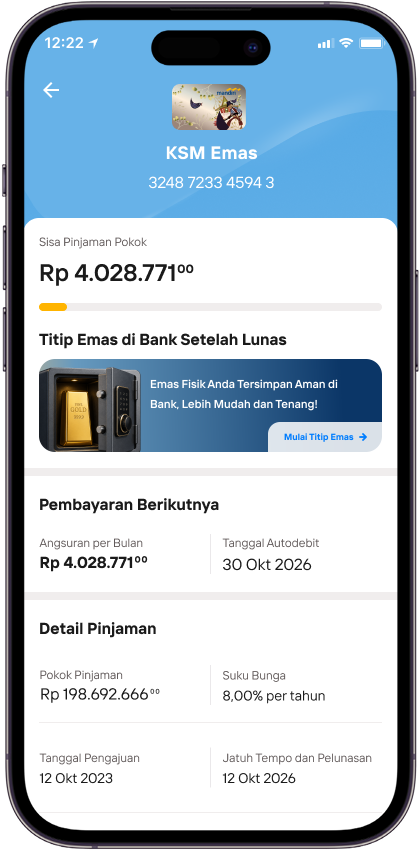
Di detail KSM Emas, pilih Titip Emas di Bank Setelah Lunas.
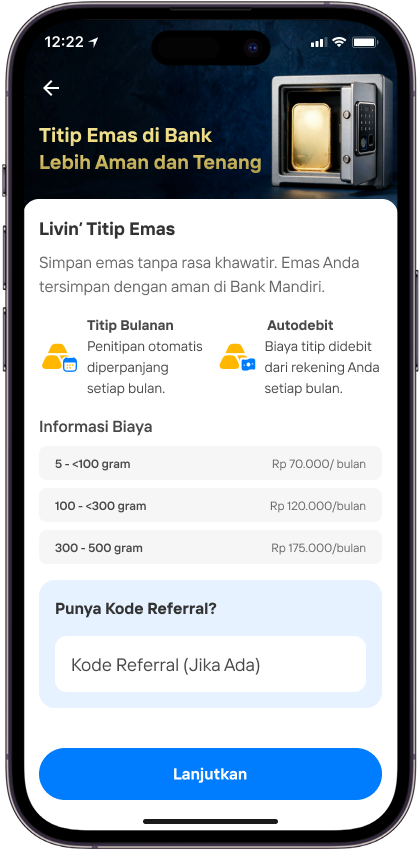
Baca informasi Livin’ Titip Emas, lalu masukkan kode referral jika ada.
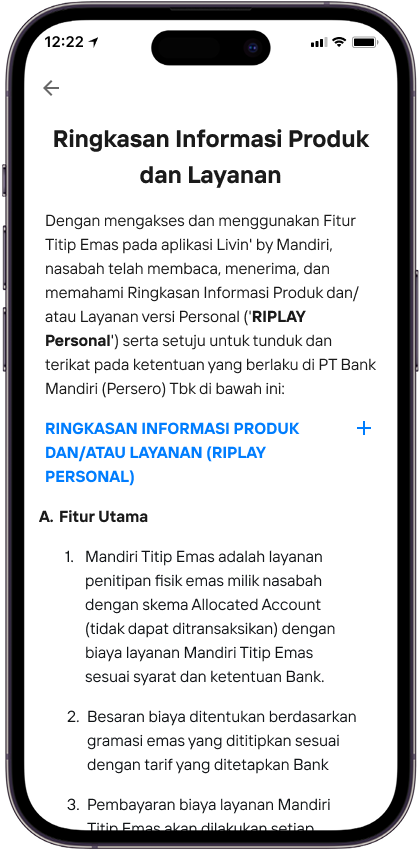
Baca Ringkasan Informasi Produk dan Layanan sebelum melanjutkan.
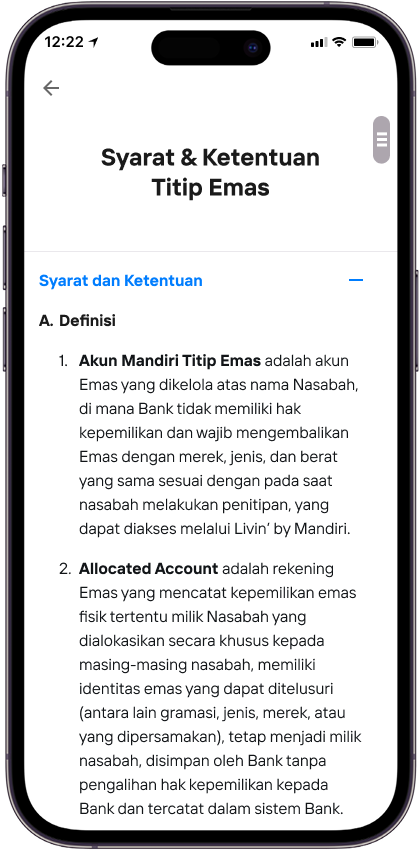
Baca Syarat & Ketentuan Titip Emas, lalu setujui untuk melanjutkan.
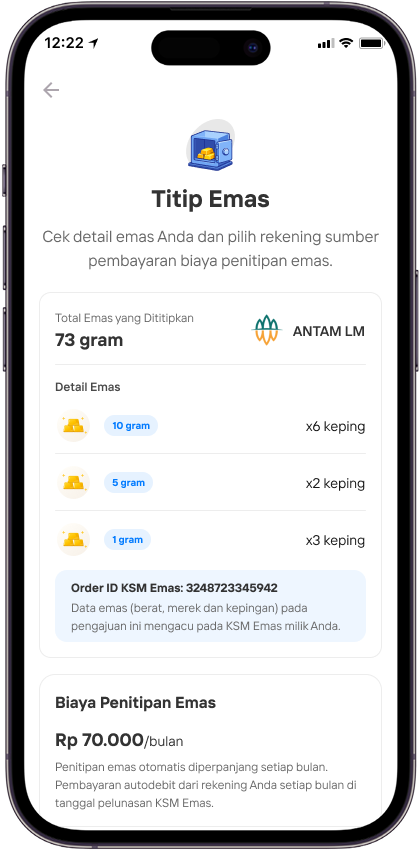
Periksa detail emas dan rekening sumber pembayaran biaya penitipan, lalu pilih Lanjutkan.
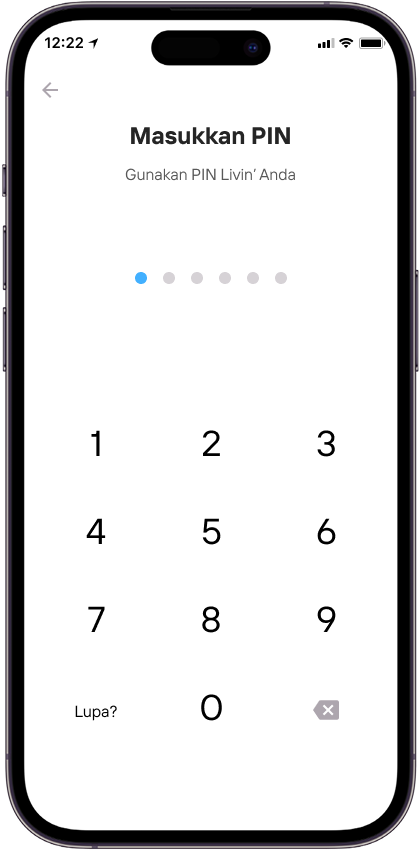
Masukkan PIN Livin’ untuk mengonfirmasi penitipan emas.
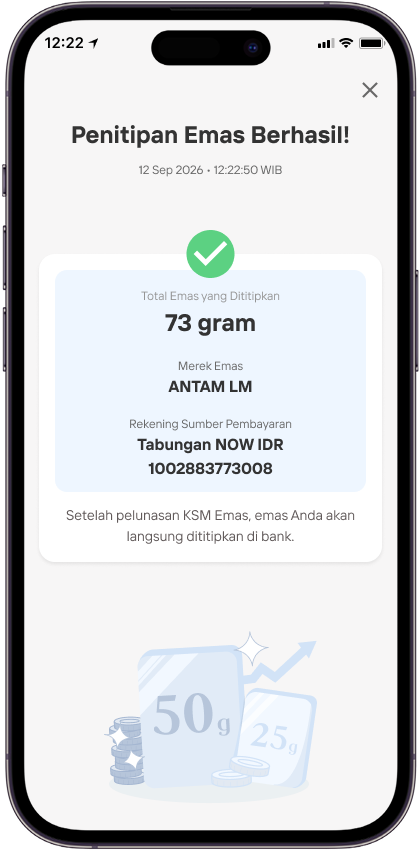
Tinjau bukti bahwa Penitipan Emas berhasil.
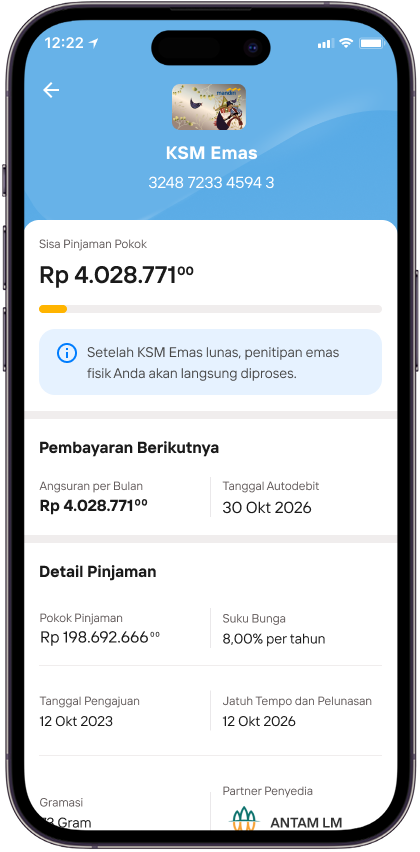
Kembali ke detail KSM Emas untuk melihat status penitipan setelah pelunasan.
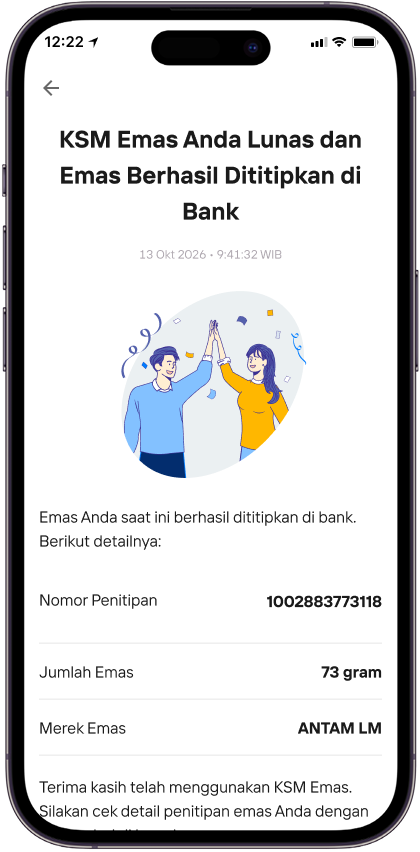
Setelah KSM Emas lunas, tinjau detail emas yang berhasil dititipkan di bank.
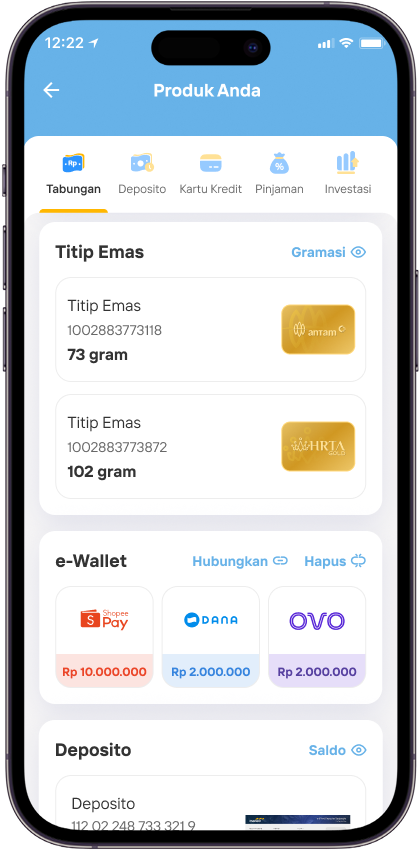
Buka daftar produk dan pilih akun Titip Emas.
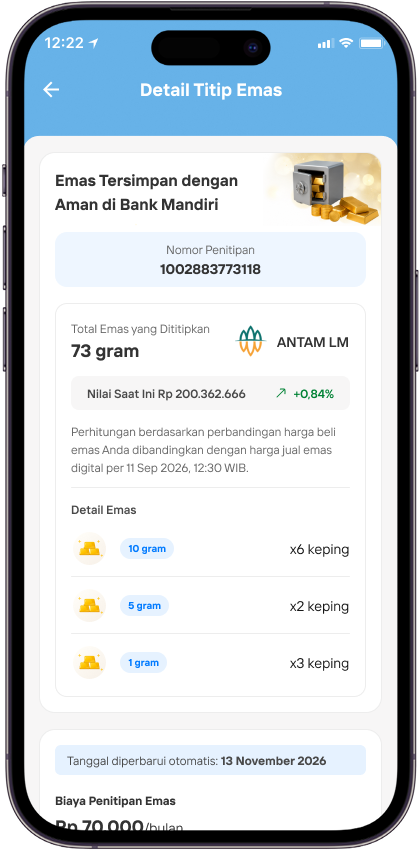
Buka Detail Titip Emas untuk melihat informasi penitipan dan emas tersimpan.
R27 - Deposito Spesial Rate - Done
Deposito Spesial Rate di Livin' by Mandiri
On Going
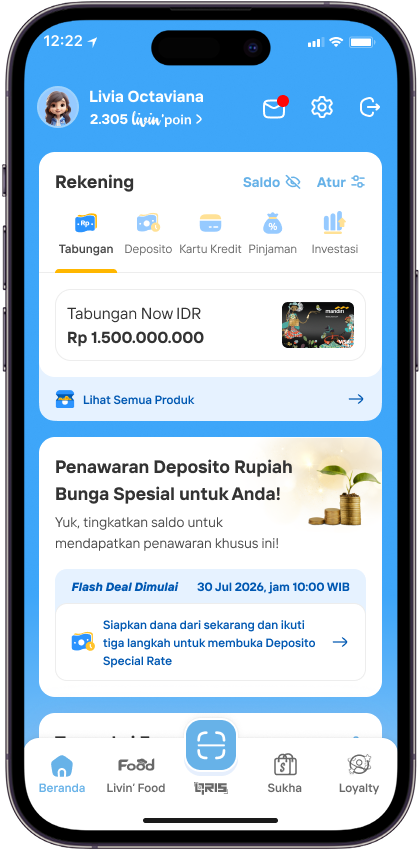
Di halaman Beranda Livin’ by Mandiri Anda, tap banner promo Deposito Special Rate.
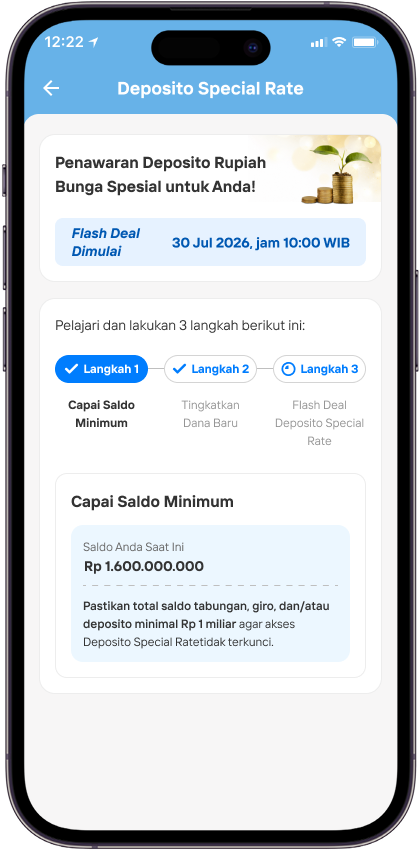
Langkah 1, penuhi persyaratan saldo minimum.
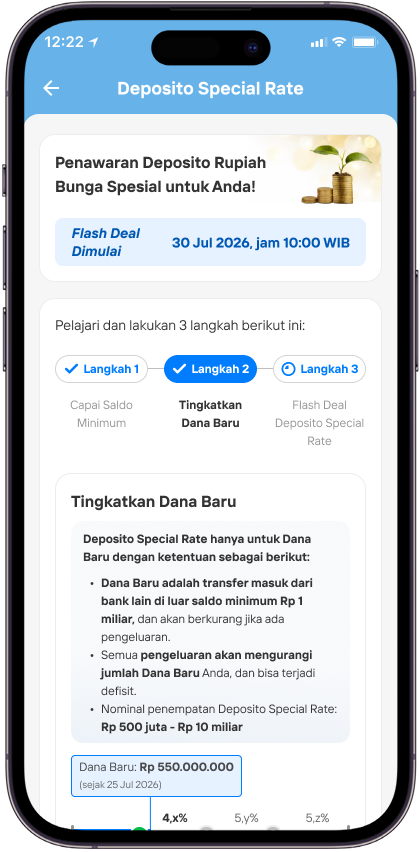
Langkah 2, tingkatkan dana baru dengan melakukan transfer dari bank lain. Pastikan nominal sesuai syarat yang ditentukan.
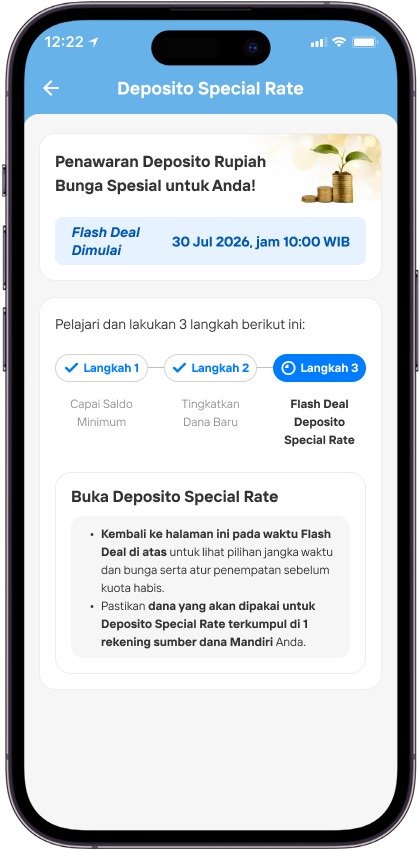
Langkah 3, tunggu sampai waktu promo dimulai, ya.
Upcoming
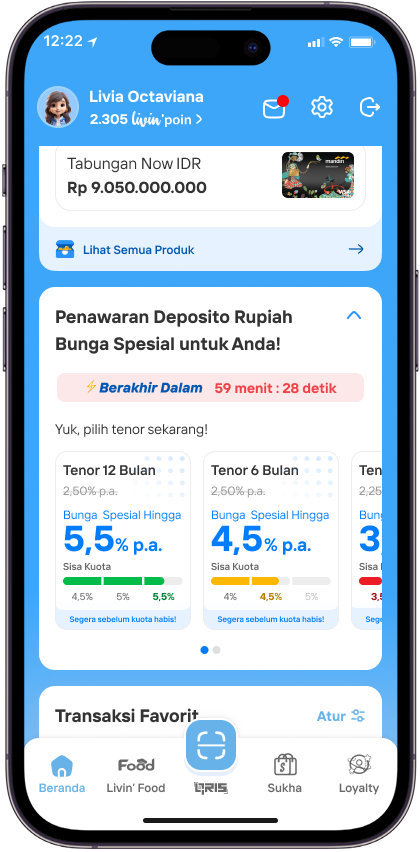
Saat promo sudah dimulai, silakan tap banner tenor yang Anda inginkan.
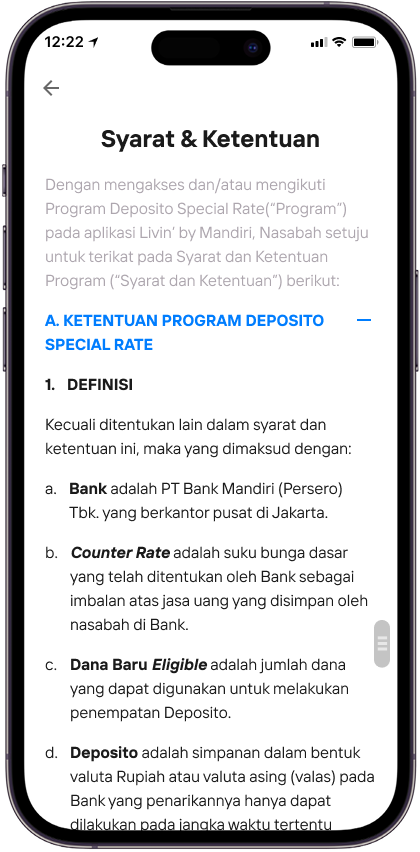
Baca dan pahami syarat dan ketentuan Deposito Special Rate.
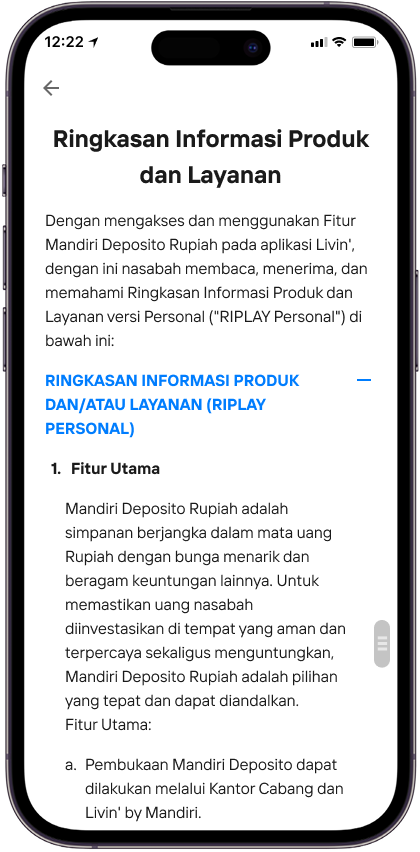
Baca dan pahami Ringkasan Informasi Produk dan Layanan Deposito Special Rate.
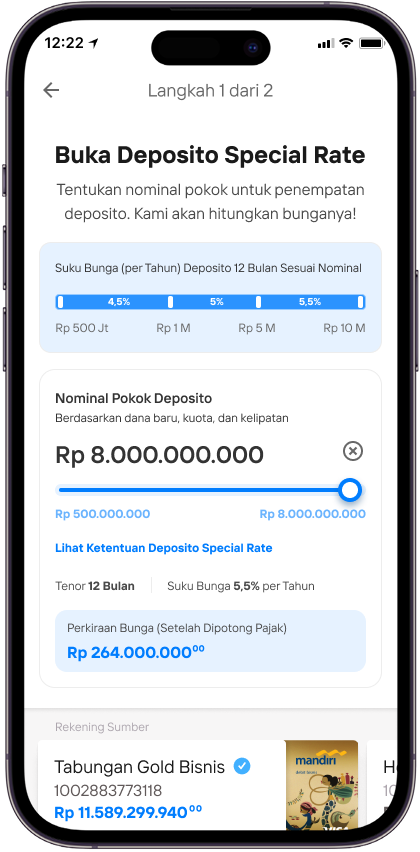
Masukkan nominal pokok deposito. Jangka waktu dan bunga sudah otomatis ditentukan sesuai tenor yang Anda pilih di awal.
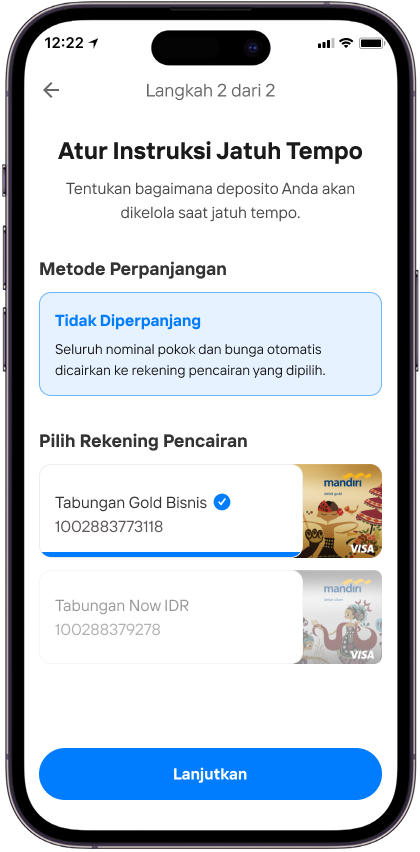
Pilih metode perpanjangan yang Anda inginkan kemudian tap Lanjutkan.
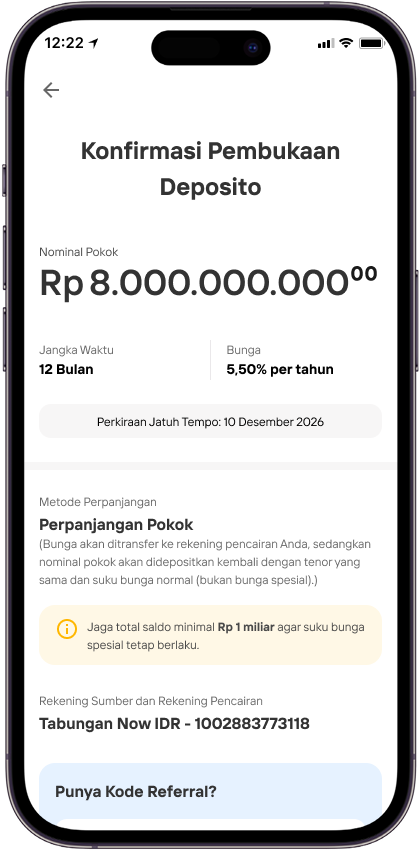
Periksa kembali detail pembukaan deposito kemudian tap Buka Deposito. Perlu diketahui, jika Anda memilih untuk perpanjangan deposito, suku bunga normal akan berlaku pada saat perpanjangan otomatis, ya.
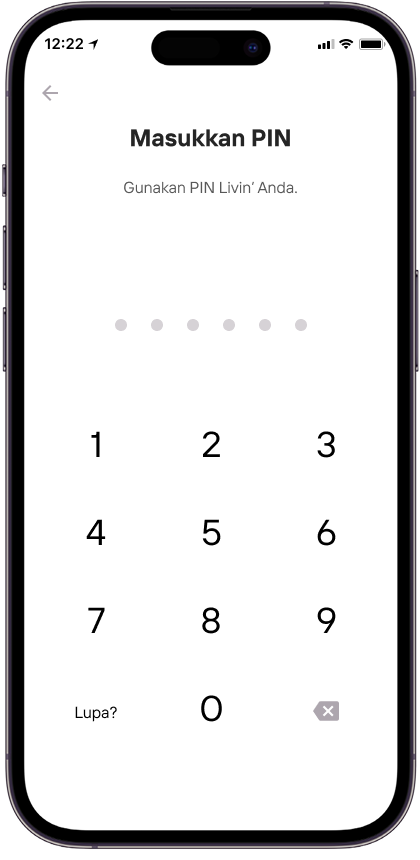
Masukkan PIN Anda untuk memproses buka Deposito.
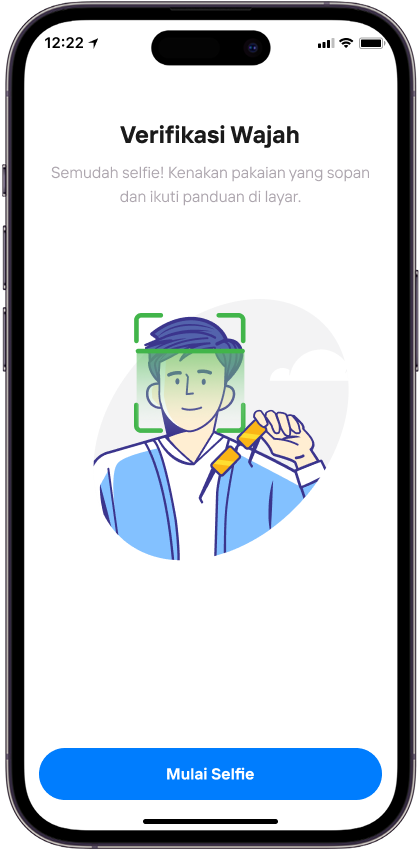
Verifikasi wajah Anda. Pastikan pencahayaan cukup dan wajah Anda terlihat jelas, ya.
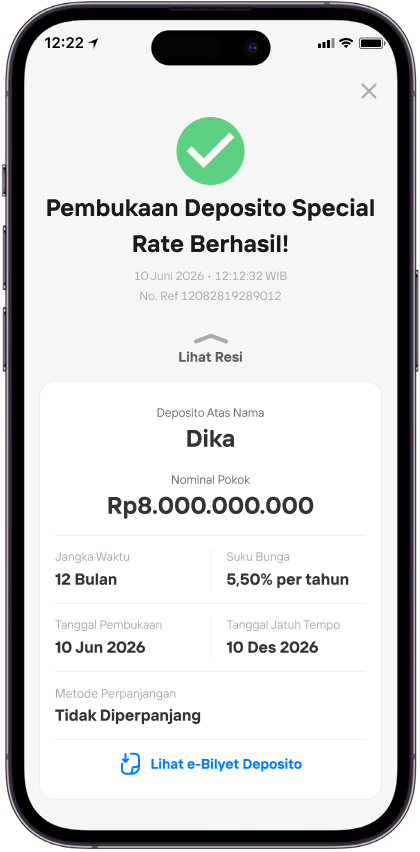
Yay! Pembukaan deposito Anda berhasil. Anda bisa cek rekening ini di halaman Produk Anda.
R27 - CICIL EMAS (KSM EMAS) - Done
KSM Emas di Livin' by Mandiri
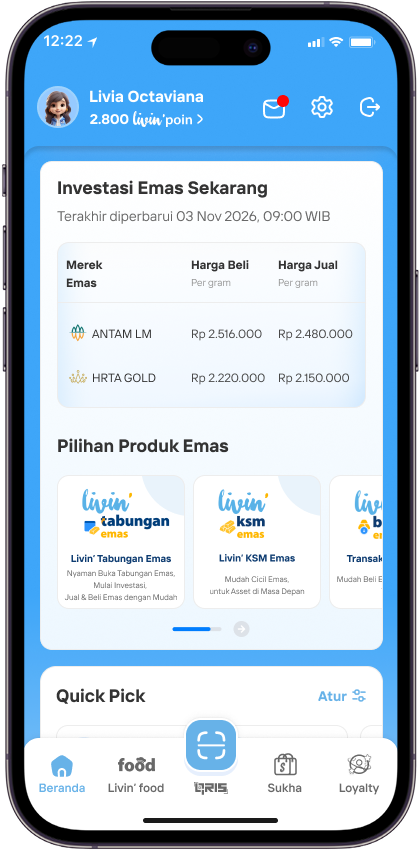
Di Beranda Livin’, pilih banner promo KSM Emas.
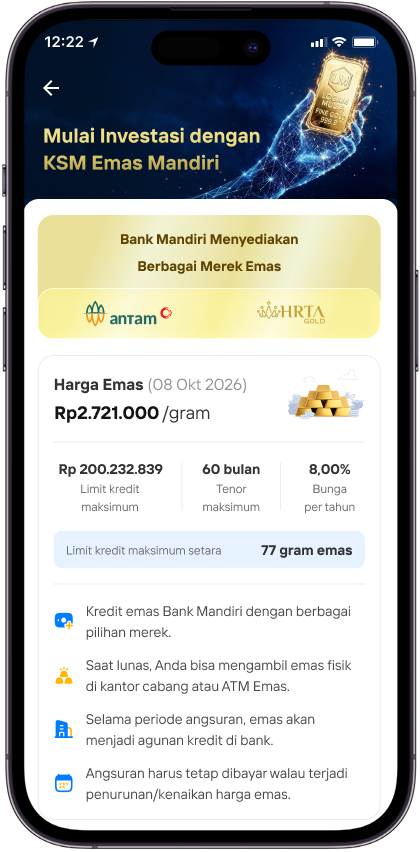
Baca informasi KSM Emas, termasuk limit kredit, harga emas, dan ketentuannya.
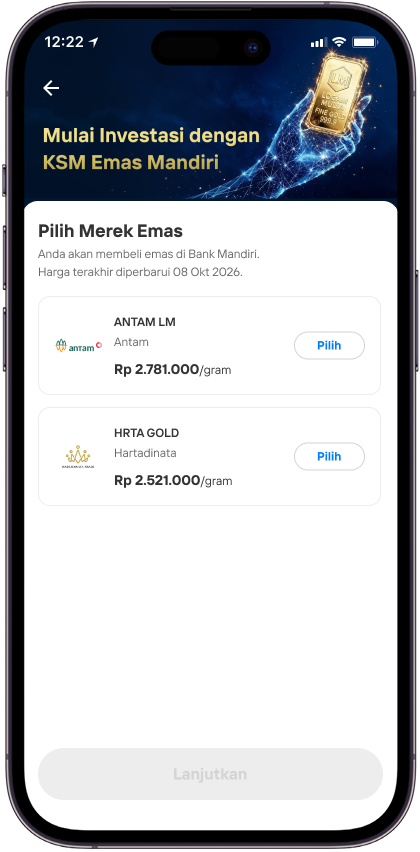
Tinjau penawaran emas, tenor, dan estimasi cicilan, lalu pilih Lanjutkan.
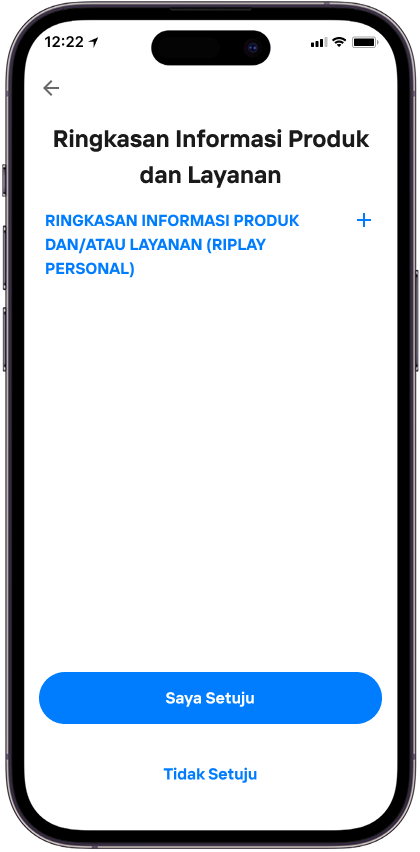
Baca Ringkasan Informasi Produk dan Layanan, lalu pilih Saya Setuju.
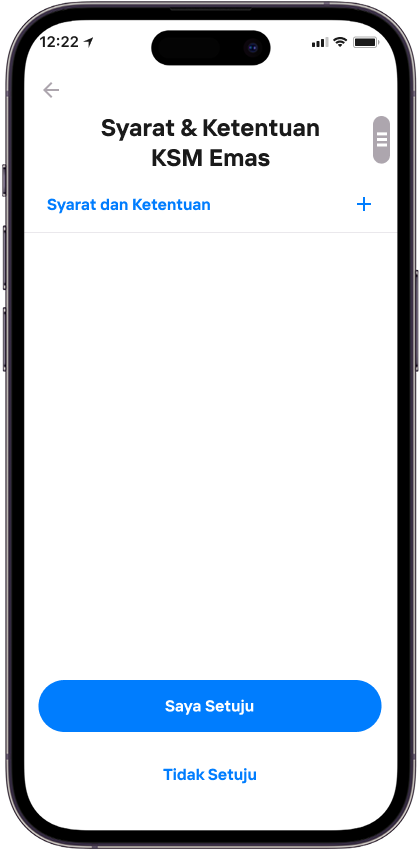
Baca Syarat & Ketentuan KSM Emas, lalu pilih Saya Setuju.
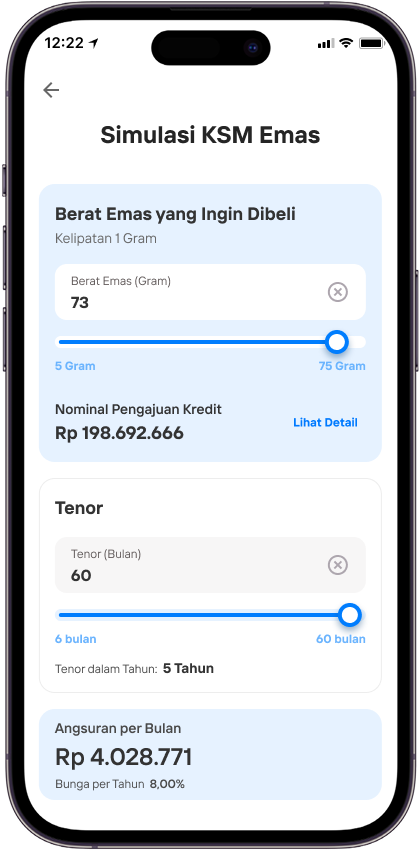
Atur berat emas dan tenor pada simulasi KSM Emas
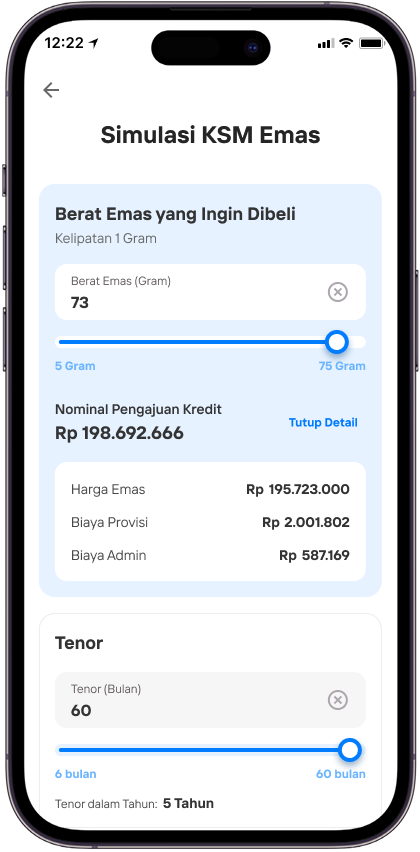
Tinjau hasil simulasi pembiayaan dan rincian biaya, lalu lanjutkan.
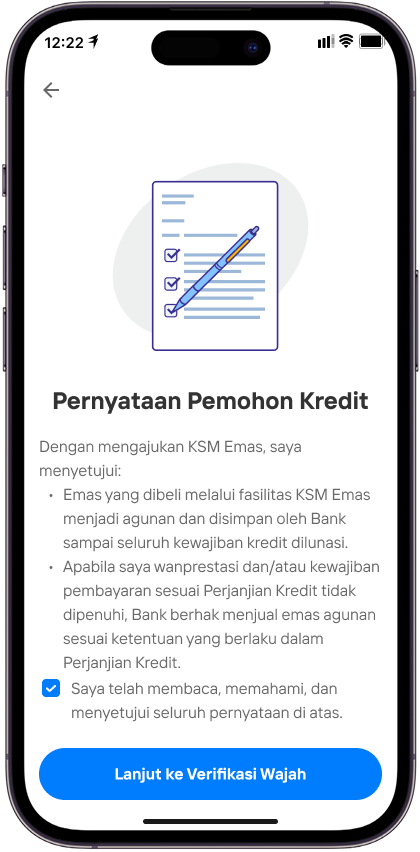
Baca Pernyataan Pemohon Kredit, centang persetujuan, lalu lanjut ke Verifikasi Wajah.
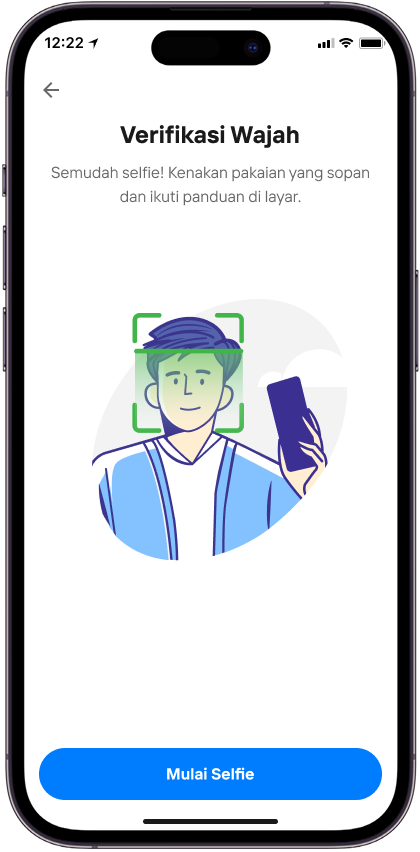
Pilih Mulai Selfie untuk memulai verifikasi wajah.
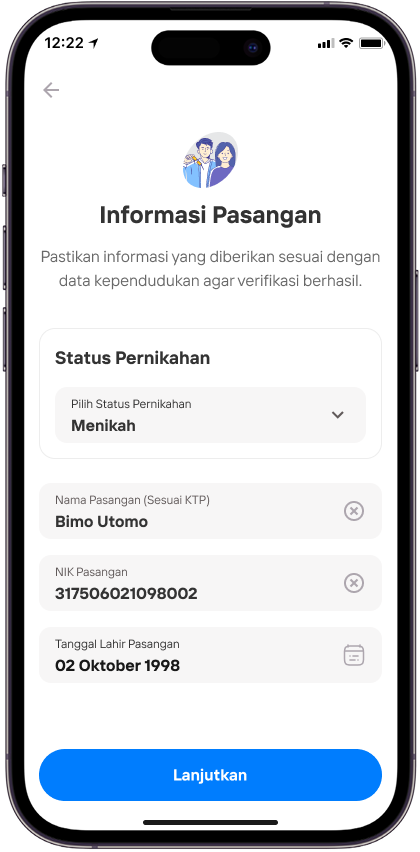
Periksa kembali data pasangan yang telah diisi.
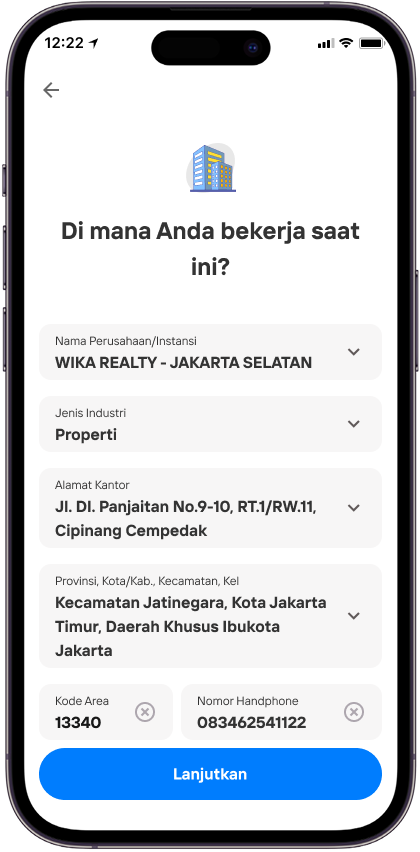
Periksa kembali informasi pekerjaan, lalu pilih Lanjutkan.
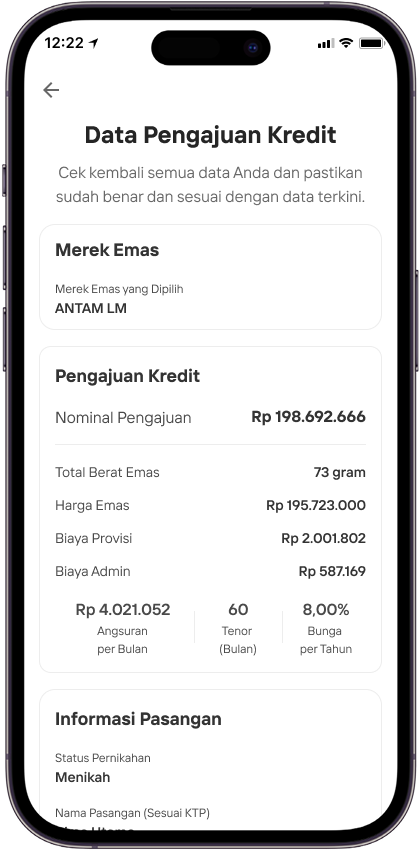
Tinjau seluruh Data Pengajuan Kredit dan pastikan informasinya sudah benar.
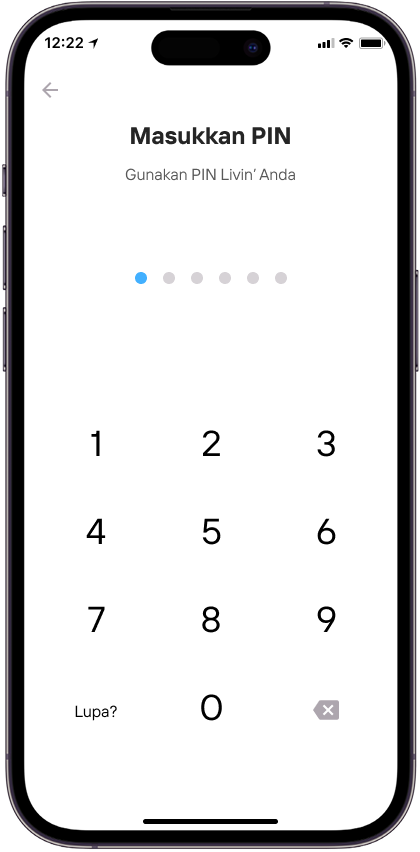
Masukkan PIN Livin’ untuk mengirim pengajuan KSM Emas.
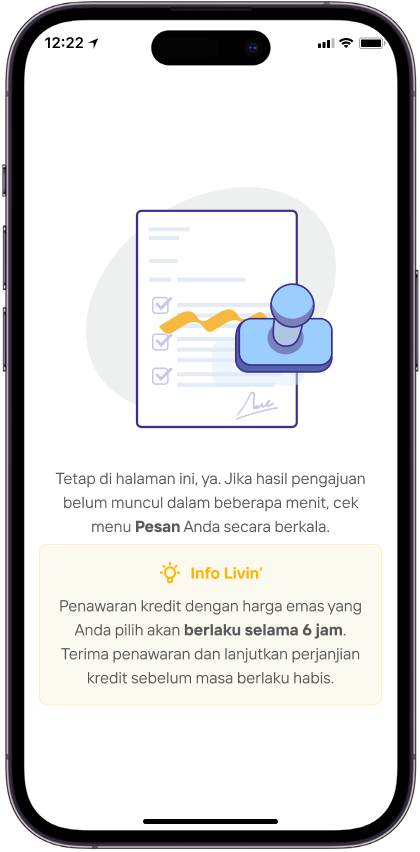
Tunggu hasil pengajuan. Jika belum muncul, cek menu Pesan secara berkala.
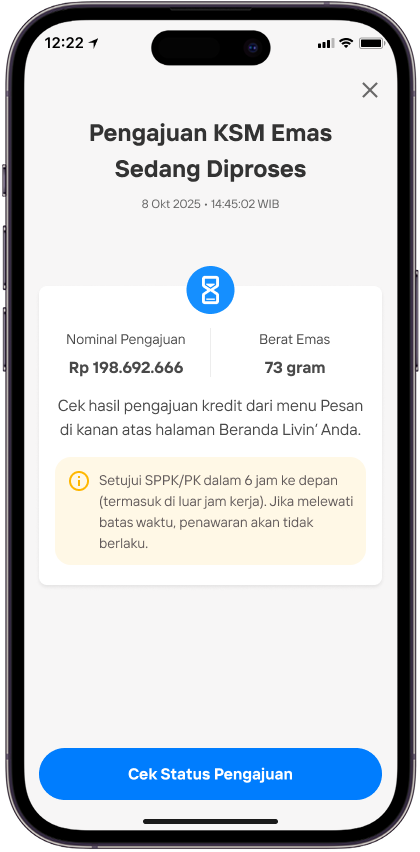
Pilih Cek Status Pengajuan untuk melihat perkembangan terbaru.
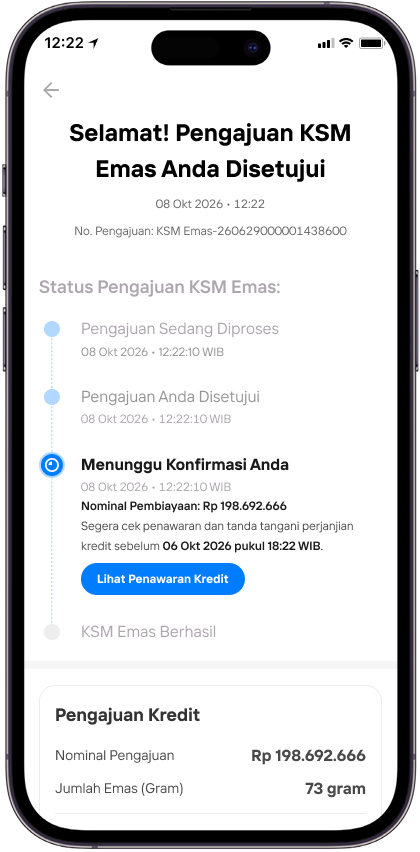
Saat pengajuan disetujui, pilih Lihat Penawaran Kredit
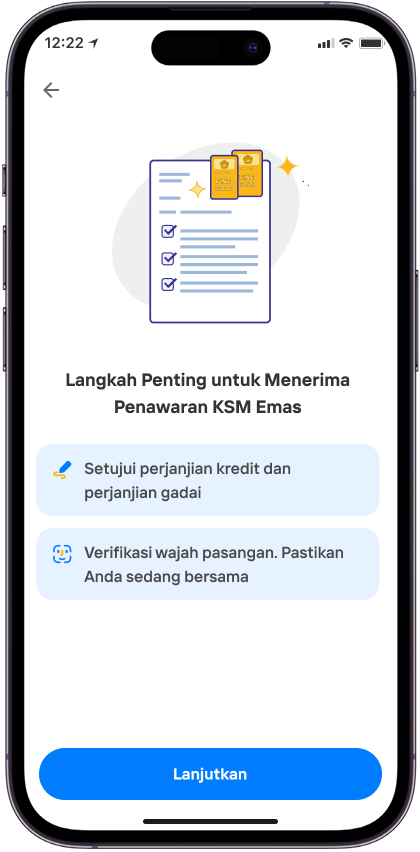
Tinjau langkah penting untuk menerima penawaran KSM Emas, lalu pilih Lanjutkan.
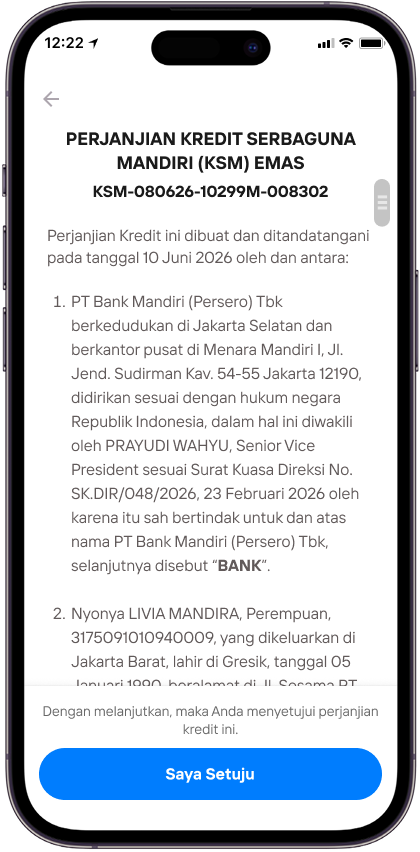
Baca dan setujui Perjanjian Kredit Serbaguna Mandiri (KSM) Emas
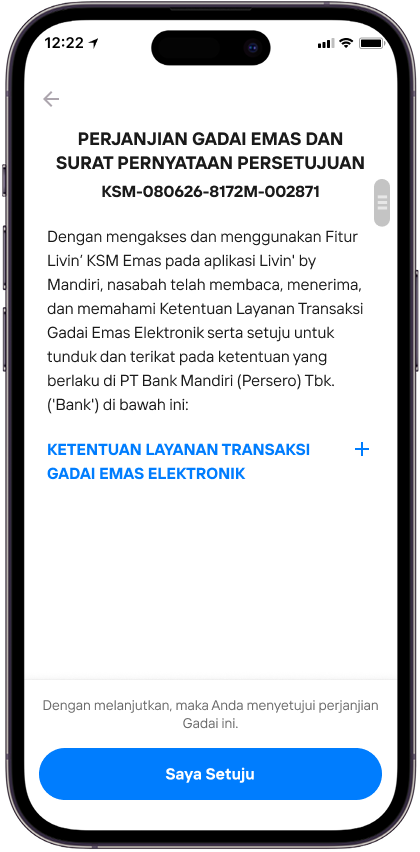
Baca dan setujui Perjanjian Gadai Emas serta Surat Pernyataan Persetujuan.
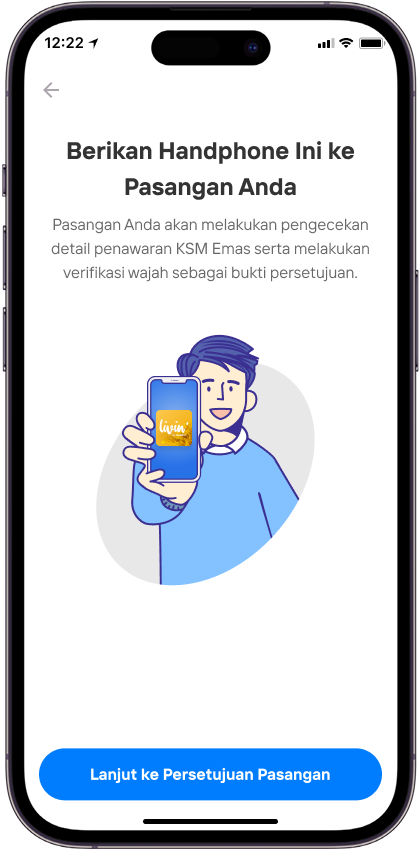
Berikan handphone kepada pasangan, lalu pilih Lanjut ke Persetujuan Pasangan.
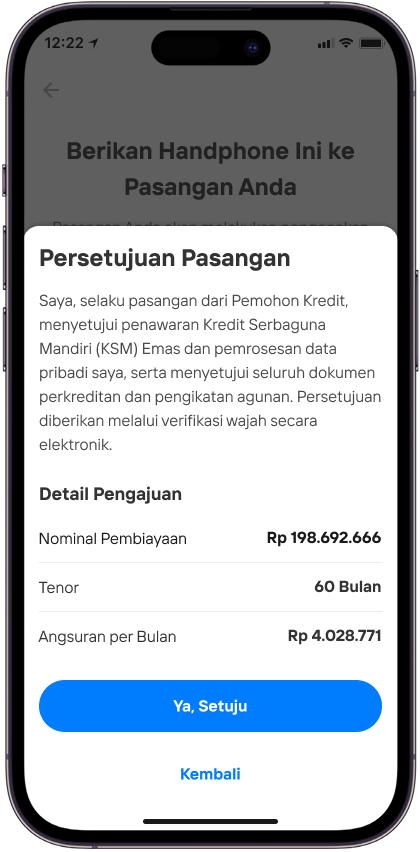
Pasangan meninjau detail pengajuan dan memberikan persetujuan.
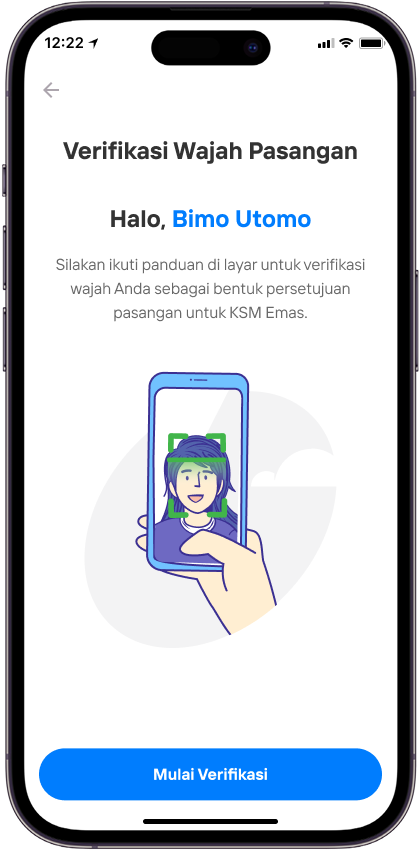
Pasangan memilih Mulai Verifikasi untuk memulai verifikasi wajah.
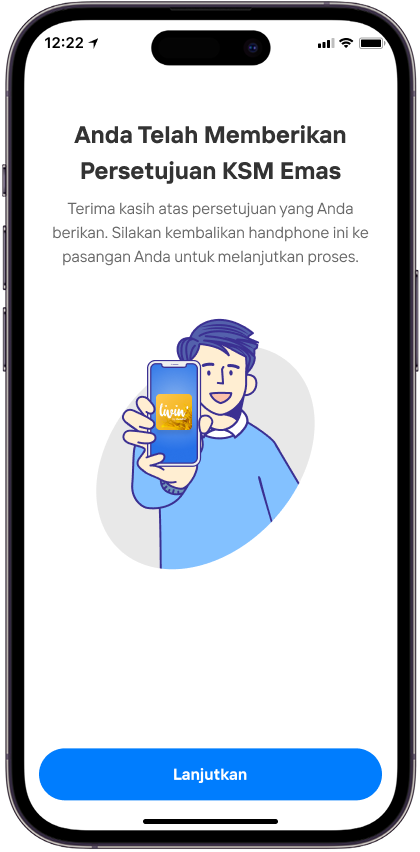
Setelah persetujuan selesai, kembalikan handphone kepada pemohon lalu pilih Lanjutkan.
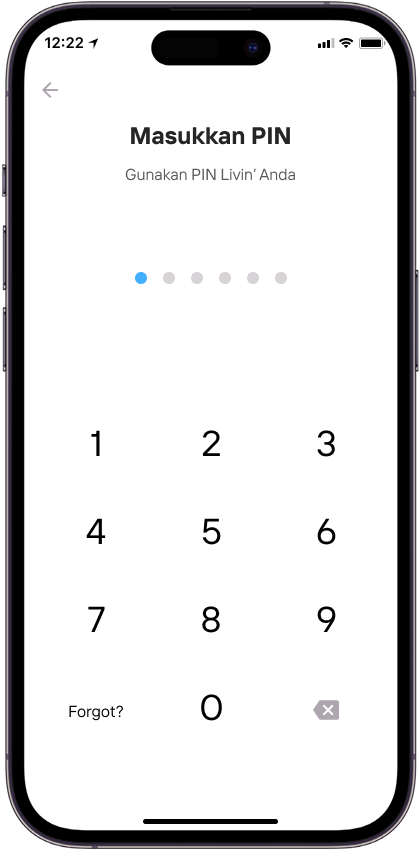
Masukkan PIN Livin’ untuk mengonfirmasi proses berikutnya.
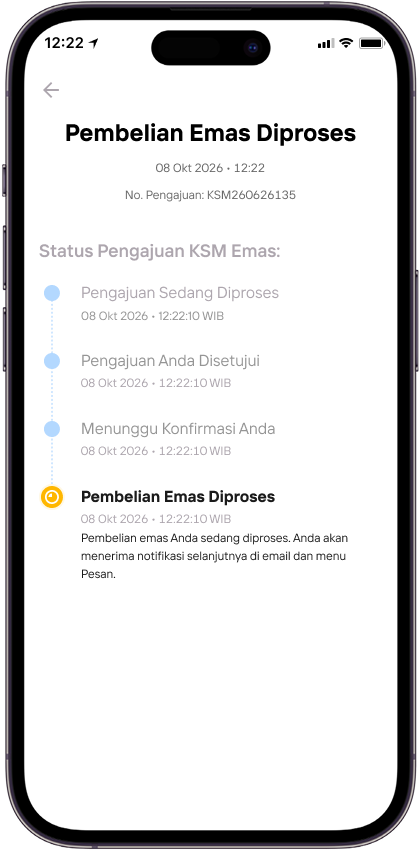
Tinjau status Pembelian Emas Diproses.
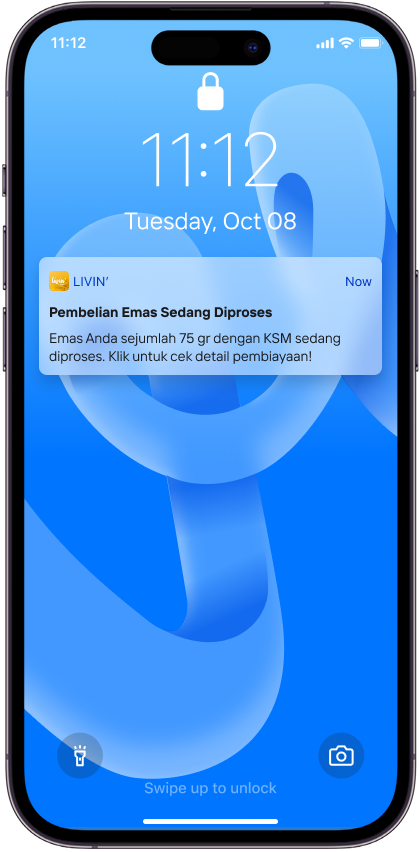
Buka notifikasi Pembelian Emas Sedang Diproses.
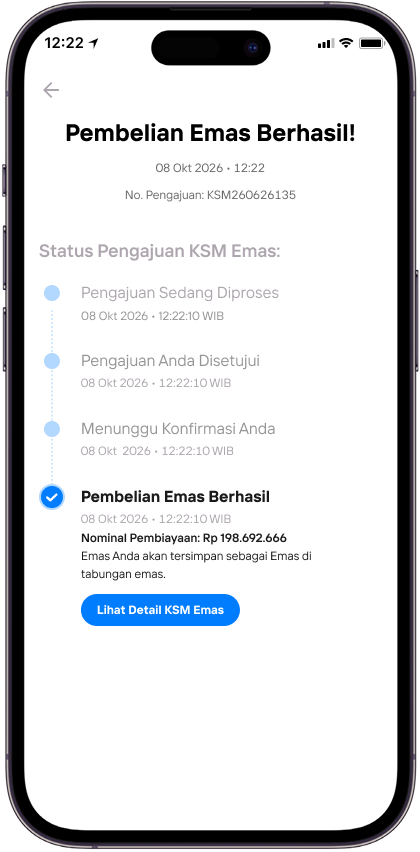
Tinjau status Pembelian Emas Berhasil.
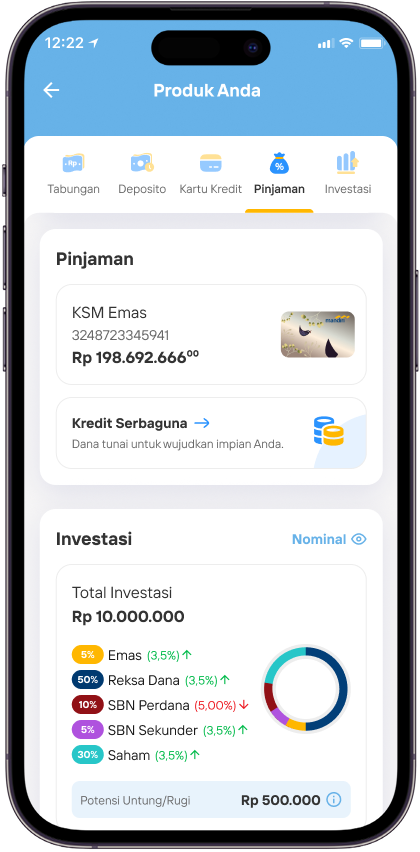
Buka daftar produk dan pilih pinjaman KSM Emas.
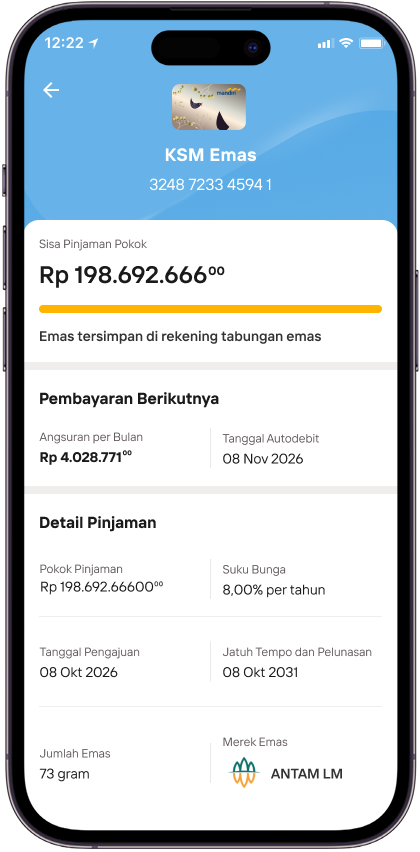
Tinjau detail KSM Emas, termasuk sisa pinjaman pokok dan jadwal pembayaran.
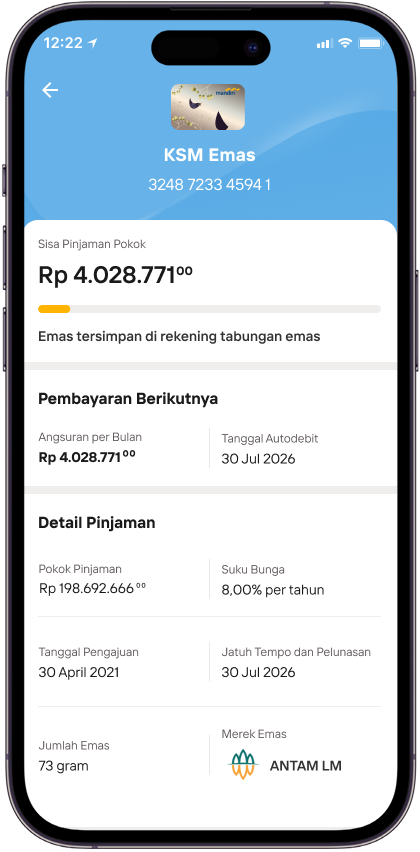
Tinjau perubahan sisa pinjaman KSM Emas menjelang pelunasan.
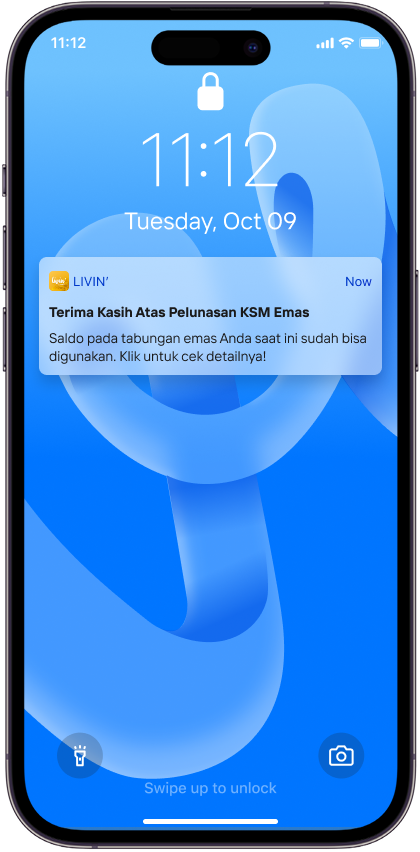
Buka notifikasi Terima Kasih Atas Pelunasan KSM Emas.
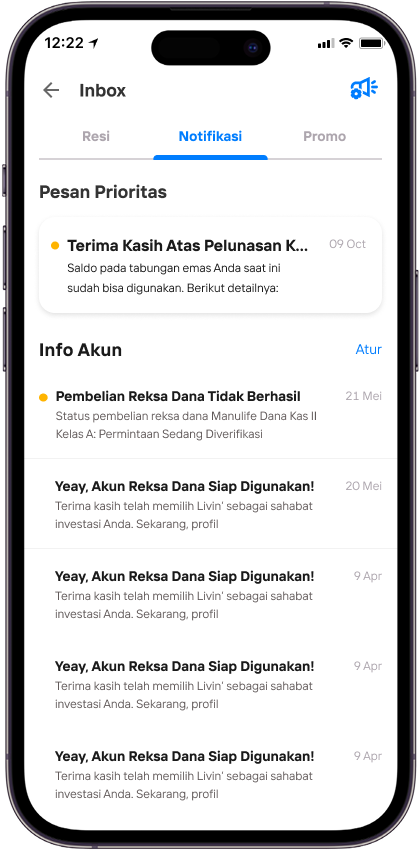
Buka pesan pelunasan KSM Emas untuk melihat detail.
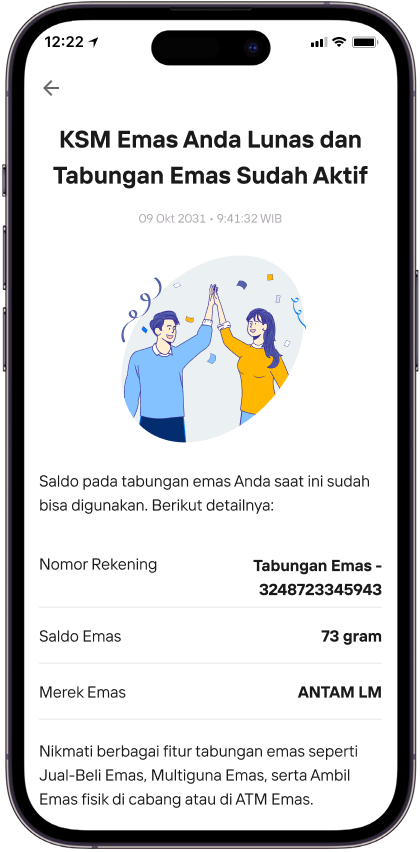
Tinjau konfirmasi bahwa KSM Emas telah lunas dan Tabungan Emas sudah aktif.
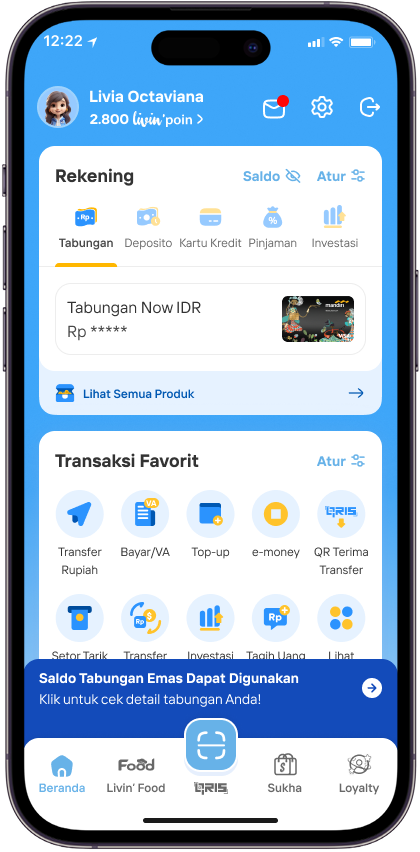
Kembali ke daftar produk untuk melihat Tabungan Emas yang sudah aktif.
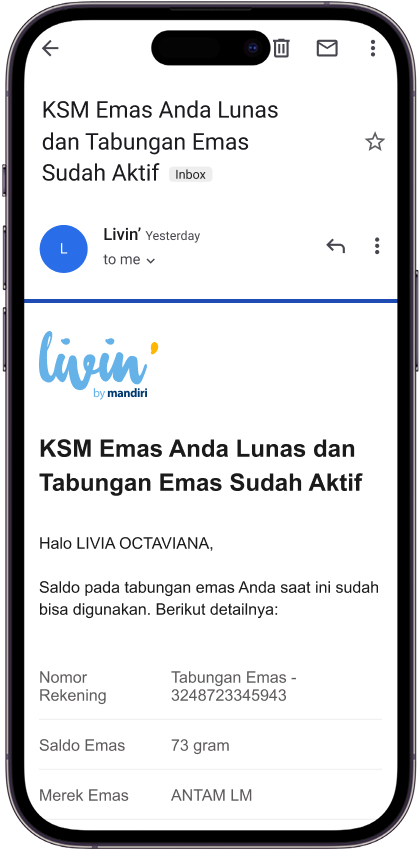
Baca email konfirmasi bahwa KSM Emas telah lunas dan Tabungan Emas sudah aktif
R27 - Tabungan Emas - done
Tabungan Emas di Livin' by Mandiri
Tabungan Emas
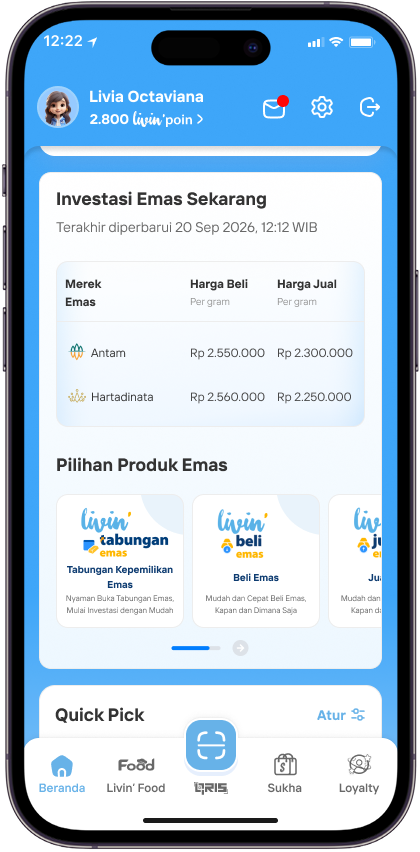
Buka aplikasi Livin’ by Mandiri dan temukan etalase produk Emas di halaman Beranda
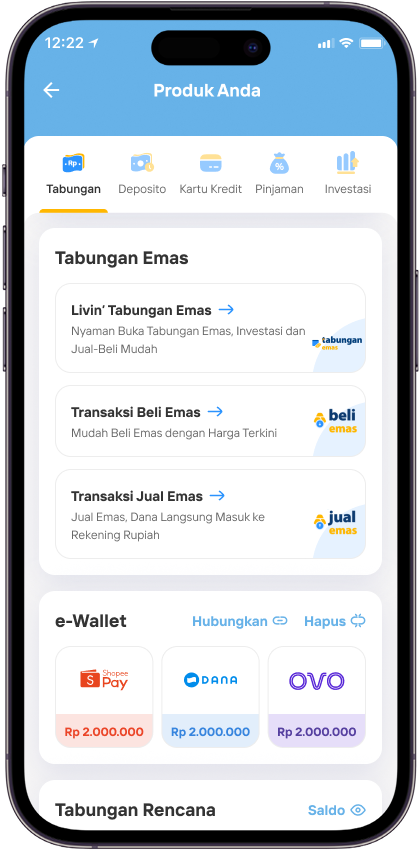
atau di halaman Produk Anda.
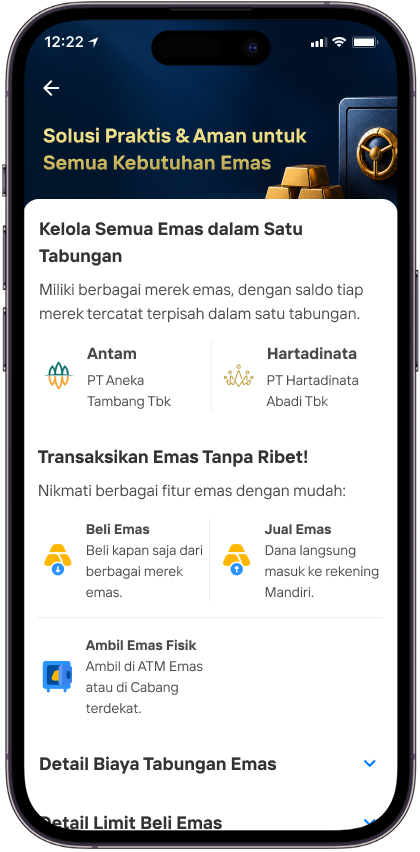
Baca dan pahami ketentuan serta biaya pembukaan maupun transaksi emas di Livin’.
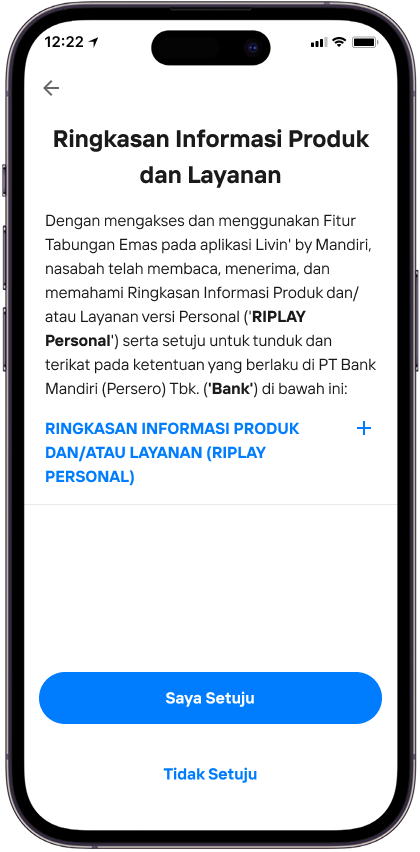
Baca, pahami, dan setujui Ringkasan Informasi Produk dan Layanan (RIPLAY) Tabungan Emas lalu pilih Saya Setuju
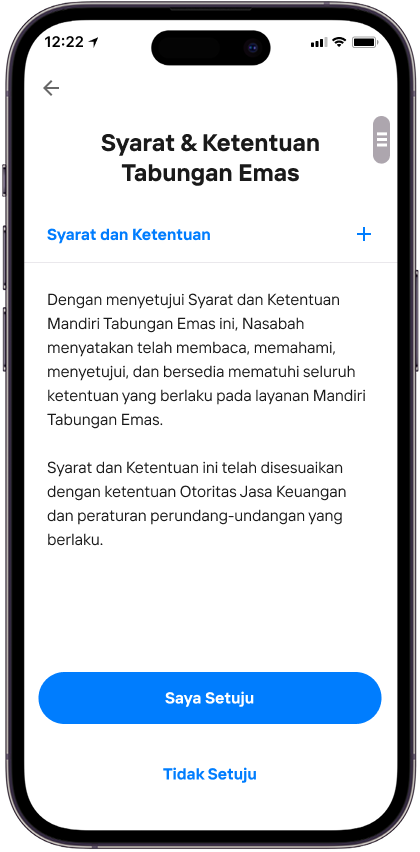
Baca, pahami, dan setujui Syarat dan Ketentuan Tabungan Emas lalu pilih Saya Setuju
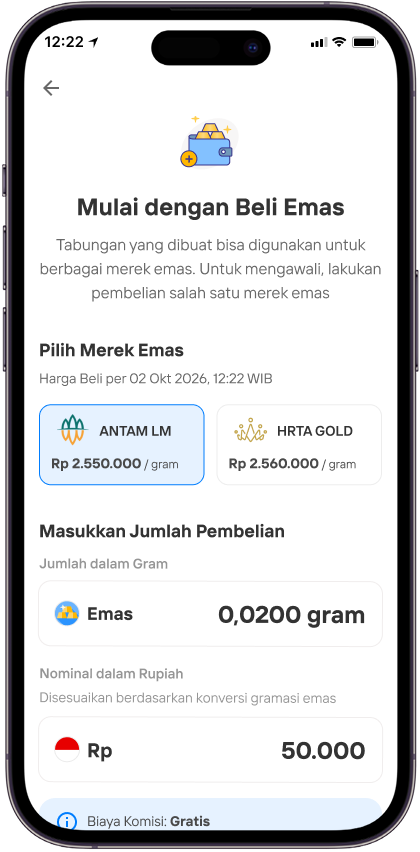
Pilih Merek Emas yang Anda inginkan
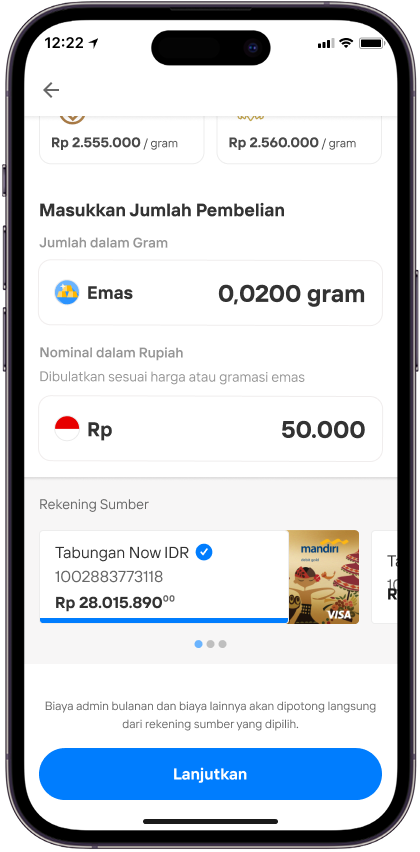
Masukkan Jumlah Pembelian Emas lalu pilih Lanjutkan
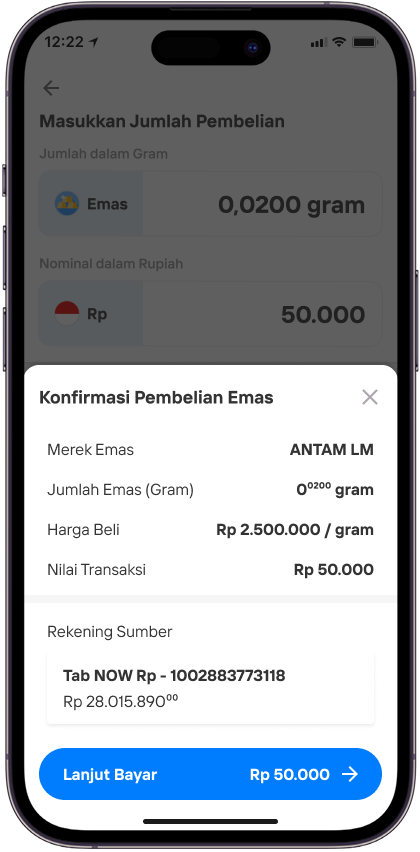
Konfirmasi pembelian dan pembukaan rekening lalu pilih Lanjut Bayar
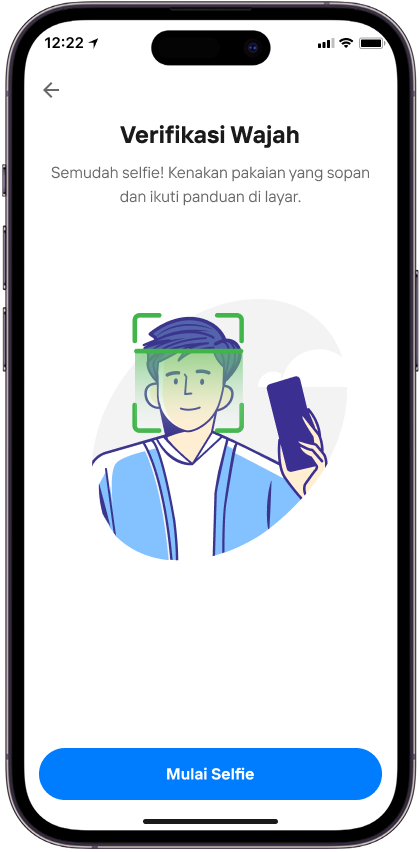
Lanjutkan dengan verifikasi wajah Anda dengan ikuti instruksi yang tertera di layar.
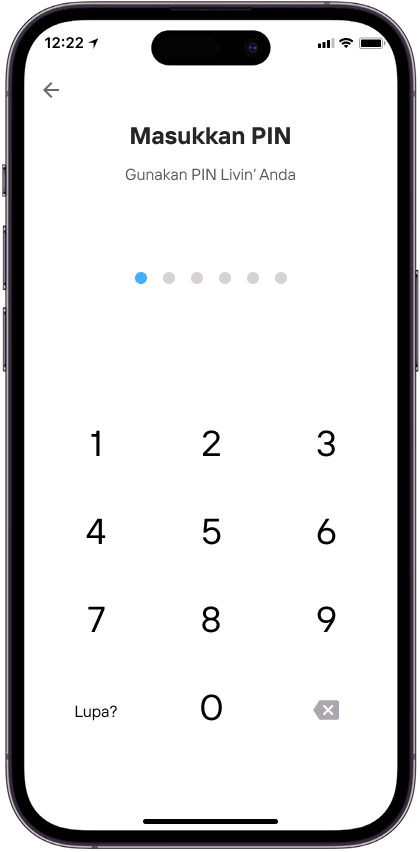
Masukkan PIN Anda.
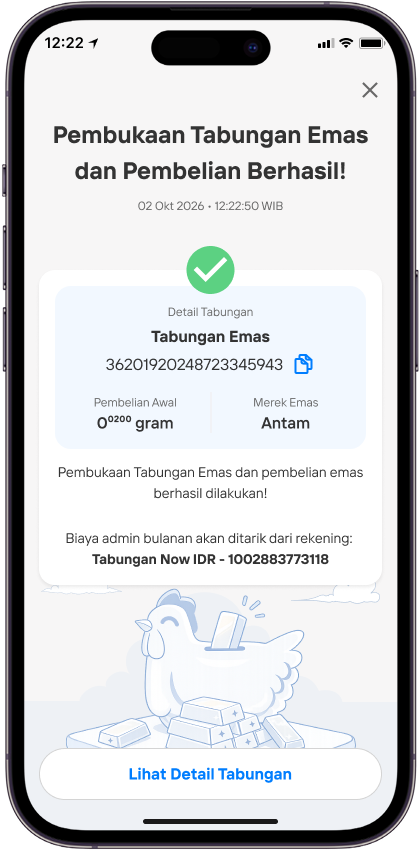
Yay! Tabungan Emas Anda sudah siap dipakai!
Beli Emas
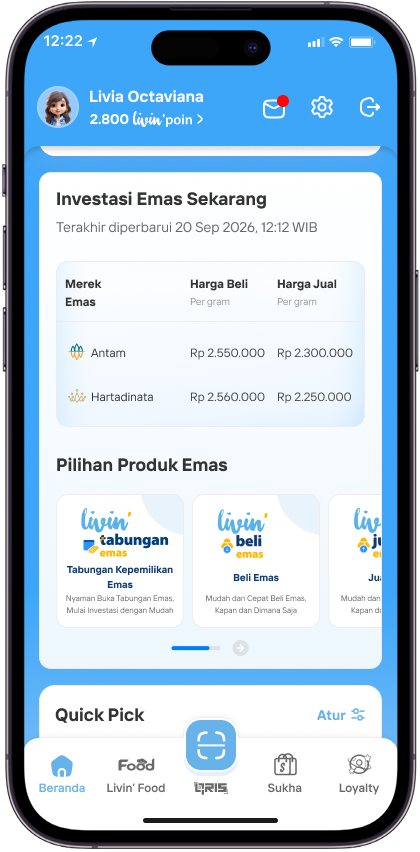
Buka aplikasi Livin’ by Mandiri dan temukan etalase produk Emas di halaman Beranda
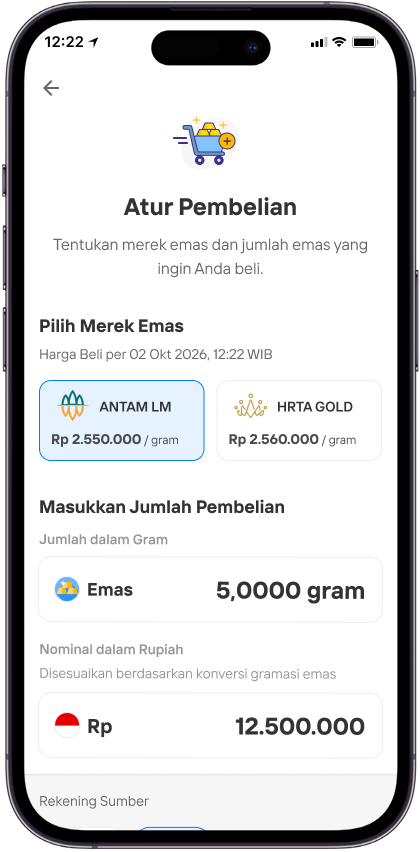
Pilih Merek Emas yang Anda inginkan dan Masukkan Jumlah Pembelian Emas lalu pilih Lanjutkan
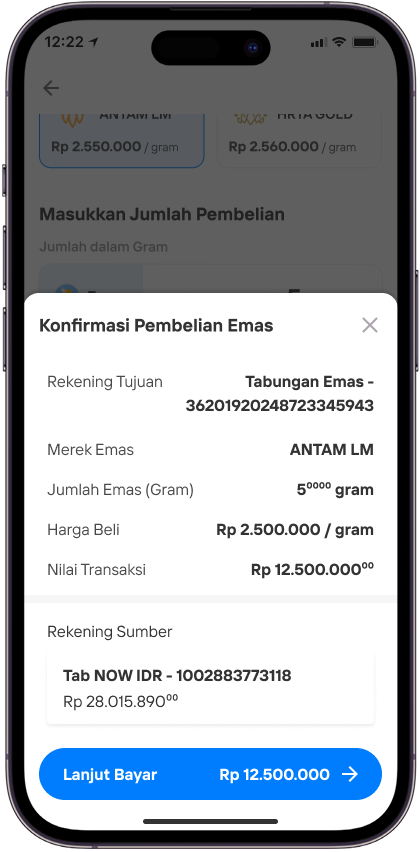
Konfirmasi pembelian dan pembukaan rekening lalu pilih Lanjut Bayar
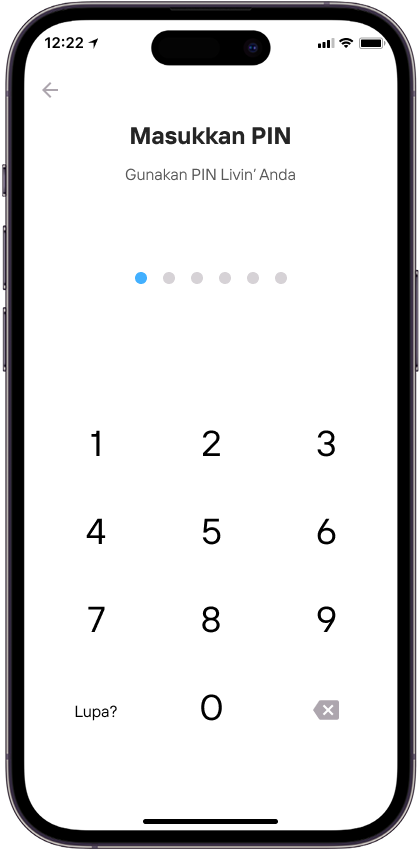
Masukkan PIN Anda.
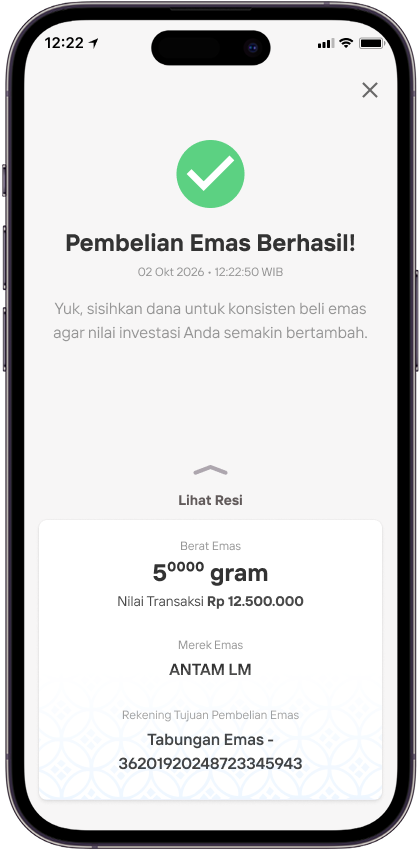
Pembelian emas berhasil! Terus beli emas secara konsisten, agar investasi emas Anda bertambah.
Jual Emas
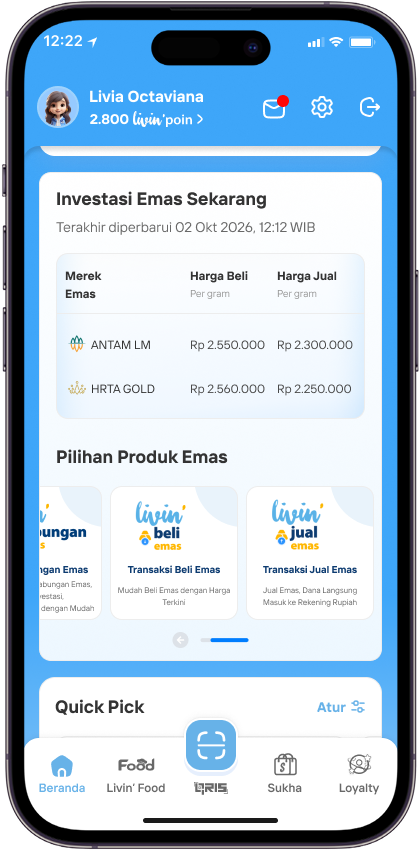
Buka aplikasi Livin’ by Mandiri dan temukan etalase produk Emas di halaman Beranda .
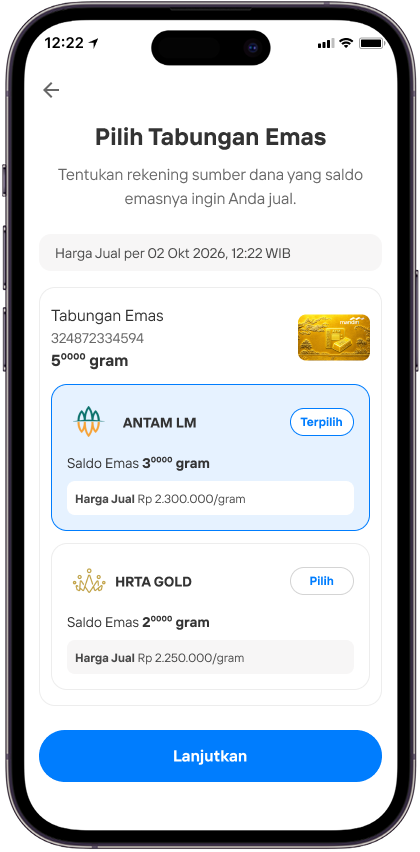
Pilih rekening sumber dana emas yang saldo emasnya akan Anda jual.
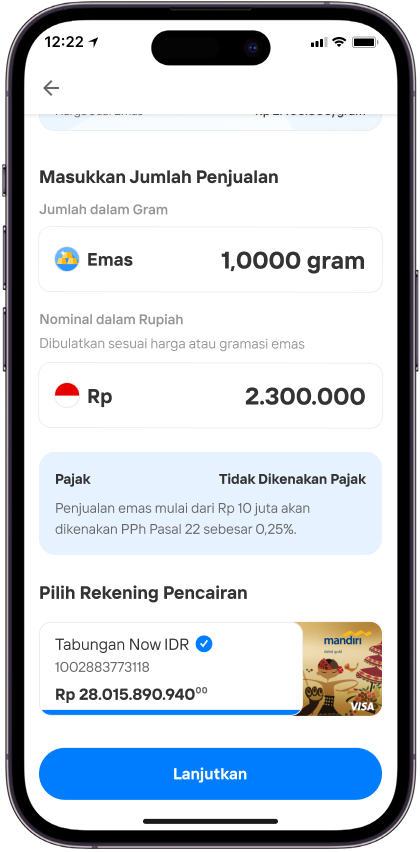
Atur jumlah emas yang akan Anda jual dan pilih rekening pencairan. Rekening pencairan adalah rekening yang akan menerima dana hasil penjualan emas.
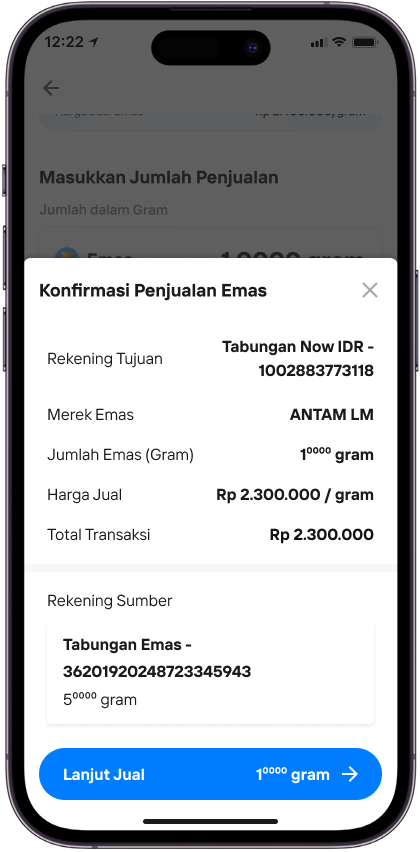
Cek kembali sebelum konfirmasi penjualan lalu Pilih Lanjut Jual
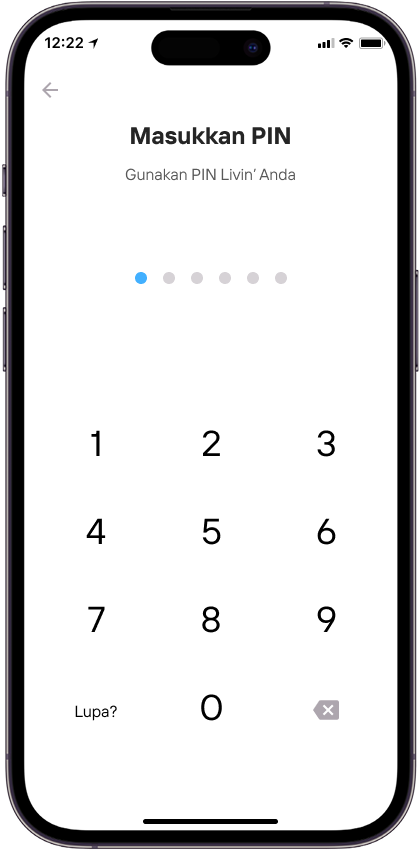
Masukkan PIN Anda.
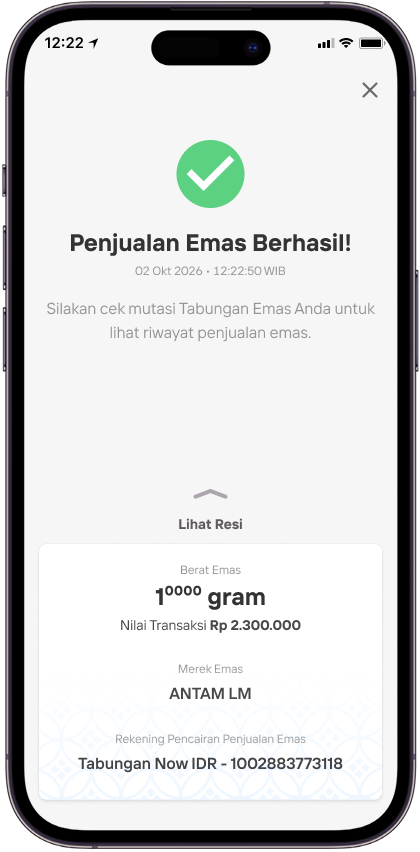
Penjualan emas Anda berhasil!
R27 - Ambil Emas Di Cabang - done
Ambil Emas di Cabang
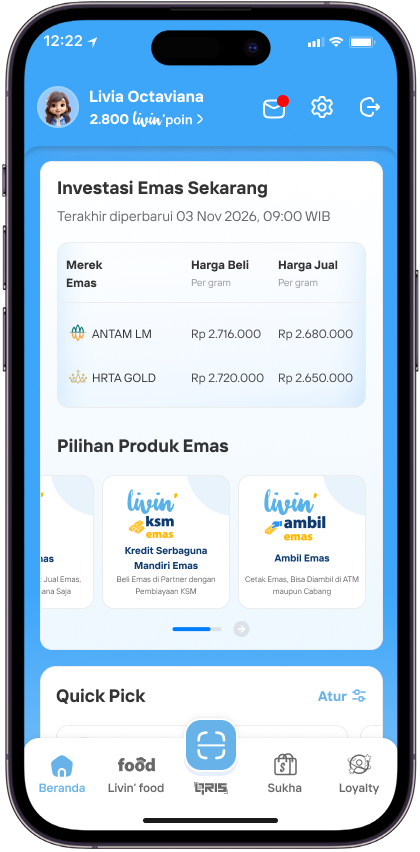
Buka aplikasi Livin’, pilih Widget ambil emas
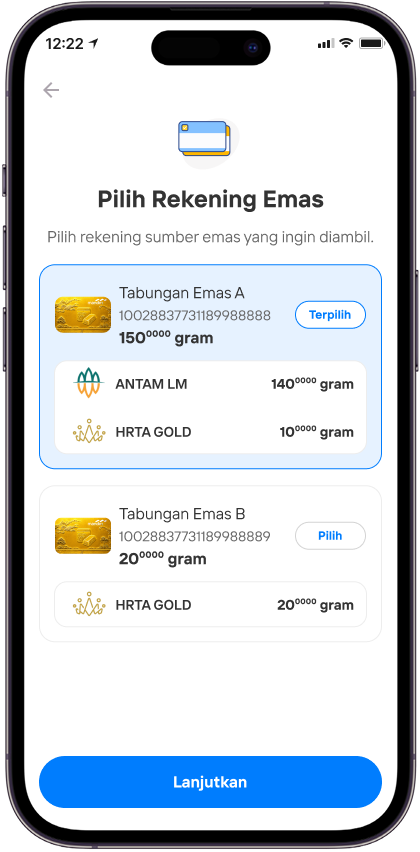
Pilih Rekening emas yang kamu ingin ambil emasnya
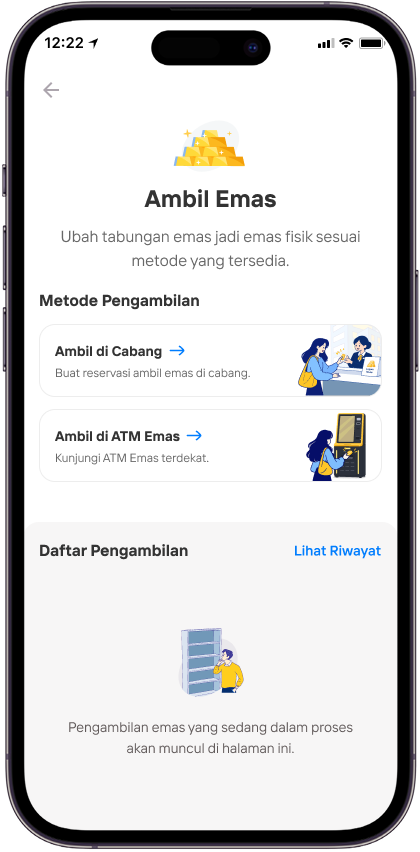
Pilih Metode pengambilan emas
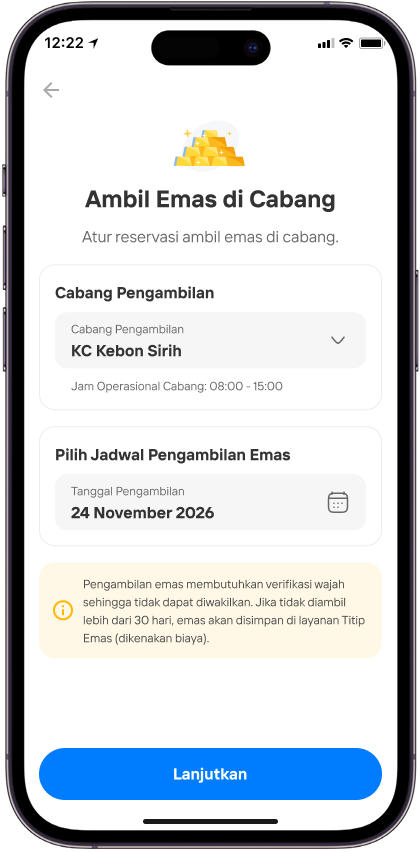
Klik lanjutkan
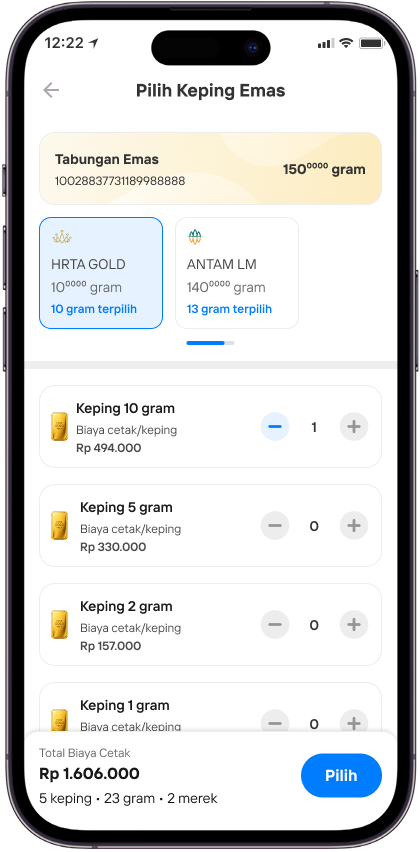
Setelah selesai memilih, klik Pilih untuk melanjutkan
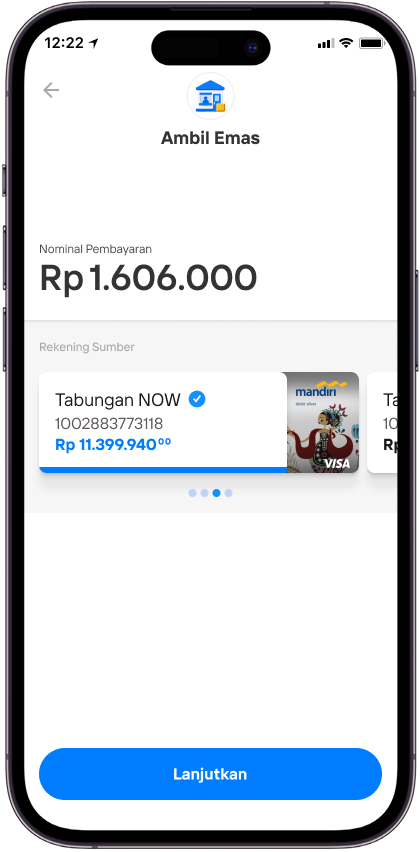
Pilih lanjutkan jika nominal pembayaran sudah sesuai
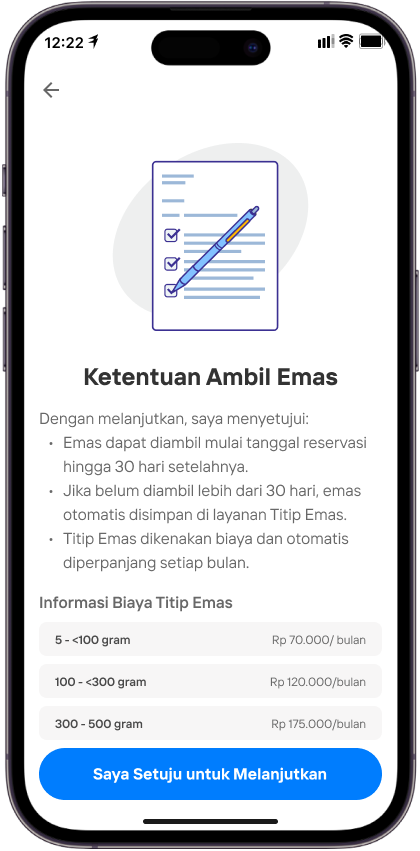
Perhatikan dan baca terkait ketentuan ambil emas, klik setuju untuk melanjutkan
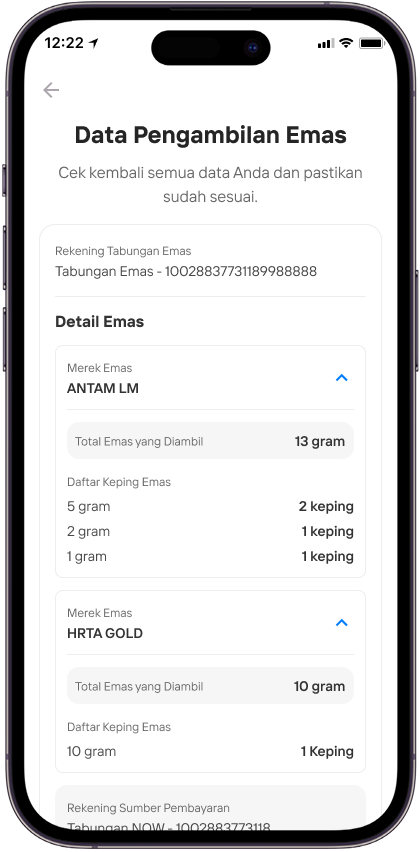
Perhatikan dan baca terkait summary data pengambilan emas
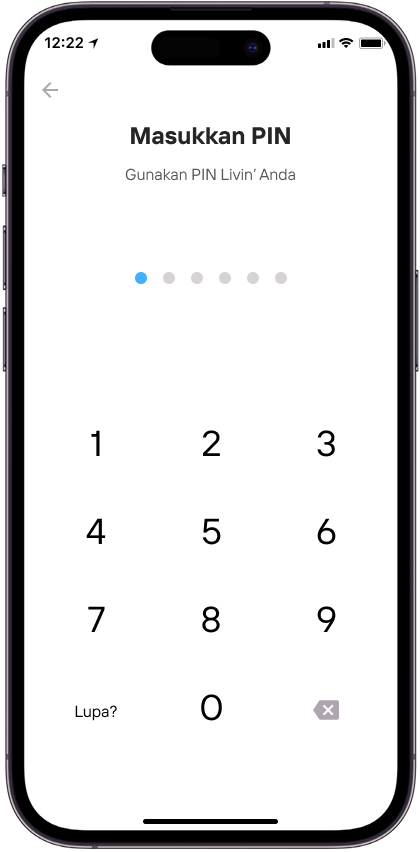
Masukkan PIN
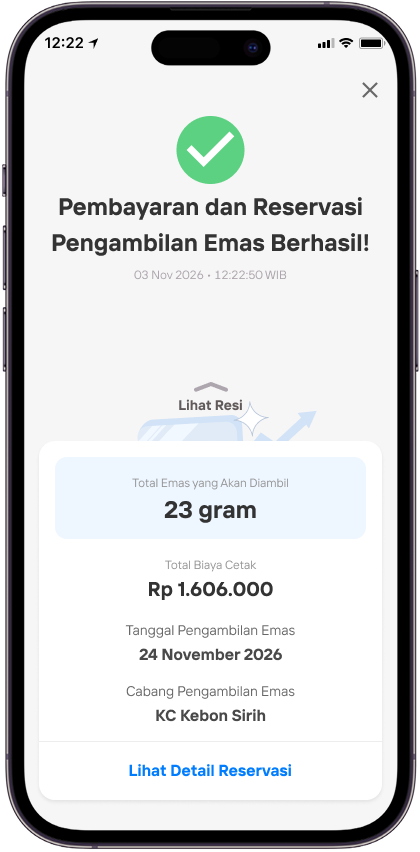
Tinjau pembayaran dan reservasi yang berhasil, lalu buka detail reservasi.
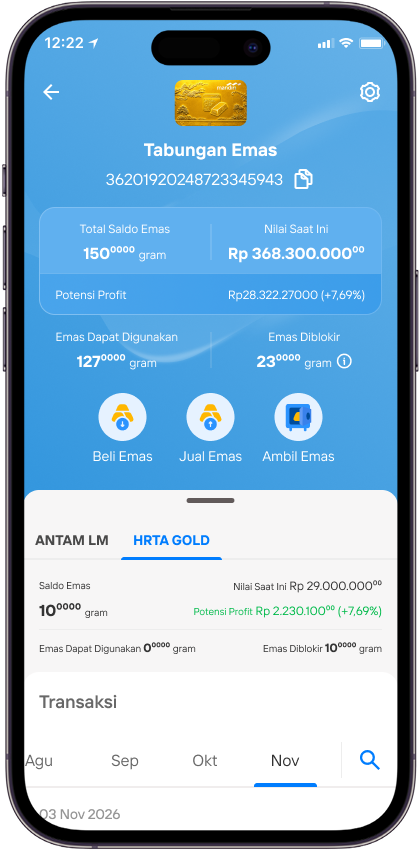
Periksa saldo emas yang tersedia setelah reservasi dibuat.
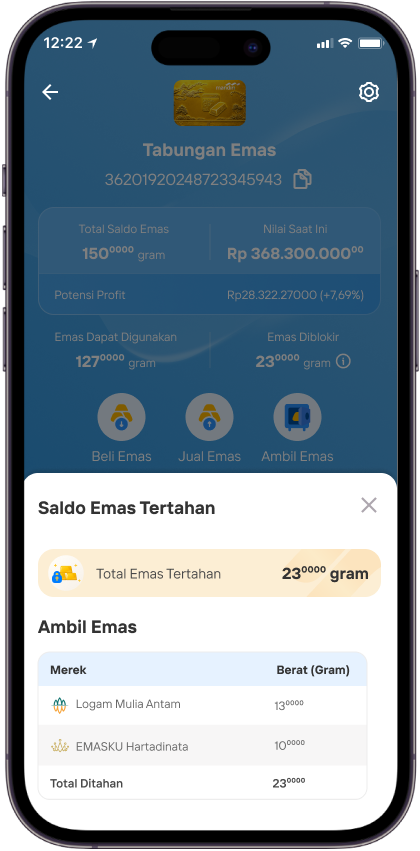
Buka rincian Saldo Emas Tertahan untuk melihat emas dalam reservasi.
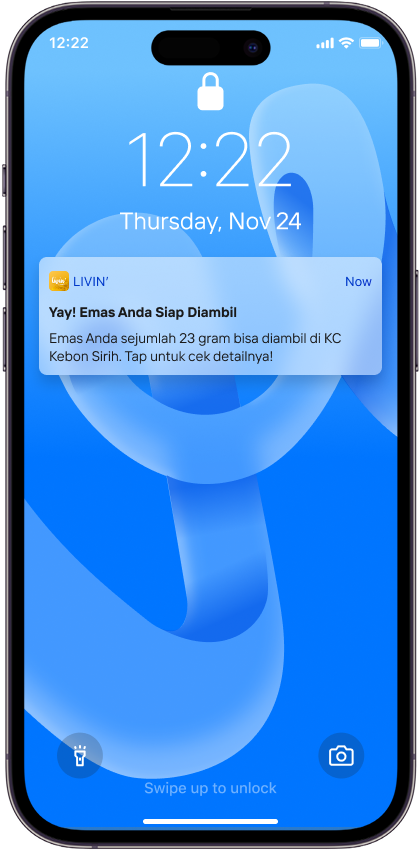
Buka notifikasi bahwa emas siap diambil.
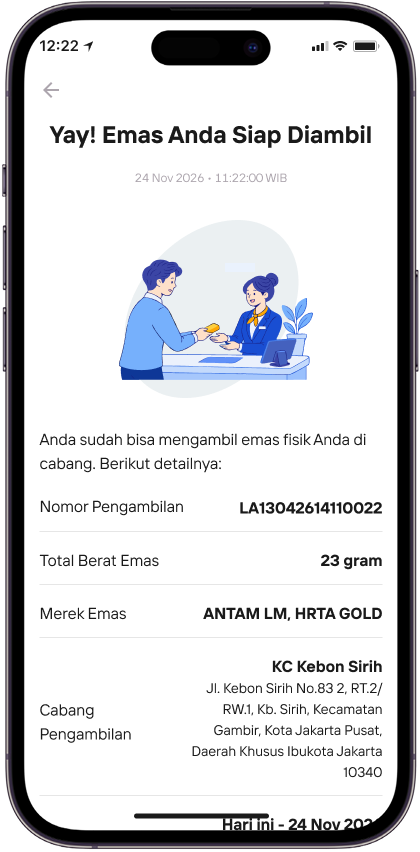
Periksa lokasi dan batas waktu pengambilan emas.
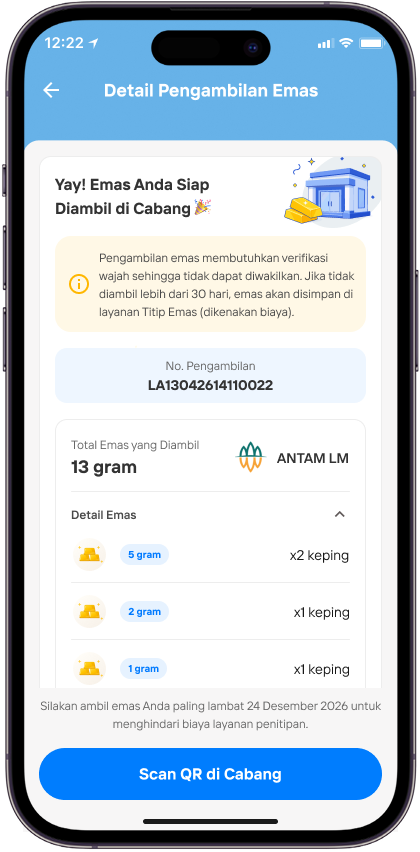
Pada detail pengambilan, pilih Scan QR di Kantor Cabang.
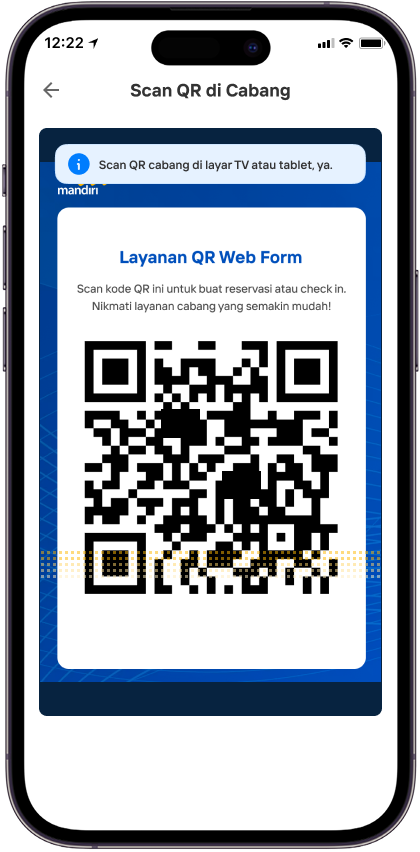
Scan QR pada TV atau tablet di kantor cabang.
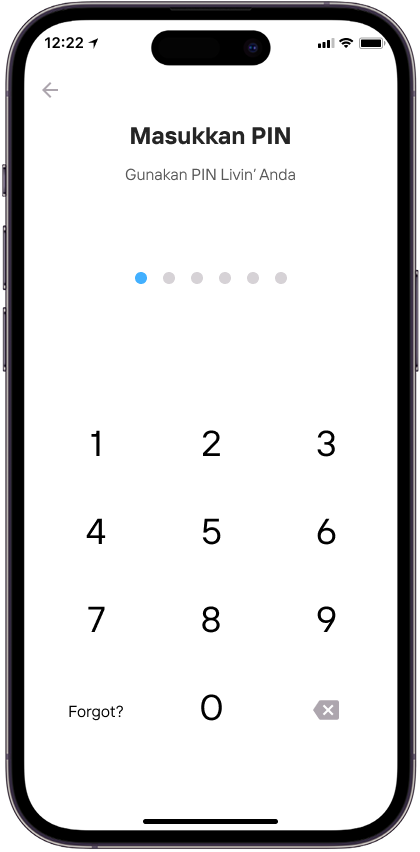
Konfirmasi proses dengan memasukkan PIN Livin’.
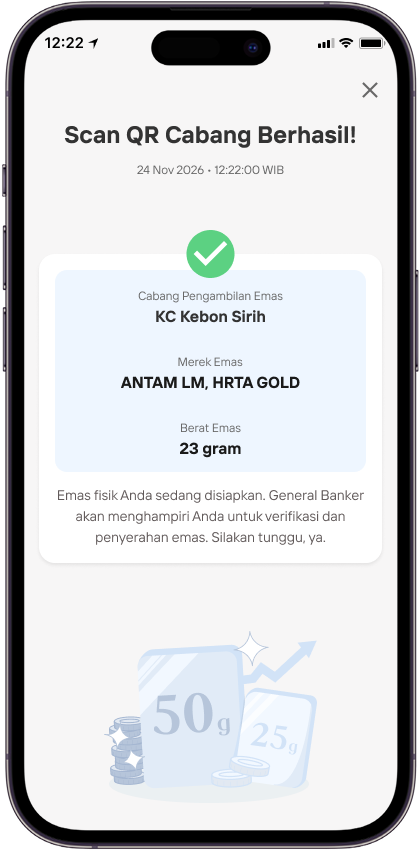
Setelah scan QR berhasil, tunggu petugas menyiapkan emas.
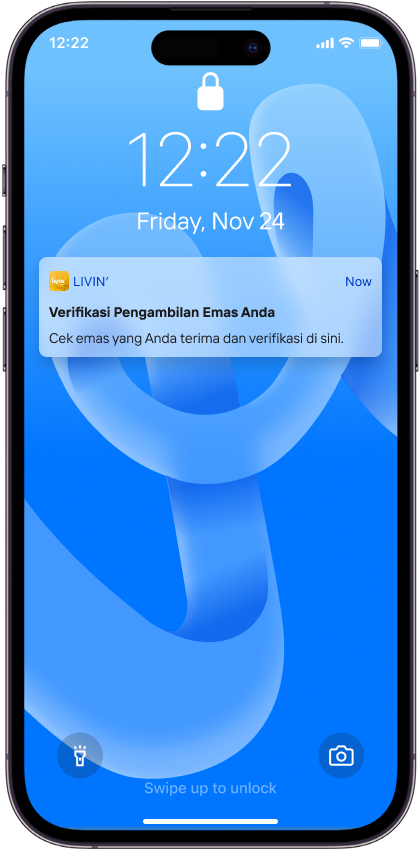
Buka notifikasi Verifikasi Pengambilan Emas Anda.
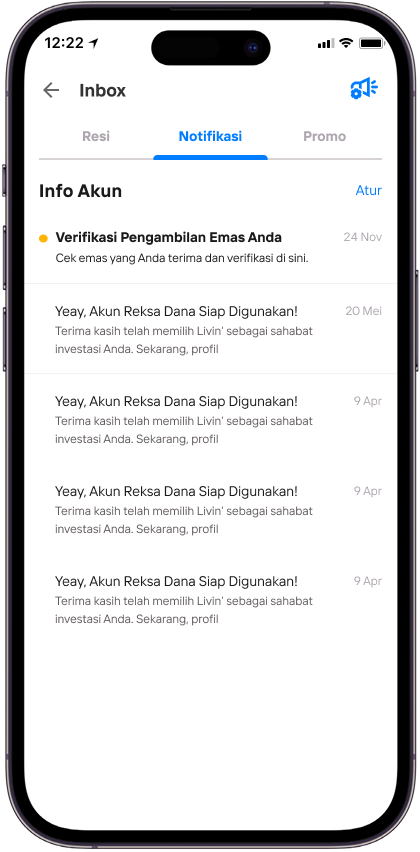
Di Inbox, buka notifikasi Verifikasi Pengambilan Emas Anda.
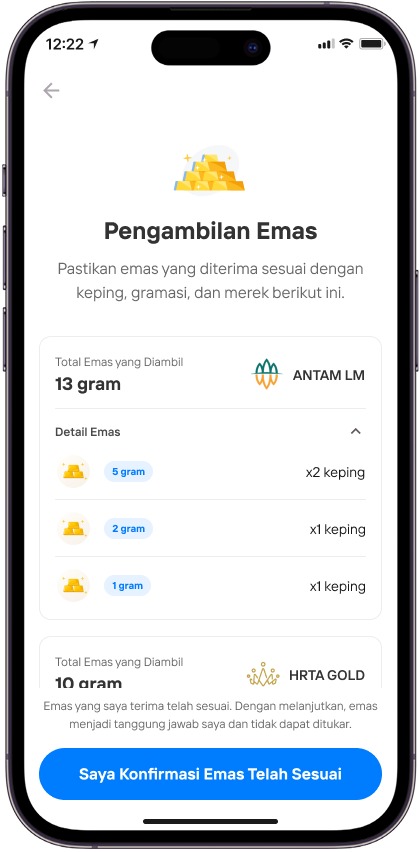
Periksa emas yang diterima, lalu pilih Saya Konfirmasi Emas Telah Sesuai
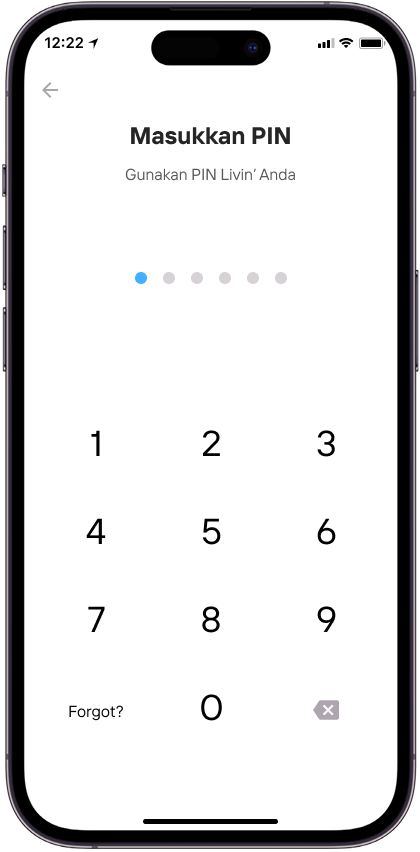
Masukkan PIN Livin’.
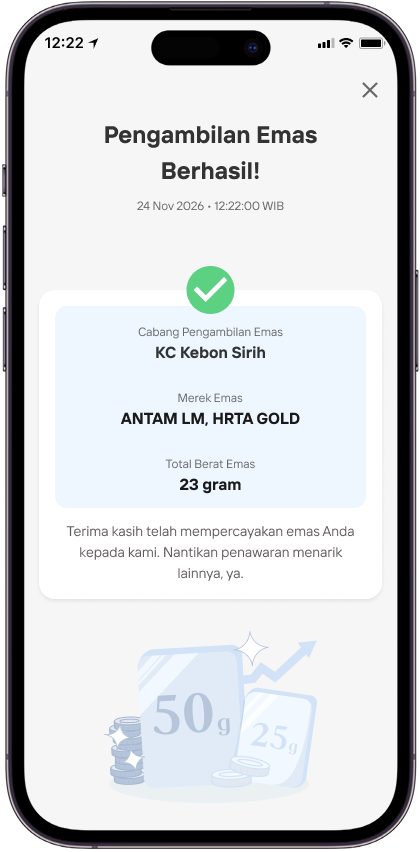
Pastikan pengambilan emas berhasil.
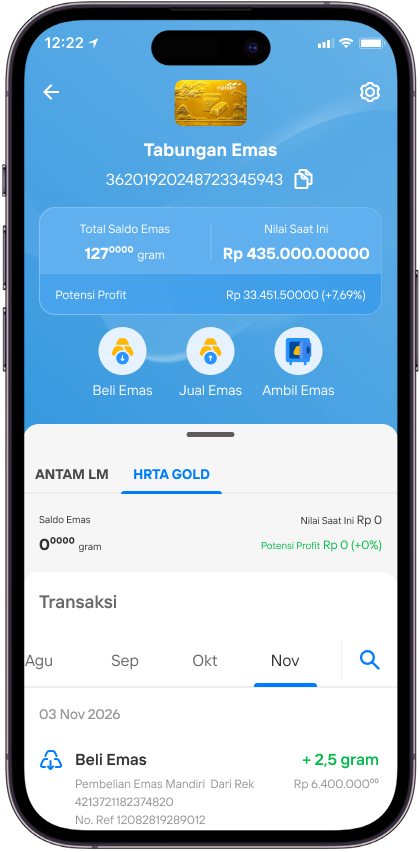
Periksa saldo dan riwayat transaksi setelah pengambilan selesai.
R27 - Ambil Emas Di Cabang - done
Ambil Emas di Cabang
Buka aplikasi Livin’, pilih Widget ambil emas
Pilih Rekening emas yang kamu ingin ambil emasnya
Pilih Metode pengambilan emas
Klik lanjutkan
Setelah selesai memilih, klik Pilih untuk melanjutkan
Pilih lanjutkan jika nominal pembayaran sudah sesuai
Perhatikan dan baca terkait ketentuan ambil emas, klik setuju untuk melanjutkan
Perhatikan dan baca terkait summary data pengambilan emas
Masukkan PIN
Tinjau pembayaran dan reservasi yang berhasil, lalu buka detail reservasi.
Periksa saldo emas yang tersedia setelah reservasi dibuat.
Buka rincian Saldo Emas Tertahan untuk melihat emas dalam reservasi.
Buka notifikasi bahwa emas siap diambil.
Periksa lokasi dan batas waktu pengambilan emas.
Pada detail pengambilan, pilih Scan QR di Kantor Cabang.
Scan QR pada TV atau tablet di kantor cabang.
Konfirmasi proses dengan memasukkan PIN Livin’.
Setelah scan QR berhasil, tunggu petugas menyiapkan emas.
Buka notifikasi Verifikasi Pengambilan Emas Anda.
Di Inbox, buka notifikasi Verifikasi Pengambilan Emas Anda.
Periksa emas yang diterima, lalu pilih Saya Konfirmasi Emas Telah Sesuai
Masukkan PIN Livin’.
Pastikan pengambilan emas berhasil.
Periksa saldo dan riwayat transaksi setelah pengambilan selesai.
R27 - Ambil Emas Di Cabang - done
Ambil Emas di Cabang
Buka aplikasi Livin’, pilih Widget ambil emas
Pilih Rekening emas yang kamu ingin ambil emasnya
Pilih Metode pengambilan emas
Klik lanjutkan
Setelah selesai memilih, klik Pilih untuk melanjutkan
Pilih lanjutkan jika nominal pembayaran sudah sesuai
Perhatikan dan baca terkait ketentuan ambil emas, klik setuju untuk melanjutkan
Perhatikan dan baca terkait summary data pengambilan emas
Masukkan PIN
Tinjau pembayaran dan reservasi yang berhasil, lalu buka detail reservasi.
Periksa saldo emas yang tersedia setelah reservasi dibuat.
Buka rincian Saldo Emas Tertahan untuk melihat emas dalam reservasi.
Buka notifikasi bahwa emas siap diambil.
Periksa lokasi dan batas waktu pengambilan emas.
Pada detail pengambilan, pilih Scan QR di Kantor Cabang.
Scan QR pada TV atau tablet di kantor cabang.
Konfirmasi proses dengan memasukkan PIN Livin’.
Setelah scan QR berhasil, tunggu petugas menyiapkan emas.
Buka notifikasi Verifikasi Pengambilan Emas Anda.
Di Inbox, buka notifikasi Verifikasi Pengambilan Emas Anda.
Periksa emas yang diterima, lalu pilih Saya Konfirmasi Emas Telah Sesuai
Masukkan PIN Livin’.
Pastikan pengambilan emas berhasil.
Periksa saldo dan riwayat transaksi setelah pengambilan selesai.
R27 - Ambil Emas DI ATM - done
Ambil Emas di ATM
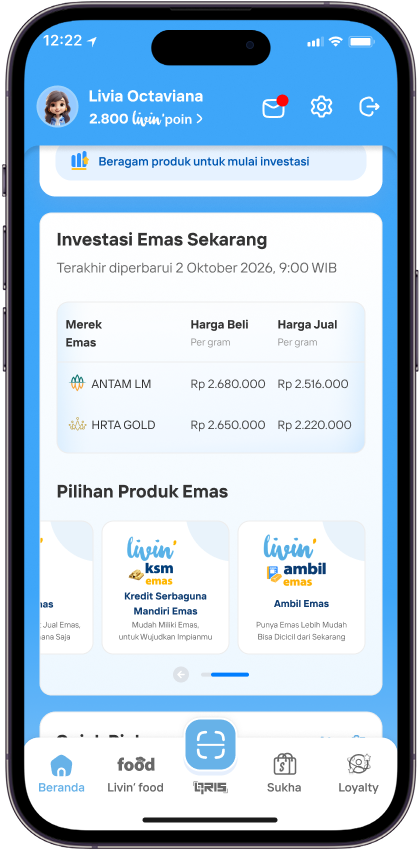
Buka aplikasi Livin’, pilih widget Ambil Emas.
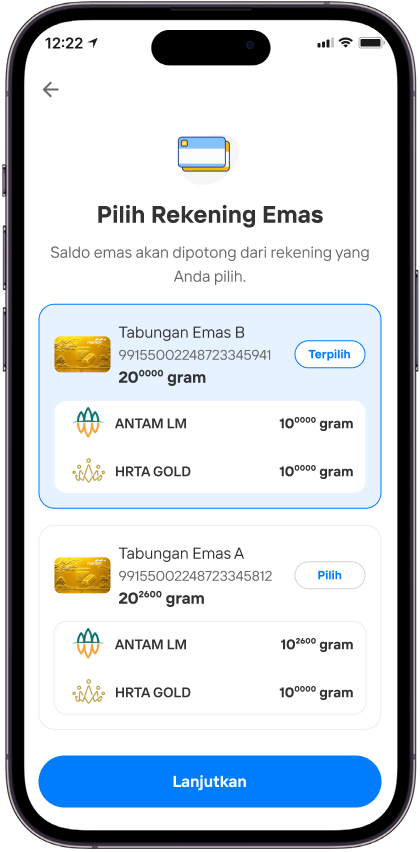
Jika sudah terpilih, klik Lanjutkan.
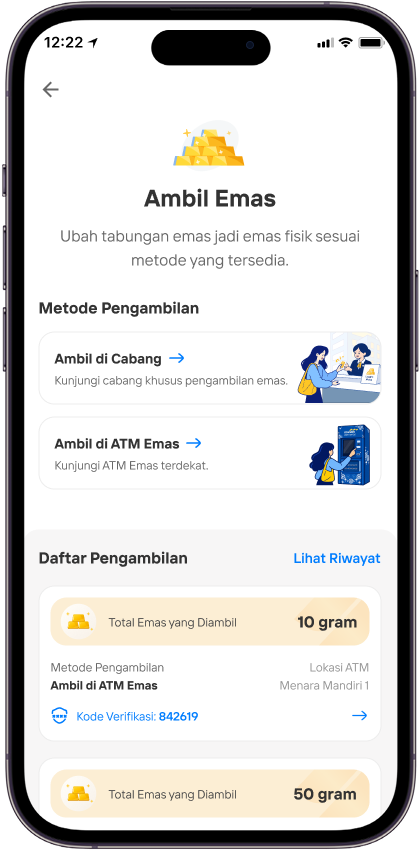
Pilih metode Ambil di ATM Emas.
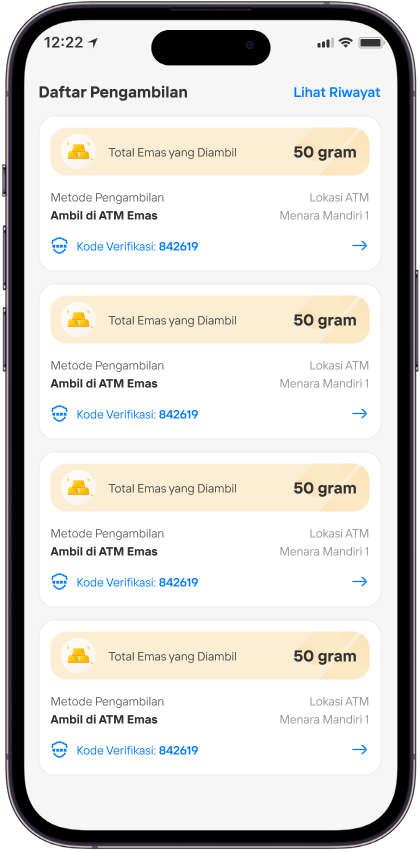
Anda juga bisa cek reservasi aktif di Daftar Pengambilan.
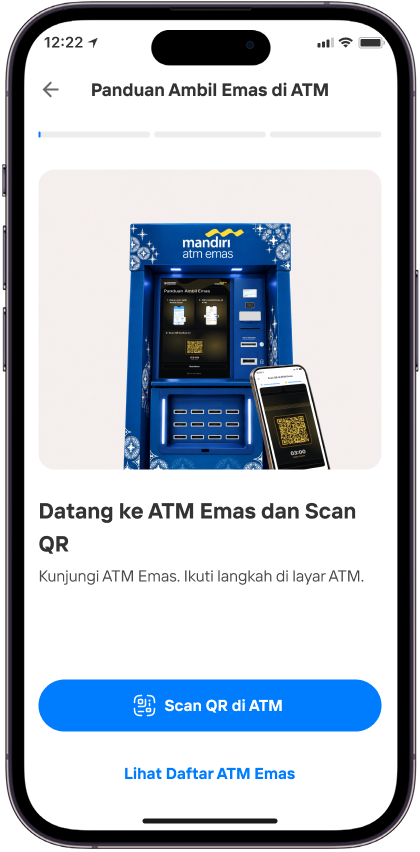
Baca panduan, lalu pilih Scan QR di ATM untuk memulai. Jika perlu, Lihat Daftar ATM Emas untuk cek lokasi.
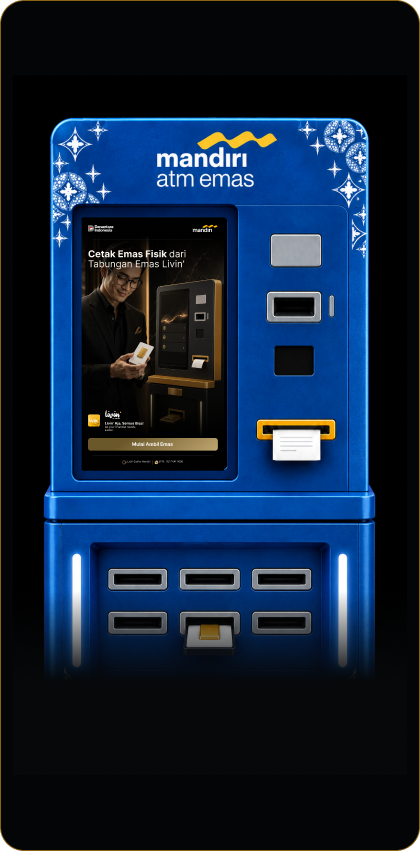
Pada layar awal ATM Emas, pilih Mulai Ambil Emas.
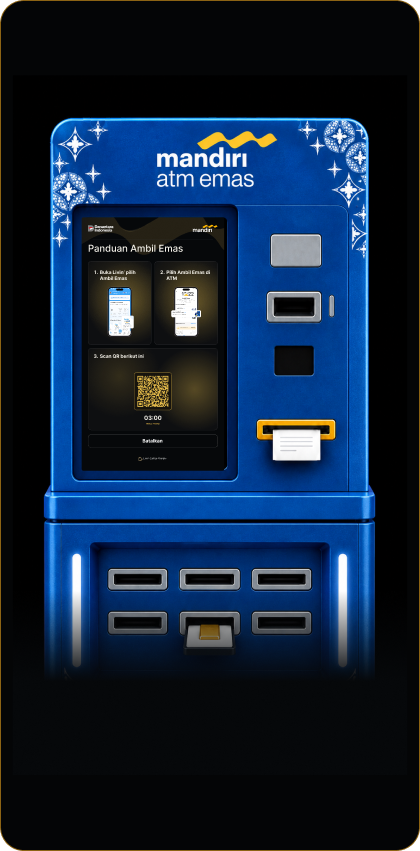
Scan Kode QR transaksi di layar ATM menggunakan aplikasi Livin’.
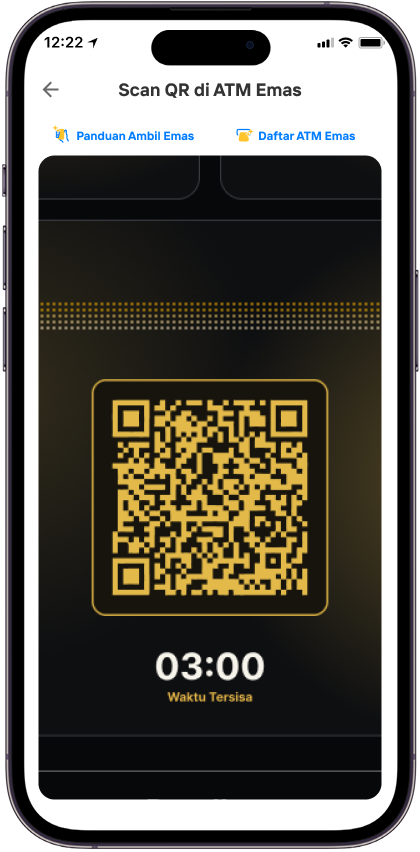
Buka Livin’, masuk ke menu Ambil Emas untuk scan QR.
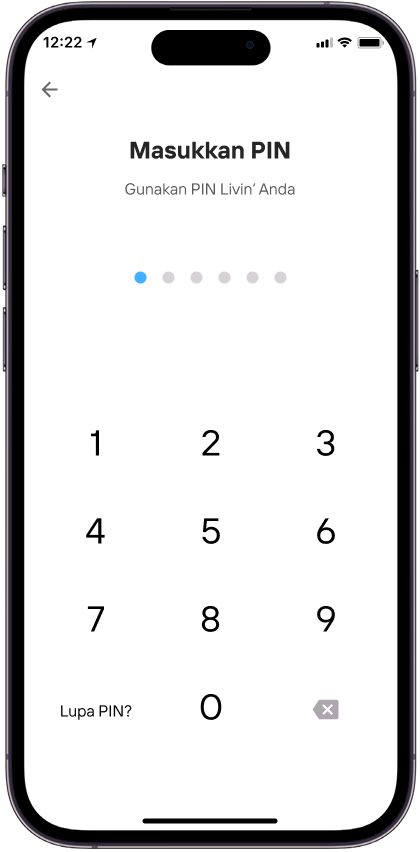
Masukkan PIN Livin’ untuk konfirmasi transaksi.
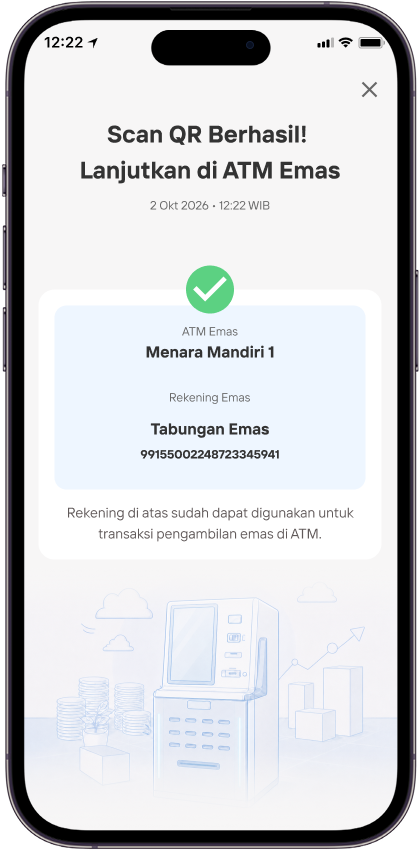
Setelah scan QR berhasil, lanjutkan proses di ATM.
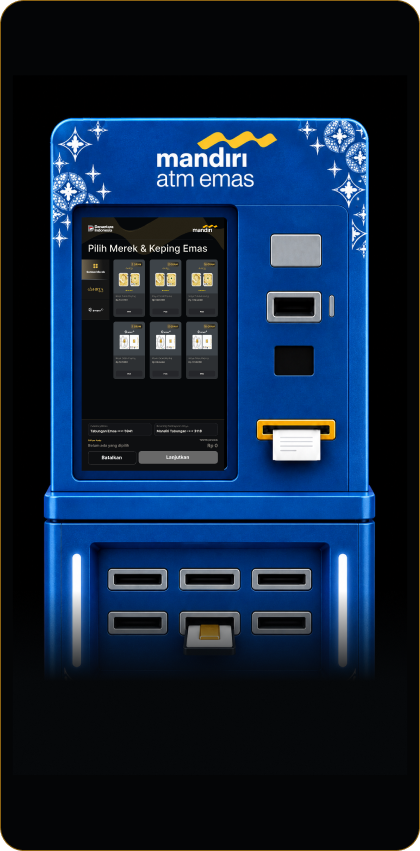
Di ATM, pilih merek dan keping emas yang ingin diambil.
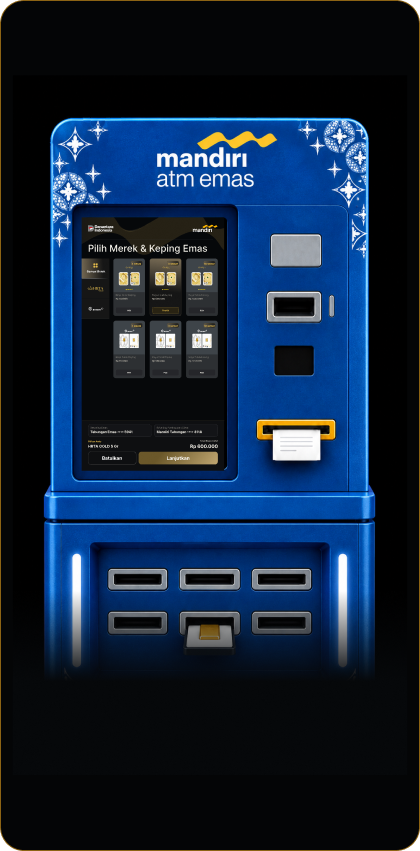
Pastikan emas sudah terpilih.
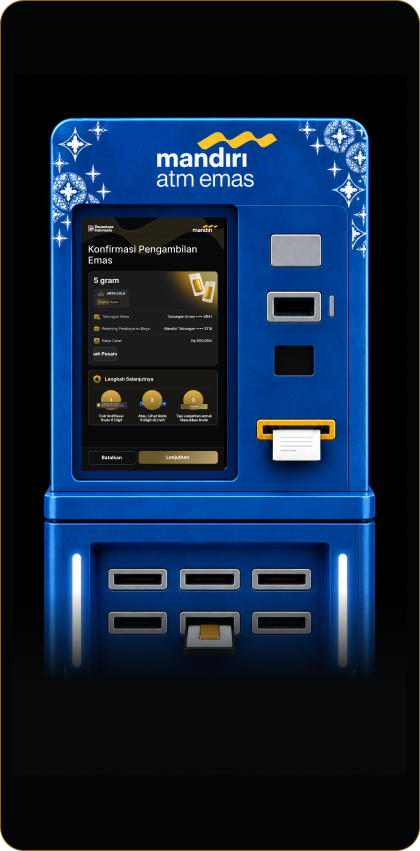
Periksa detail pengambilan, lalu pilih Lanjutkan.
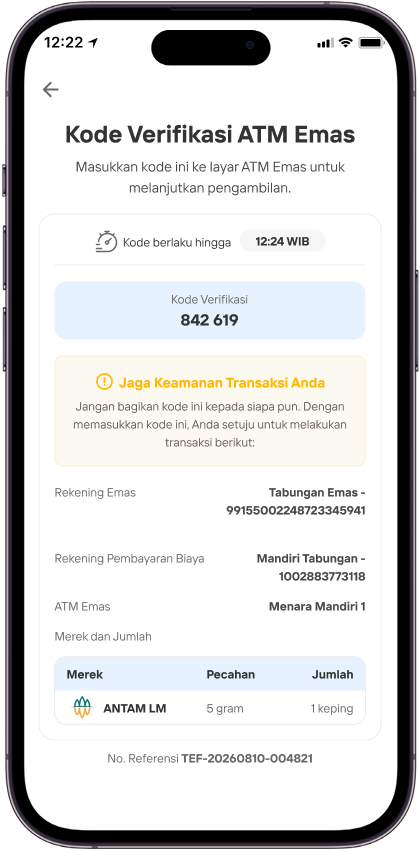
Buka detail kode verifikasi di Livin’.
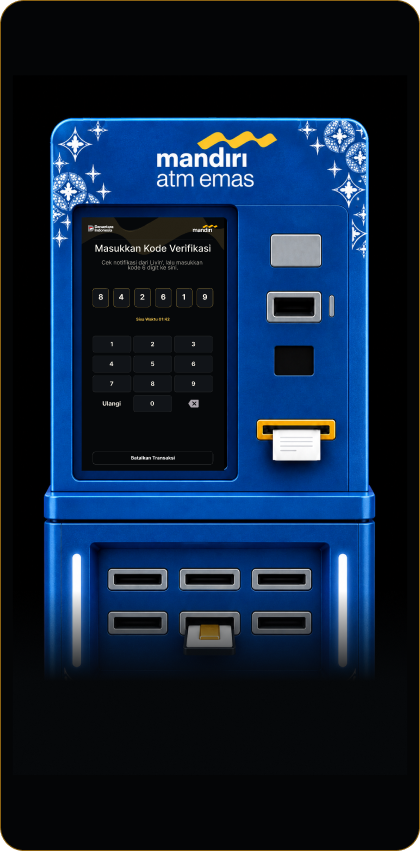
Masukkan 6 digit kode verifikasi ke ATM.
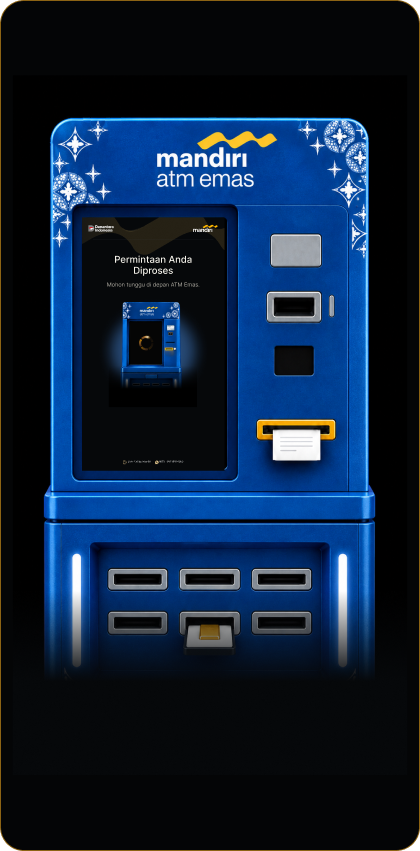
Tunggu ATM memproses permintaan pengambilan.
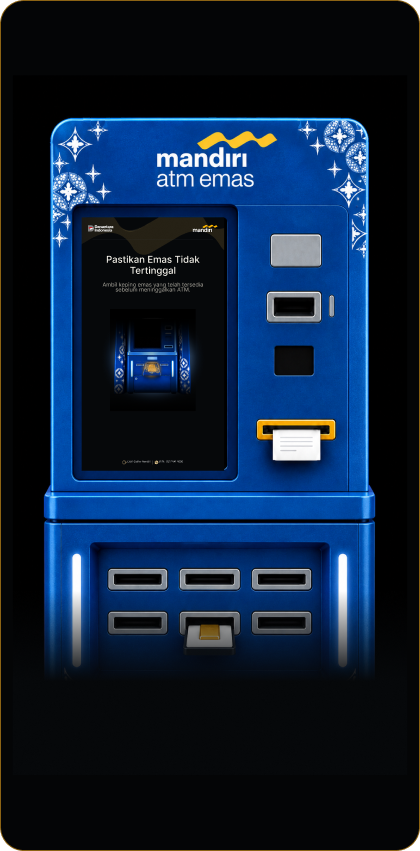
Saat keping tersedia, ambil emas dari kompartemen pengambilan.
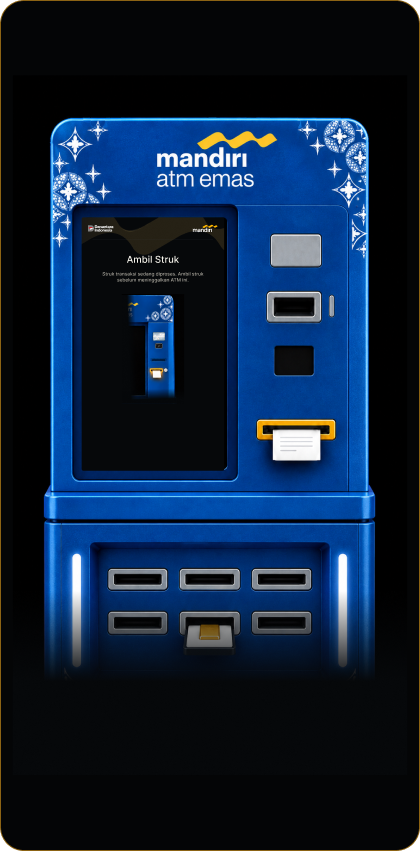
Ambil struk transaksi sebelum meninggalkan ATM.
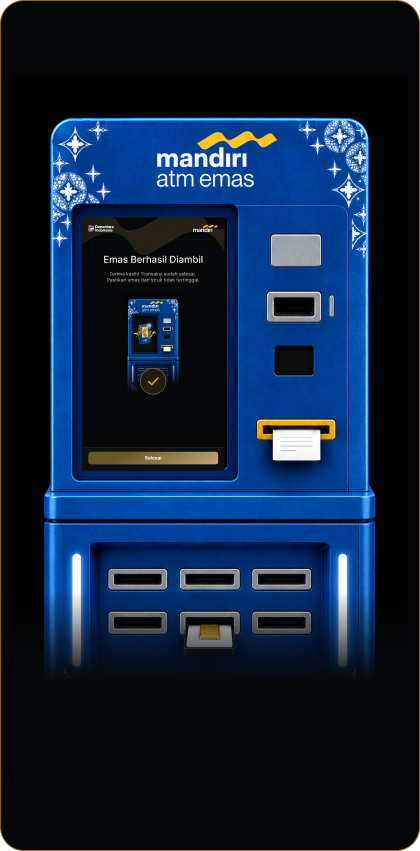
Konfirmasi bahwa emas berhasil diambil, lalu pilih Selesai.
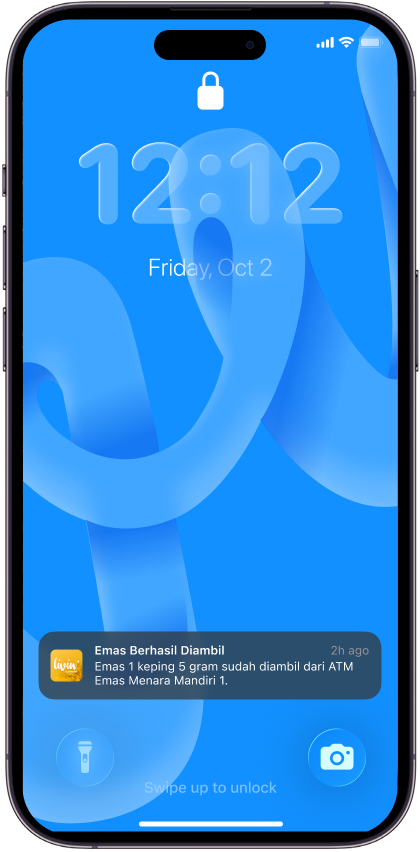
Informasi emas yang diambil dapat dilihat dari push notification Livin’.
R27 - FAQ - Ambil Emas di ATM Emas
Frequently Asked Questions
Apa yang dimaksud dengan fitur ATM Emas?
Fitur ATM Emas merupakan fasilitas pengambilan emas fisik melalui mesin ATM emas dimana nasabah dapat memilih gramasi dan merk emas, dan nasabah dikenakan biaya cetak sesuai gramasi yang diambil.
Apa saja persyaratan untuk melakukan pengambilan di ATM Emas?
- Warga Negara Indonesia (WNI) maupun Warga Negara Asing (WNA)
- Memiliki tabungan atau Giro dengan status aktif dan tersedia dana yang cukup
- Memiliki tabungan emas dengan minimal 1 gram
- Minimal pengambilan emas 1 gram
- Maksimal pengambilan emas 50 gram
Dimanakah bisa melakukan ambil emas di ATM Emas?
Nasabah dapat melakukan ambil emas di mesin ATM Emas yang tersedia.
Apa benefit yang ditawarkan dari ambil di ATM Emas?
- Emas fisik yang diambil di mesin ATM emas adalah emas fisik dengan tahun penerbitan emas terbaru
- Nasabah dapat mengambil emas tanpa perlu antri di cabang
Apa saja biaya yang dikenakan untuk pengambilan emas di cabang maupun ATM Emas?
Nasabah dikenakan biaya cetak emas untuk setiap pengambilan emas.
Berapa limit pengambilan di ATM Emas yang diberikan kepada nasabah?
Limit pengambilan di ATM Emas yaitu 50 gram per hari.
Mengapa proses ambil emas di ATM Emas saya tidak bisa dilanjutkan?
Nasabah tidak dapat melakukan ambil emas di Livin Apps karena:
- Tidak memiliki Tabungan/Giro dengan status aktif: mohon untuk Nasabah dapat mengaktifkan rekening tabungan/Giro untuk dijadikan rekening sumber dana pendebetan biaya cetak emas.
- Ketersediaan emas di mesin ATM Emas sudah habis untuk gramasi atau merk tertentu: mohon untuk Nasabah dapat melakukan pengambilan emas di mesin ATM emas lain atau Nasabah dapat melakukan ambil emas di cabang Bank Mandiri.
- Nasabah sudah melakukan ambil emas melebihi limit harian yaitu 50 gram: mohon untuk Nasabah dapat mengambil emas melalui ambil emas di cabang atau mencoba di hari berikutnya.
Apa yang saya lakukan jika ambil emas di ATM emas saya gagal?
Nasabah yang mengalami kendala dapat mencoba kembali pengajuan ambil emas di ATM emas atau dapat menelepon ke Livin’ Call by Mandiri Bebas Pulsa untuk dapat menginfokan kendala yang terjadi.