




Cara Buka Tabungan Next-G di Livin' by Mandiri
Tabungan NextG
Cara Buka Tabungan Next-G untuk Anak di Livin' by Mandiri
Nikmati kemudahan atur keuangan keluarga dalam satu tabungan! Ikuti panduan ini untuk
buka Tabungan Next-G dan bagikan akses ke anak/saudara (12 s.d < 17 tahun).
Bagian Orang Tua/Wali
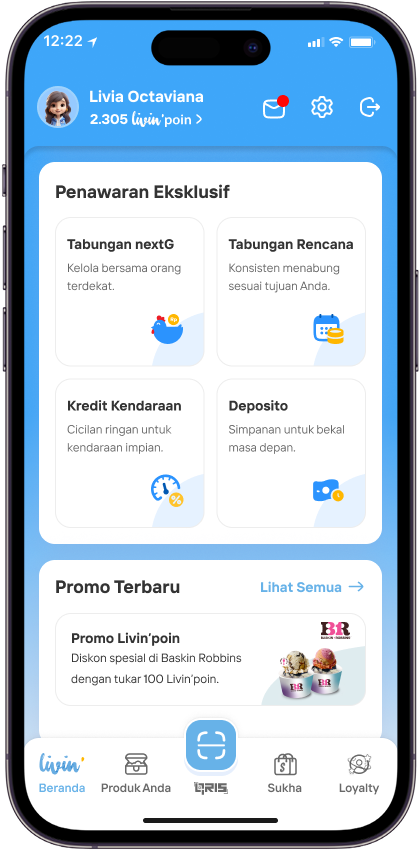
Klik widget Tabungan Next-G pada bagian Penawaran Eksklusif
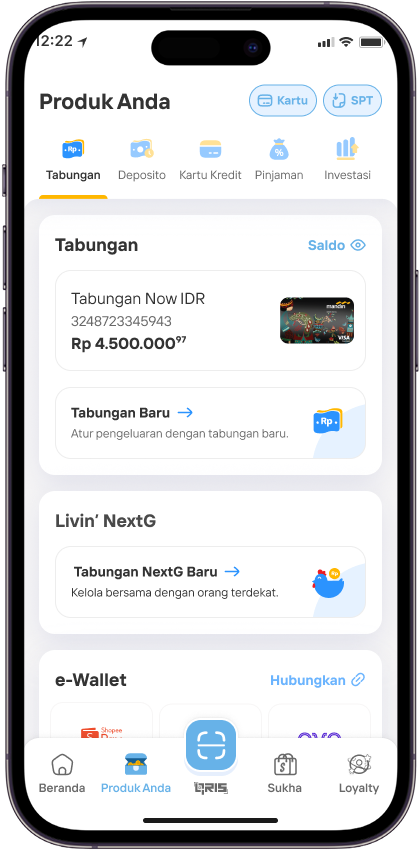
Atau Pilih Tabungan Next-G pada menu Produk Anda
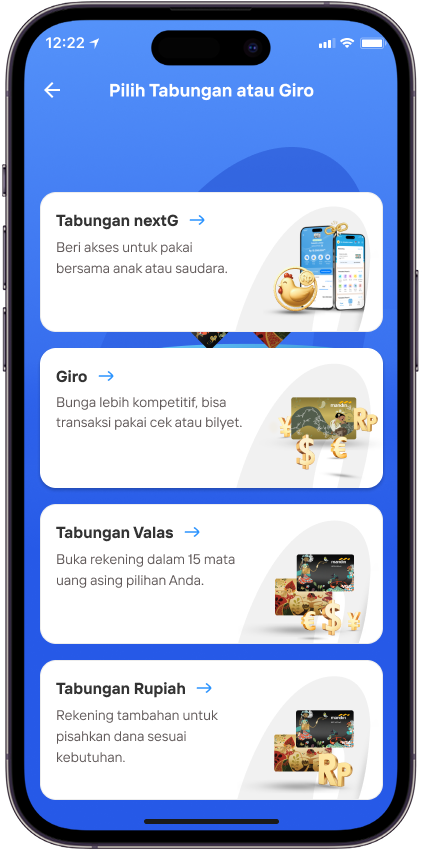
atau Pilih Tabungan Next-G pada bagian Tabungan & Giro
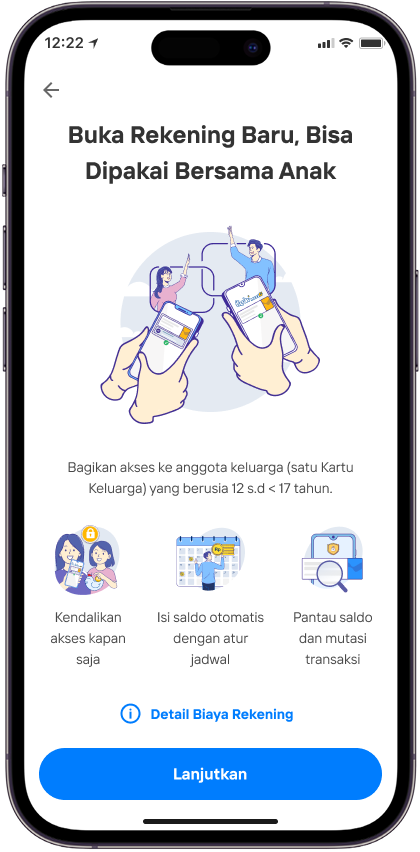
Klik Lanjutkan untuk ke proses selanjutnya
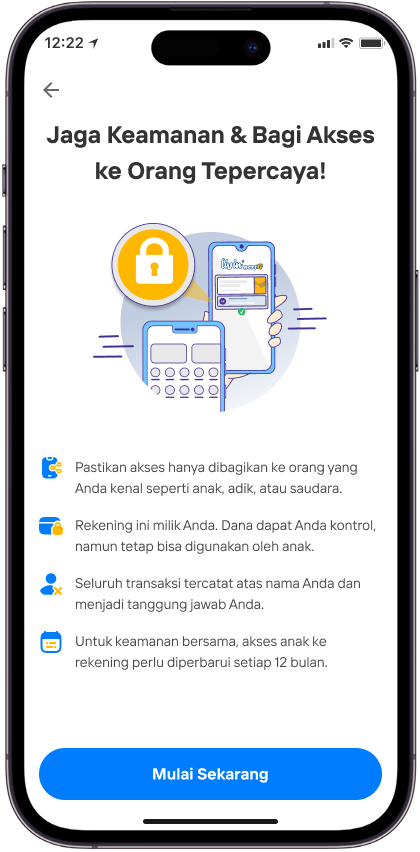
Klik Mulai Sekarang untuk melanjutkan pembukaan & pemberian akses rekening
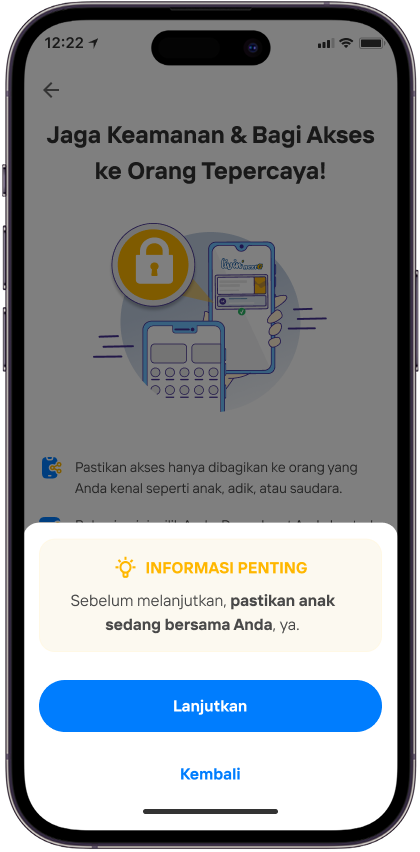
Pastikan sedang bersama Anak untuk melanjutkan pemberian akses
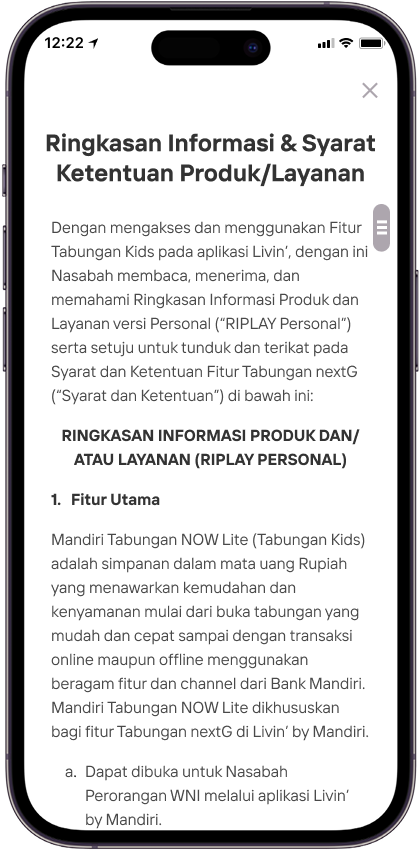
Baca Ringkasan Informasi & Syarat Ketentuan Produk / Layanan
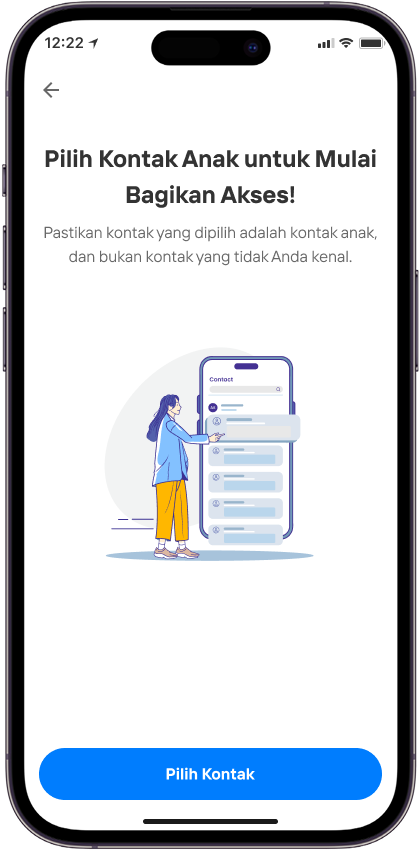
Pilih kontak Anak yang sudah tersimpan di handphone Orang Tua/Wali (Tidak bisa input manual
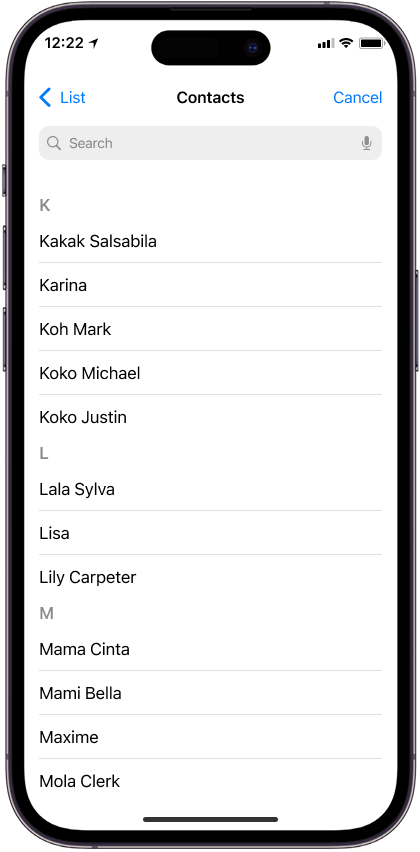
Pilih kontak Anak yang akan diberikan akses
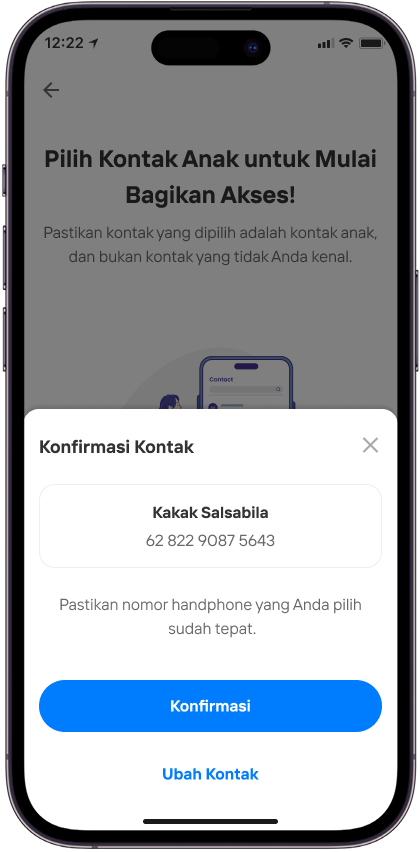
Pastikan kembali nomor yang dipilih, dan bukan merupakan nomor Orang Tua/Wali sendiri
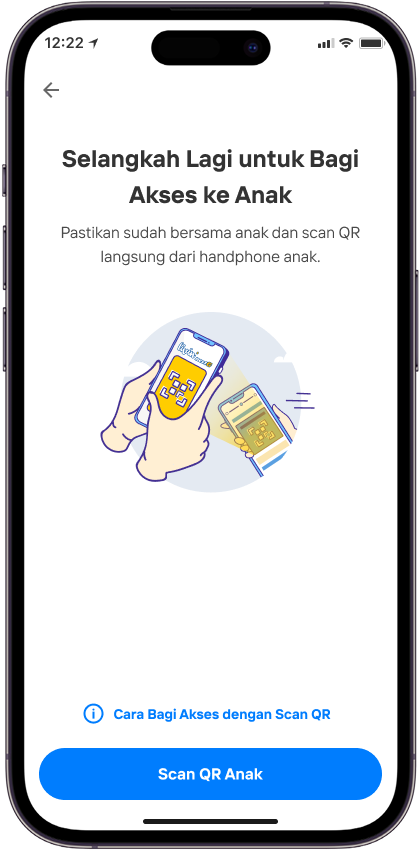
Scan QR Anak untuk validasi penerima akses, pastikan Orang Tua/Wali dan Anak sedang bersama
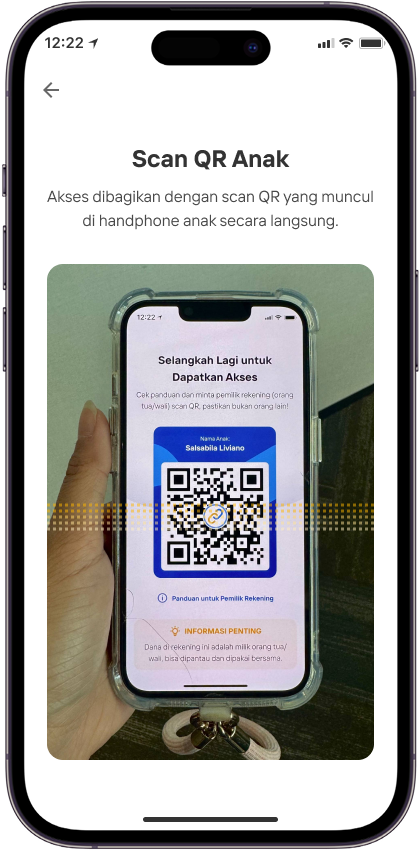
Scan QR yang ditampilkan di Livin’ Anak
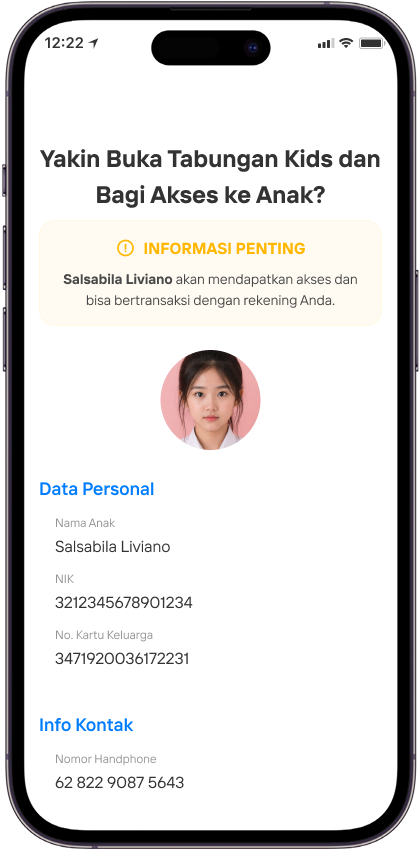
Pastikan kembali bahwa data calon Anak sudah sesuai
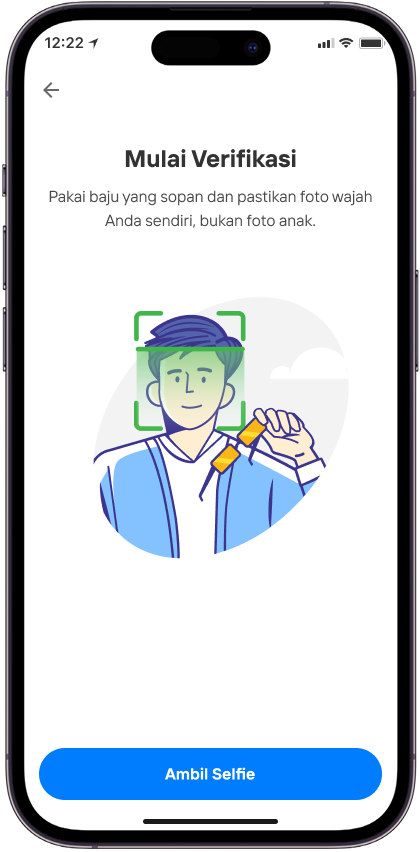
Ambil selfie Orang Tua/Wali untuk memastikan keamanan akun Orang Tua/Wali
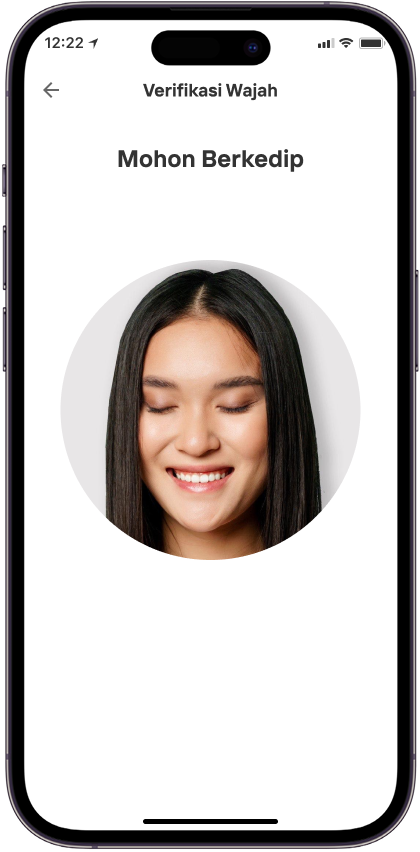
Mohon Berkedip
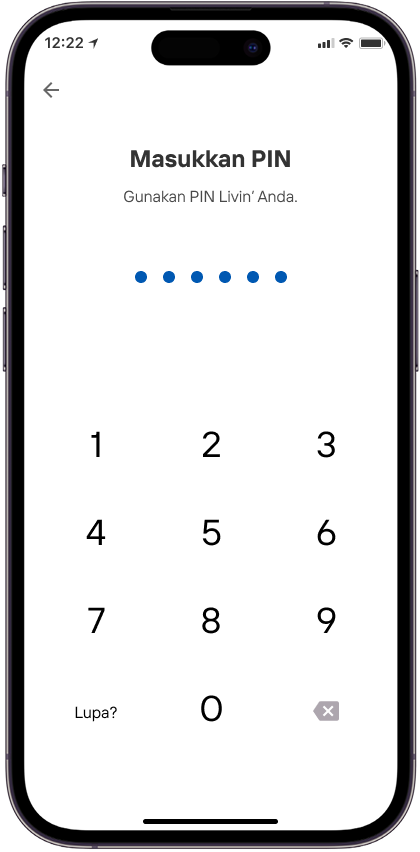
Masukkan PIN Livin'
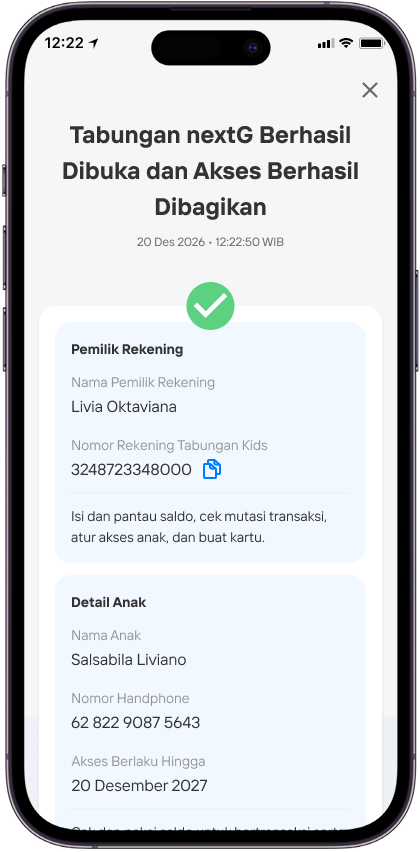
Pembukaan & pembagian akses rekening sudah berhasil
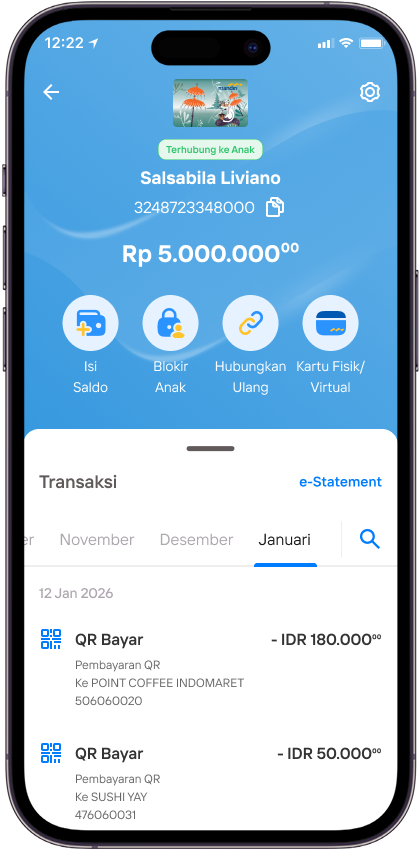
Terhubung ke Tabungan Next-G milik Anak
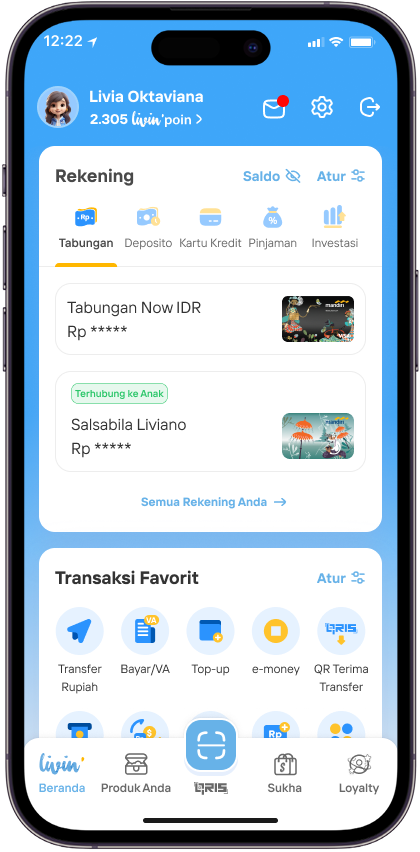
Tampilan Tabungan Next-G yang sudah terhubung
Bagian Anak
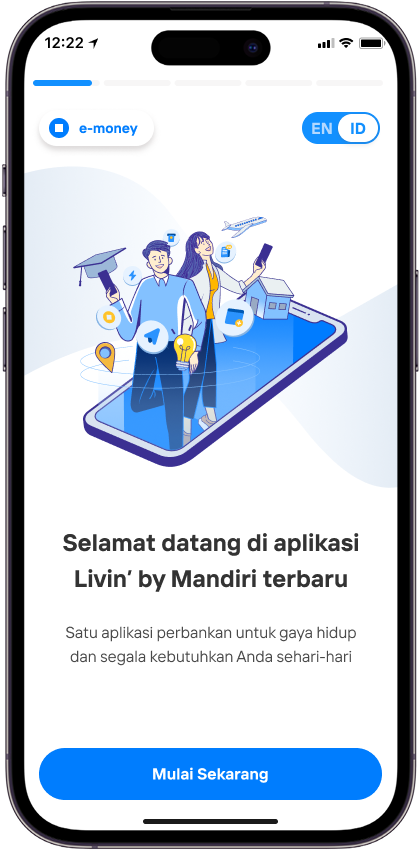
Pilih Mulai Sekarang
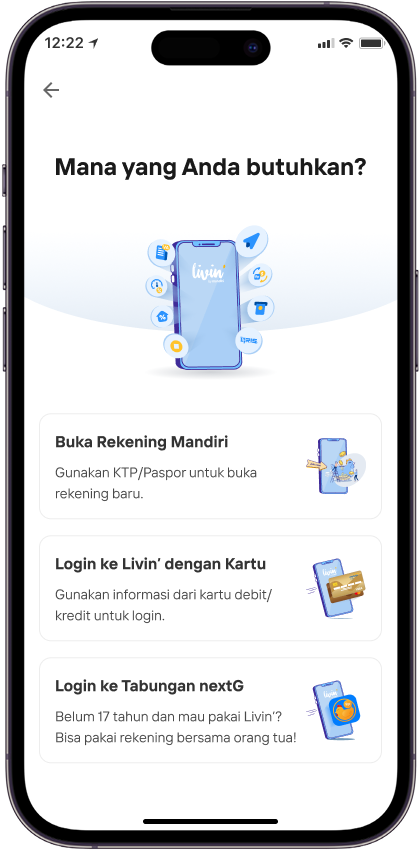
Pilih Login ke Tabungan Next-G
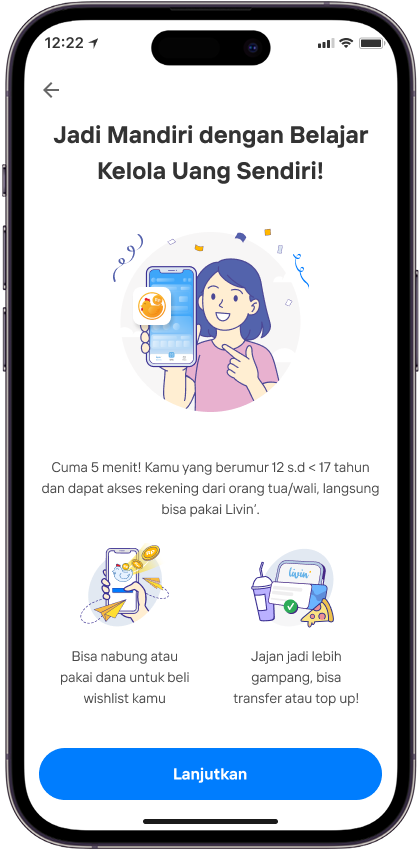
Pilih Lanjutkan
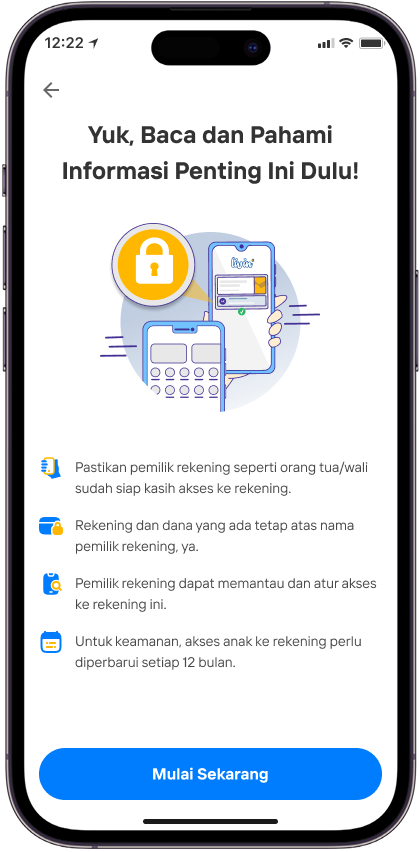
Baca dan pahami kemudian Pilih Mulai Sekarang
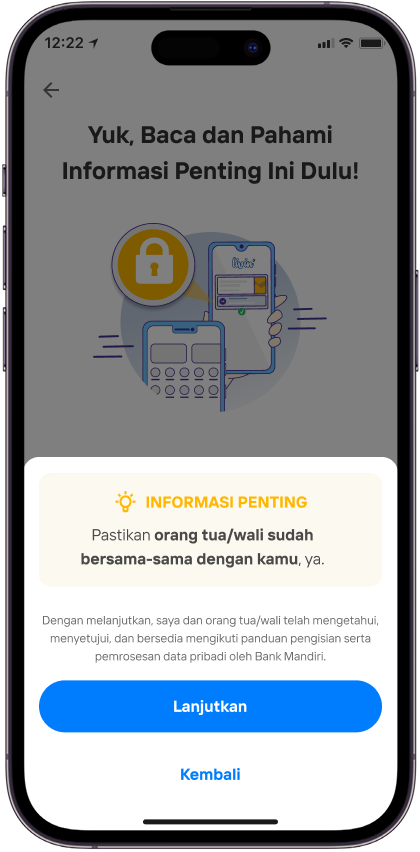
kemudian Pilih Lanjutkan
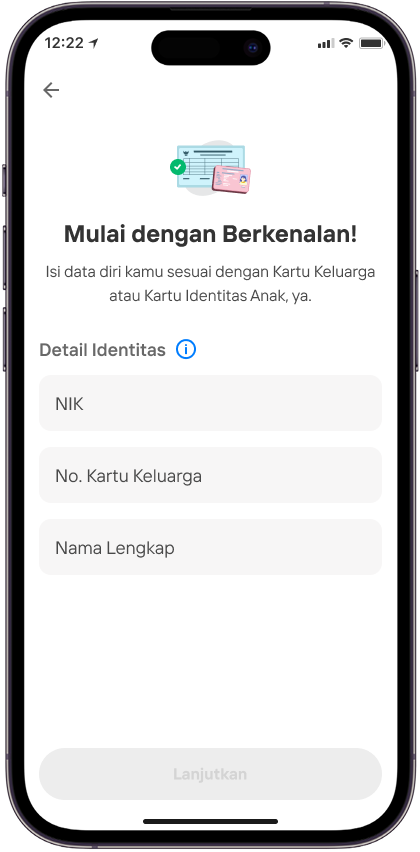
Isi detai Identitas lalu pilih Lanjutkan
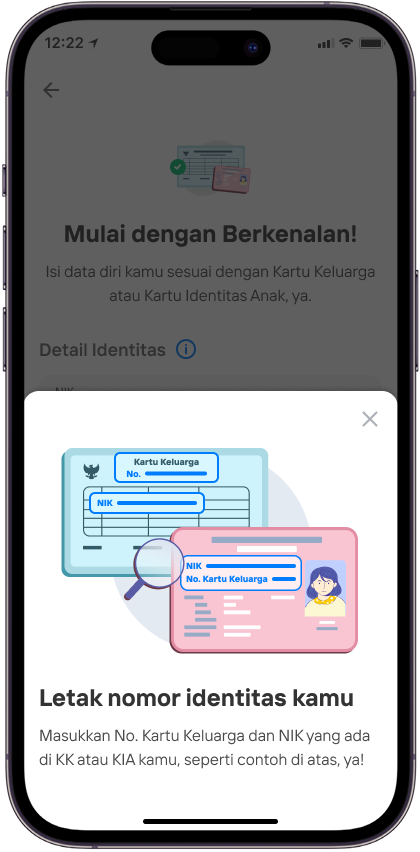
Perhatikan Letak nomor identitas kamu
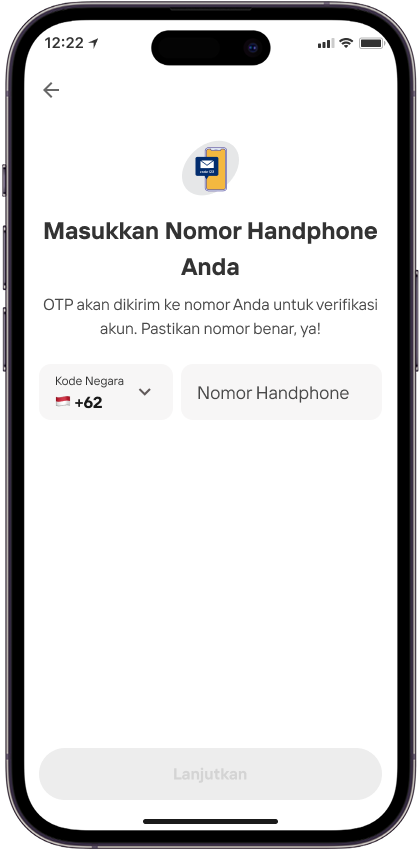
Masukkan nomor Handphone Anda lalu plih Lanjutkan
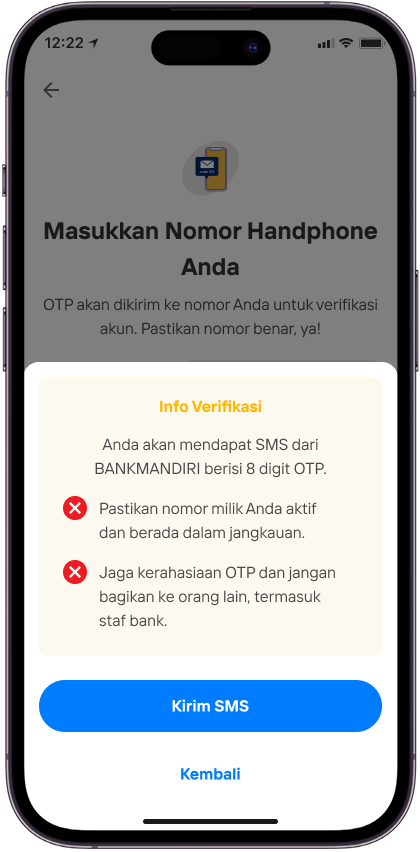
Lalu pilih Kirim SMS
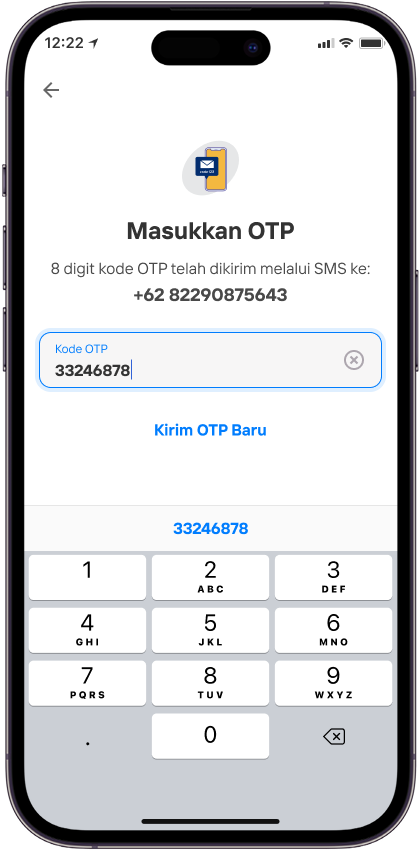
Masukkan kode OTP
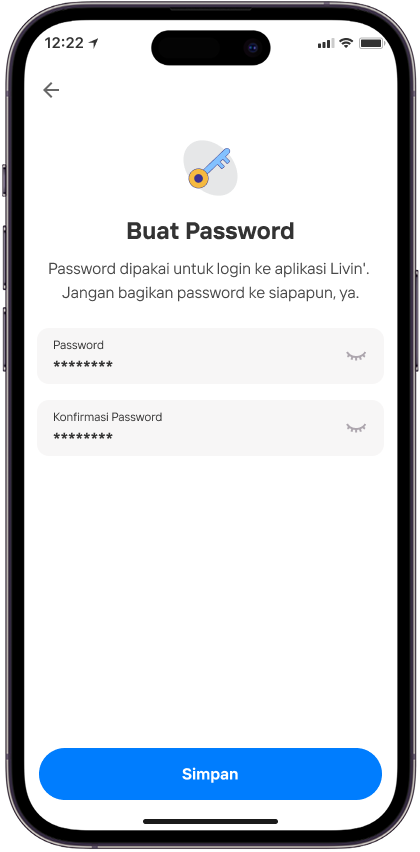
Buat password lalu pilih Simpan
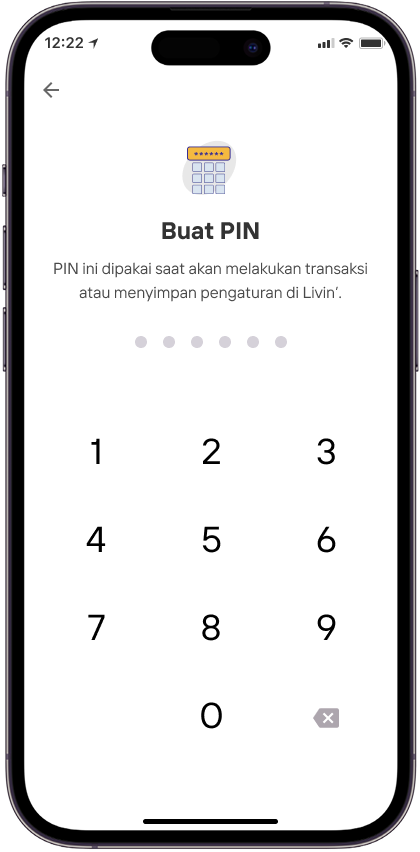
Buat PIN Livin'
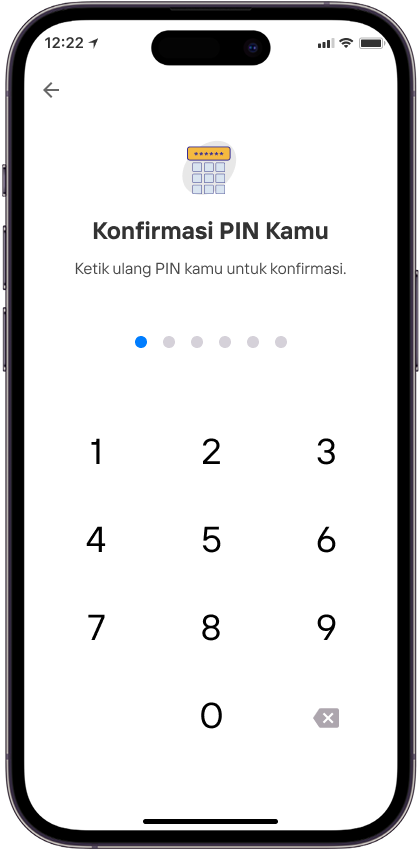
Konfirmasi PIN Livin' kamu
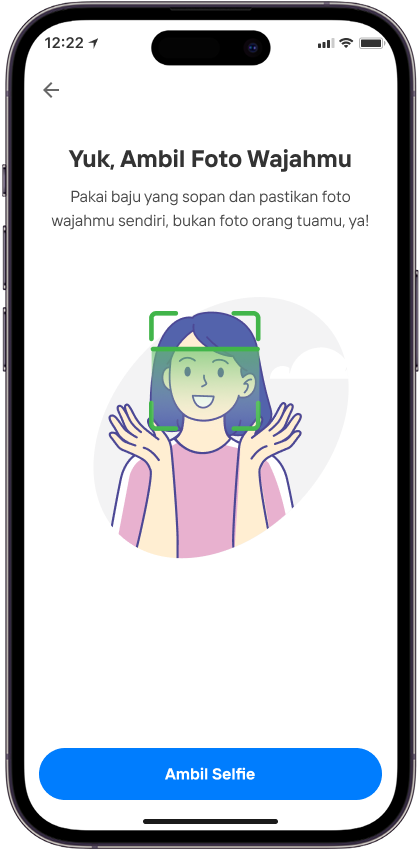
Pilih Ambil Selfie
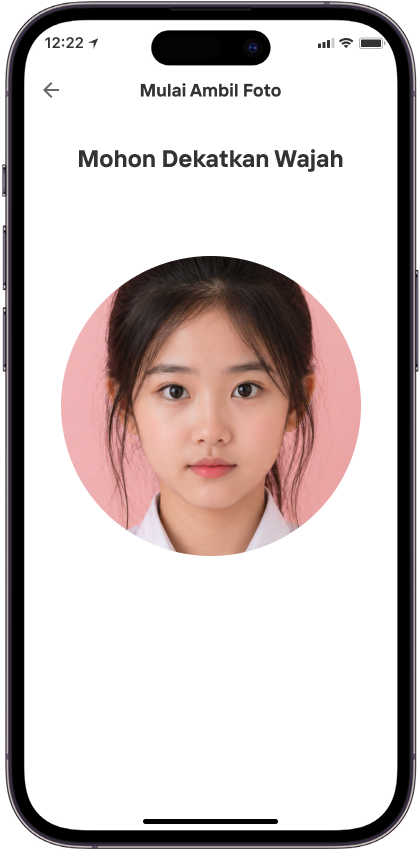
Mohon dekatkan wajah
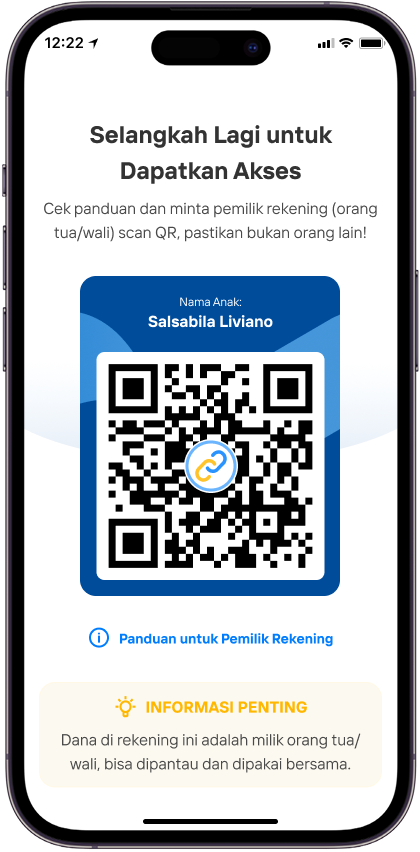
Cek Panduan dan minta pemilik rekening (orang tua / wali ) scan QR, pastikan bukan orang lain!
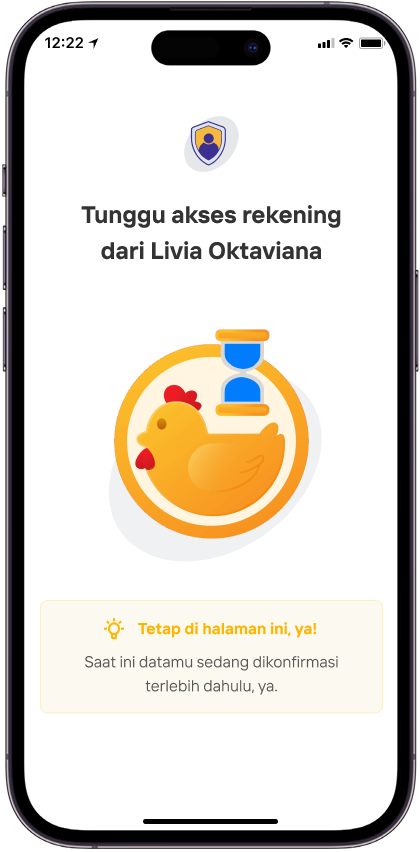
Tunggu akses rekening dari orang tua / wali Anda
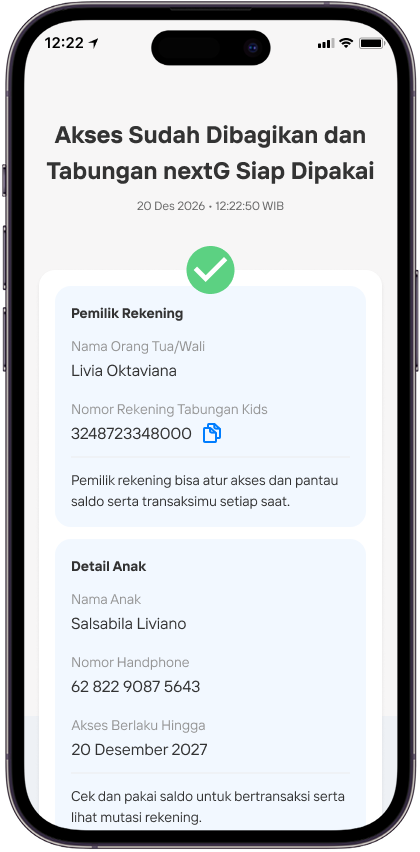
Akses sudah di bagikan dan Tabungan Next-G siap di pakai
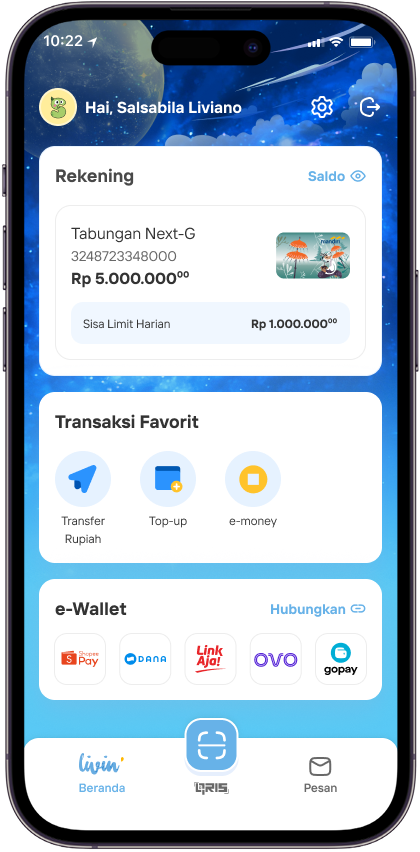
Anak bisa melihat detail Tabungan Next-G & riwayat transaksi dari akun Livin’-nya.
Risk biaya Livin next'G
Apa saja manfaat dari fitur Livin’ Next-G?
- Nasabah akan memiliki akses terhadap fitur Livin’ Next-G di Livin’ by Mandiri dan diberikan benefit loyalty Livin’ poin bagi pemilik rekening.
- Pada fitur Livin’ Next-G, Nasabah dapat memberikan akses rekening kepada anak dengan rentang usia 12 tahun sampai dengan kurang dari 17 tahun.
- Nasabah juga dapat memantau mutasi transaksi dan mengatur akses anak melalui menu pada halaman detail Tabungan Next-G.
Apakah terdapat risiko pada fitur Livin’ Next-G?
- Nasabah wajib menjaga data rahasia (username, password, OTP, tanggal lahir, nama ibu kandung, data kartu debit), penyalahgunaan data rahasia oleh pihak yang tidak berwenang menjadi tanggung jawab Nasabah sepenuhnya.
- Nasabah berkewajiban menyediakan informasi dan/atau data sesuai dengan kondisi sesungguhnya dan konsekuensi jika Nasabah tidak menyampaikan informasi dan/atau data yang sebenarnya menjadi tanggung jawab Nasabah sepenuhnya.
NEW FAQ NEXT-G
Frequently Asked Questions
What is Livin' Next-G?
Livin' Next-G is a feature in the Livin' by Mandiri application where a Parent/Guardian can open a Next-G Savings Account and grant access to the account to the Child/Party under their guardianship.
Can account opening and granting of access be done through a branch?
Currently, Next-G Savings Account opening and granting of access can only be done through the Livin' by Mandiri application.
Who is meant by Parent/Guardian and Child?
Parent means biological father and/or mother. Guardian means a person who is legally entitled to represent and/or manage the interests of the child.
Child is an individual aged 12 years to less than 17 years who receives access to Livin' Next-G from the Parent/Guardian.
Who can open a Next-G Savings Account?
Account opening can be done by a Parent/Guardian who is a Bank Mandiri customer using Livin' by Mandiri, provided the following conditions are met:
- The customer has an active Rupiah account (savings or current) with active status.
- The customer does not have any account that is currently restricted from transactions.
- The type of identity registered with the Bank for the customer is a National ID Card (KTP). If the registered identity is not a KTP, the customer is directed to update their data at a branch and try reopening the account within 7 days.
- The customer is the Parent/Guardian of the Child who will be granted access to Livin' Next-G.
What are the criteria for a Child to be eligible for access?
The Child must be aged 12 years to less than 17 years to receive access and use Livin' Next-G for transactions in Livin' by Mandiri on features determined by the Bank. Ensure that when receiving access from the Parent/Guardian, the Child and Parent/Guardian are listed in the same Family Card (KK).
Is there a limit to the number of accounts that can be opened?
The limit allowed per Parent/Guardian is 3 accounts or according to Bank policy.
What information does the Child need to register to receive access to Livin' Next-G?
The Child inputs the following identity data: National ID Number (NIK), Family Card Number (KK), Full Name, and Date of Birth (if requested). The Child can find the identity information on the Child Identity Card (KIA) or the Family Card (KK) document.
Can the Parent/Guardian transfer account access to another child?
If the Parent/Guardian already has an active Next-G Savings Account linked to a Child, the Parent/Guardian can only share access with the first Child linked to that account. An account that has already been linked cannot have its access transferred to another Child.
Does the Child's access to Livin' Next-G last forever?
No. Access for the Child is valid for 12 (twelve) months from the successful linking (linkage) process, or as per the Bank's provisions. After that, the Child's access will be automatically disconnected. The Parent/Guardian and Child need to meet again to re-grant access through the Livin' by Mandiri application.
What are the detailed terms of Next-G Savings, including the associated fees?
Customers can find out about fees related to Next-G Savings or Mandiri Tabungan Now Lite at https://www.bankmandiri.co.id/web/guest/tarif-layanan#tarif-tabungan.
Who can view the transaction history of the Next-G Savings Account?
The Parent/Guardian (as the savings account holder) and the Child who receives access.
Is the Parent/Guardian required to make an initial deposit?
After opening, the Parent/Guardian can make an immediate deposit or deposit later. However, if the Parent/Guardian does not make an initial deposit meeting the required minimum deposit within 90 calendar days from the account creation date, the account will be automatically closed.
How does the Parent/Guardian find out the newly created account number?
After the account opening process is successful, the Parent/Guardian can see the account number on the Account Opening Success page and the Your Products page. Account number information will also be received via the Inbox in the Livin' by Mandiri application and sent to the Parent/Guardian's email registered with Livin' by Mandiri.
What are the benefits of the Livin' Next-G feature?
- Customers will have access to the Livin' Next-G features in Livin' by Mandiri and receive loyalty benefits in the form of Livin' points for the account holder.
- Through the Livin' Next-G feature, customers can grant account access to a child aged 12 to less than 17 years.
- Customers can also monitor transaction mutations and manage the child's access through the menu on the Next-G Savings Account details page.
Can the mobile phone number of the Access Recipient (Child) be the same as that of the Account Holder (Parent/Guardian)??
The mobile phone number of the Access Recipient (Child) must be different from that of the Account Holder (Parent/Guardian)
Are there any risks associated with the Livin' Next-G feature?
- Customers must safeguard confidential data (username, password, OTP, date of birth, mother's maiden name, debit card data); misuse of confidential data by unauthorized parties is entirely the customer's responsibility.
- Customers are obliged to provide information and/or data in accordance with the actual conditions, and the consequences of not providing true information and/or data are entirely the customer's responsibility.
What transactional features will be available to the Parent/Guardian and Child?
Transactional features that can be accessed using Next-G Savings as the source of funds:
What non-transactional features will be available to the Parent/Guardian and Child?
The following non-transactional features can be accessed by the Parent/Guardian & Child:
Can the Parent/Guardian choose a phone number other than the one saved in Contacts?
No. The Parent/Guardian must select the active phone number of the Child already stored in the Parent/Guardian's phone contacts, which will be used by the Child during the Child's phone number validation process using a One-Time Password (OTP).
How does the Parent/Guardian scan the Child's QR?
The Parent/Guardian must meet face-to-face or be in the same location as the Child. The Child must first complete the registration process, starting from downloading Livin' by Mandiri, entering identity data & Child's phone number, creating a Password & PIN, capturing the Child's face, until the Child reaches the QR generation page.
How long is the validity period of the generated Child QR?
The successfully generated Child QR is valid only for a few seconds as displayed on the Child's Livin' application screen, so the Parent/Guardian and Child must be in the same location.
Why does the Parent/Guardian get an error when scanning the Child's QR?
When scanning the QR, several things will be validated by the system. The Parent/Guardian needs to ensure the following:
- The Parent/Guardian and Child must meet face-to-face in one place.
- The Parent/Guardian scans the QR generated on the Child's device directly from the Parent/Guardian's device to the Child's device.
- The Child's phone number selected by the Parent/Guardian must be the same as the phone number registered and validated on the Child's device.
- If the Parent/Guardian has reached the maximum number of QR scan attempts, they must wait for 60 (sixty) minutes before trying again.
- If the Parent/Guardian receives an error message regarding the Family Card number (No KK), it must be ensured that the Parent/Guardian and Child are in the same Family Card (KK).
If the Parent/Guardian's facial verification fails during Next-G Savings Account opening, what should the Parent/Guardian do?
There are several possibilities as follows:
- If unsuccessful when taking the selfie photo, make sure the face is clear, then click the 'Try Again' button to retake the photo.
- If unsuccessful during the verification process after taking the photo, this is because the facial recognition result does not match the facial data stored at the Bank.
- If you still get an error during the verification process after taking the photo, this is because the facial recognition result of the Parent/Guardian matches the Child's facial photo (when the child registered to receive access to the Next-G Savings Account). Please have the Child repeat the data entry and take a photo of themselves during facial verification, not a photo of the Parent/Guardian.
Why does the Parent/Guardian fail when opening the account and granting account access to the Child?
There are several reasons the Parent/Guardian may get a failure result:
- A system issue occurred so account opening could not be performed. The Parent/Guardian can try reopening the account and rescanning the QR.
- Account opening is being processed or timed out. The Parent/Guardian can periodically check the existing savings products. Additionally, the Parent/Guardian can view the latest account opening status in the Livin' by Mandiri inbox menu.
- The Child is detected to already have a Livin' account (e.g., previously provisioned Livin' using a debit card from a Simpel Savings Account). A Livin' Next-G account for a Child can only be accessed by a Child who does not yet have a Livin' account and is aged 12 to less than 17 years. Please have the Child visit a branch with the Parent to request deletion of the Child's Livin' account. Once the Livin' account is deleted, the Child can try logging into Livin' Next-G again.
- The Parent/Guardian has reached the maximum ownership limit for Next-G Savings Accounts. Close one of the existing Next-G Savings Accounts first to continue.
- The Parent/Guardian does not have an active Rupiah account (savings or current) or has an account with transaction restrictions (restricted/frozen).
- The Parent/Guardian has previously opened and granted access to an existing account. Direct the Parent/Guardian to re-grant access to the existing Next-G Savings Account to the Child.
Why was the account successfully opened but access needs to be re-granted to the Child?
This occurs because there was a system issue when executing the binding/linking process of the account to the Child, so the Parent/Guardian needs to re-grant access to the Child.
After the Next-G Savings Account is formed and access is successfully shared, does the Parent/Guardian have access to monitor the Child's transactions?
The Parent/Guardian can monitor and manage security settings for the access granted to the Child. On the Next-G Savings Account detail page, the Parent/Guardian can:
- Monitor the access granting status to the Child (Connected/Restricted/Disconnected).
- Monitor the Next-G Savings balance and transaction history made by the Child or Parent/Guardian.
- Top up the balance or set a scheduled transfer to the Next-G Savings from other accounts belonging to the Parent/Guardian.
- Block/Unblock the Child's access to Livin' Next-G.
- Re-link the Next-G Savings Account if the Child's access is disconnected or when changing devices.
What if the Child's phone is lost?
The Parent/Guardian can block the Child's access from the Next-G Savings detail page to mitigate misuse of transactions by unknown parties. The Parent/Guardian can also visit a branch or call Mandiri Call 14000 to block the Child's access.
What is the difference between Child Access Blocking done by the Parent/Guardian via Livin' by Mandiri and Livin' Next-G Account Blocking requested at a Branch or via Mandiri Call 14000?
Block/Unblock Child Access via Livin' by Mandiri:
- How to Block/Unblock: Can only be done by the Parent/Guardian currently linked to the Child through Livin' on the Next-G Savings Account detail page.
- Effect: By blocking Child Access via Livin', the Child will not be able to log in and transact using Livin' Next-G. After the Parent/Guardian unblocks the Child's access, the Child will be able to log in again and transact using Livin' Next-G.
Block/Unblock Livin' Child Account via Branch or Mandiri Call 14000:
- How to Block/Unblock: Can only be done by the Parent/Guardian currently linked to the Child by requesting through a Branch or Mandiri Call 14000.
- Effect: By blocking the Livin' Child Account via Branch or Call Center, the Child will not be able to log in and transact using Livin' Next-G. After the Parent/Guardian requests to unblock the Child's access, the Parent/Guardian needs to re-grant access to the Child.
What is the name of the application that the Child needs to install to access Livin' Next-G?
The Child needs to install the Livin' by Mandiri application from the App Store/Play Store. This application is the same application used by Bank customers.
Why does the Child get an error on the Identity Data Input page?
There are several reasons that may cause an error:
- Incorrect data. Ensure the Child uses the NIK (National ID Number) that matches the data on the KK (Family Card) or KIA (Child Identity Card).
- Time out: The Child can try again periodically.
- The Child is detected to already have a Livin' account (e.g., previously provisioned Livin' using a debit card from a Simpel Savings Account). A Livin' Next-G account for a Child can only be accessed by a Child who does not yet have a Livin' account and is aged 12 to less than 17 years. Please have the Child visit a branch with the Parent to request deletion of the Child's Livin' account. Once the Livin' account is deleted, the Child can try logging into Livin' Next-G again.
- The Child has exceeded the data verification attempt limit. The Child can try again in 60 (sixty) minutes.
Why does the Child get an error when verifying the phone number?
An error during phone number verification may occur due to several things:
- The OTP request attempt limit has been reached (3 requests at one time). The Child can try requesting again after some time.
- Phone number not found or is blocked. Ensure the Child uses an active phone number. If it still doesn't work, please visit a branch or call Mandiri 14000 to unblock the phone number (release phone number).
If the Child's facial verification fails during registration, what should the Child do?
If unsuccessful when taking the selfie photo, this is because the facial recognition result is not clear enough. Make sure the Child's face is clearly visible when taking the photo, then click "Try Again" to retake the photo.
Why doesn't the Child's QR appear?
The QR is dynamic and only valid for a few seconds, so this may occur because the Child has been on the QR screen for too long. The Child can generate a new QR by clicking the "retry" button and ensuring the Child has internet access.
Why does the Child get stuck on the waiting screen?
This occurs because the Parent/Guardian is currently performing verification of the Child's data. Once the verification process is completed by the Parent/Guardian, the Child can proceed with the Livin' Next-G access acceptance process.
Why does the Child get a failure result?
This may occur due to several things:
- There is a mismatch in the data used by the Child. Please re-enter the data from the beginning and follow the instructions according to the guide.
- The Parent/Guardian cancelled granting account access to the Child. Please contact the Parent/Guardian to re-open the account and re-grant access.
- A system issue occurred during account opening and granting of account access. Please try again periodically by meeting with the Parent/Guardian again to re-grant account access.
Why is the Child's Livin' different from the Parent/Guardian's Livin'?
Livin' access for the Child is designed with a new look and limited features and transaction amounts to better suit the Child's transaction patterns.
What are the Child's transaction limits?
The daily limit is cumulative for all transactions.
What should the Child do if they forget the password to log in to Livin'?
The Child can create a new password by meeting with the Parent/Guardian to re-grant access to the account. To create a new password and re-grant access, the Child must first reinstall Livin'.
What should the Child do if they enter the wrong password 3 times and Livin' Next-G becomes blocked?
The Child can create a new password by meeting with the Parent/Guardian to re-grant access to the account. To create a new password and re-grant access, the Child must first reinstall Livin'.
What should the Child do if they forget their Livin' PIN?
The Child can create a new PIN by meeting with the Parent/Guardian to re-grant access to the Next-G Savings Account. To create a new PIN and re-grant access, the Child must first reinstall Livin'.
What should the Child do if they enter the wrong PIN 3 times and cannot transact?
The Child can create a new PIN by meeting with the Parent/Guardian to re-grant access to the account. To create a new PIN and re-grant access, the Child must first reinstall Livin'.
Why does the Child get an 'account cannot be accessed' error?
This may occur because:
- The Parent/Guardian has blocked the Child's access via the Parent/Guardian's Livin'. Please contact the Parent/Guardian to unblock it through Livin' by Mandiri on the Next-G Savings Account detail page.
- The Parent/Guardian requested the Child's access be blocked through a Branch or Mandiri Call 14000. Please contact the Parent/Guardian to request unblocking through a Branch or Mandiri Call 14000. After access is unblocked, the Child needs to meet with the Parent/Guardian to re-grant access.
- The Child's access is blocked by the system. Please contact the Parent/Guardian to request unblocking through a Branch or Mandiri Call 14000. After access is unblocked, the Child needs to meet with the Parent/Guardian to re-grant access.
- The account access period has expired. Please contact the Parent/Guardian to re-link the account to regain access.
- The Child has reached the age of 17 and the account access period has expired.
What should the Child do if they want to change devices?
The Child can install the Livin' by Mandiri application on the new device. After successfully installing Livin', select the Login with Livin' Next-G menu. The Child must be with the Parent/Guardian to regain access to Livin' Next-G from the previous account by performing the re-granting access process with the Parent/Guardian. After the re-granting access process is successful, the Livin' account on the previous device will be logged out.
If the Child has a Simpel Savings Account, can the Child view the Simpel Savings details when they successfully receive Livin' Next-G access from the Parent?
When a Child who has a Simpel Savings Account has successfully logged in to Livin' Next-G, the Child can only view and use the Livin' Next-G to which access was granted by the Parent/Guardian. If the Child wants to view the Simpel Savings Account details, the Child must log in to Livin' using the debit card linked to the Simpel Savings Account.
If the Child has already turned 17, can they still access Livin' Next-G?
A Child who has already turned 17 can no longer log in to Livin' Next-G. If the child logged in before turning 17, the child can still transact and use Livin' as long as the access period has not expired, even if the child has reached the age of 17. The child's access will end according to the access expiration date determined when the child logged in to Livin' Next-G.