



Cara Buka Rekening Valas di Livin' by Mandiri
Valas - Cara Buka Rekening Valas R21
How to Open a Foreign Currency Account on Livin' by Mandiri
Discover all the convenience of financial transactions on Livin' and learn how to use it here.
How to Open a Foreign Currency Account

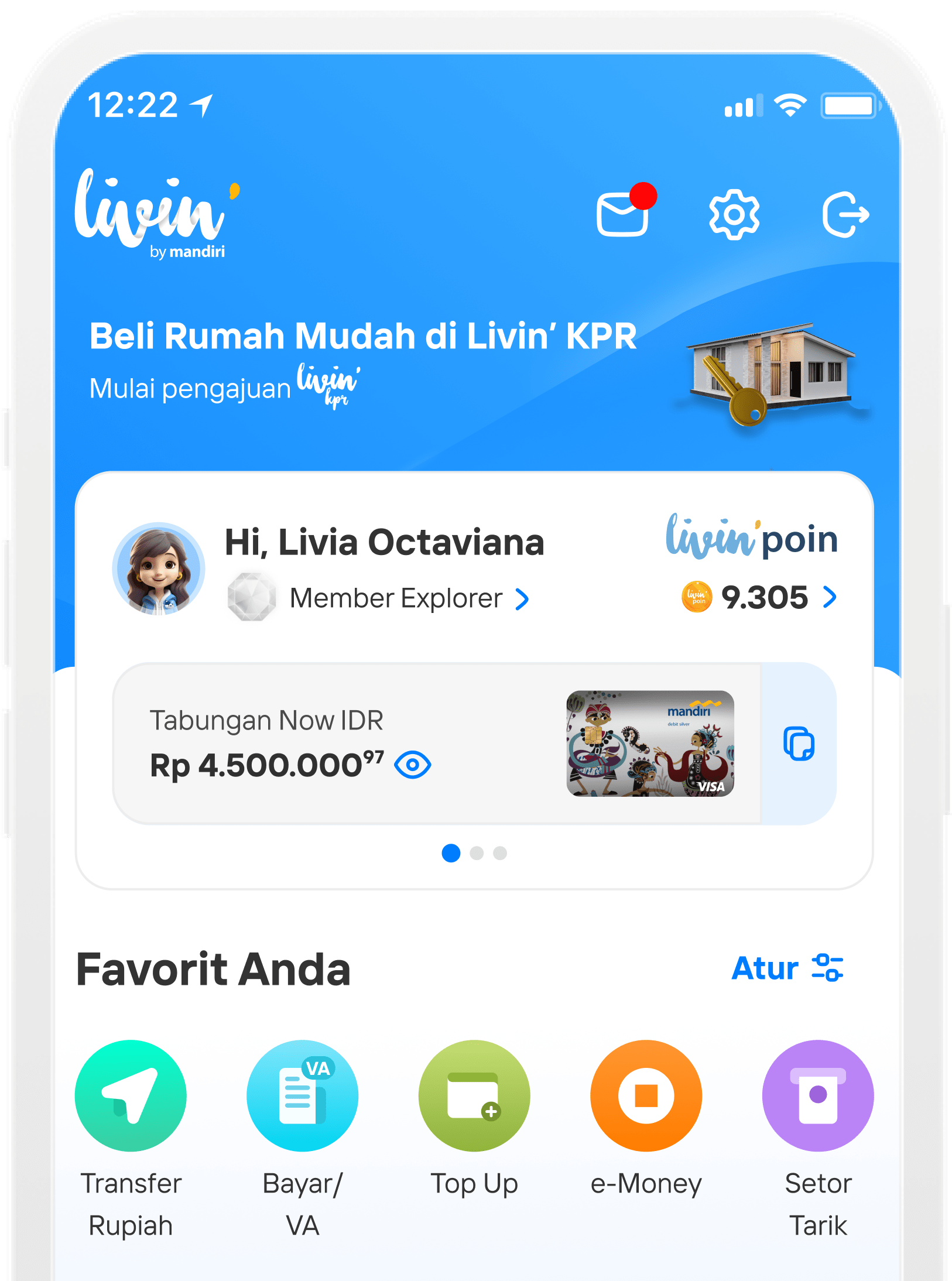
Choose Your Products in Homescreen

Choose New Savings banner

Choose Open Now in the Foreign Account banner

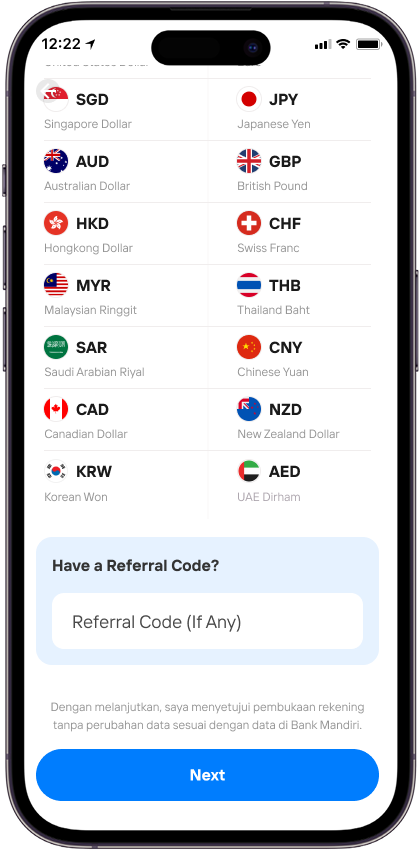
If you have referral code, input it in the Product Detail page. Otherwise, click Next
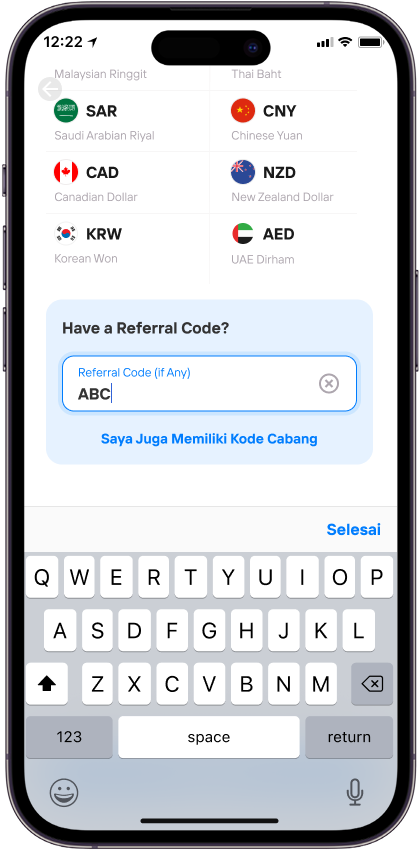
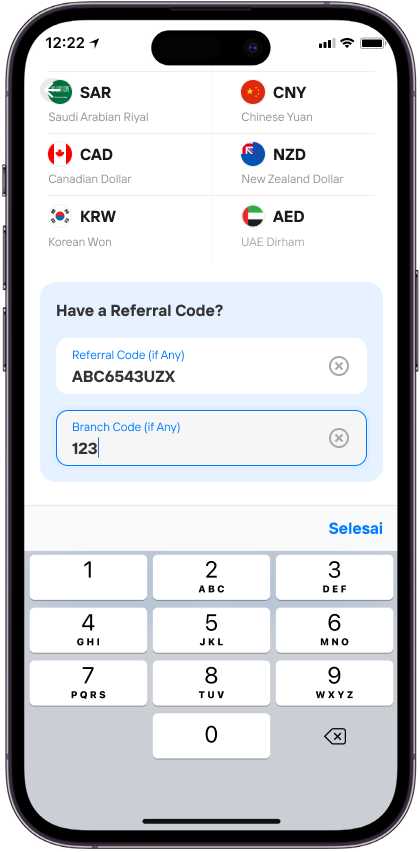
You also can input a Branch Code (if any) in the Product Detail page by clicking the I Have a Branch Code button

Read and agree to the Terms and Condition

Select currency for your account and click Select


There will be a confirmation screen either for Main or Sub account according to the account type. Click Continue

Verify your face by clicking Take a Selfie

Place your face in the frame and blink your eyes.

Verification successful


You will see the deposit screen. For main account, you will have to deposit right away, while for sub account you have the option to deposit later.

There will be a deposit confirmation screen

Input your Livin’ PIN

You’ll see the account opening result page.

You have the option to choose if you want to link account to a card


Choose card for linkage (maximum 1 virtual and 1 physical card)

Input your Livin’ PIN

You’ll see linkage result screen

You got the option to choose to activate multicurrency (abroad transaction with forex account)

Choose card you want to use for abroad transaction
FAQ Valas - Cara Buka Rekening Valas R21
Frequently Asked Questions (FAQs)
It is a feature of opening a Foreign Exchange (Forex) account with a choice of 16 currencies with Multicurrency Savings (Multiccy) products for existing to bank customers who already have a Bank Mandiri rupiah account.
Customers can open a Foreign Exchange account at any time at Livin'.
There are no additional fees charged to Customers who open a foreign exchange account at Livin' by Mandiri. However, there is a monthly account administration fee in accordance with the applicable policy
In the process of opening an account through Livin' by Mandiri, the Customer is not required to refill his/her data. KYC verification will be carried out by means of Face Verification and Livin' by Mandiri PIN to ensure that the Customer who opens the account is a genuine customer.
In a set of Multicurrency Savings consists of 1 (one) Main Account account and several Sub Account accounts. The Main Account is a Multicurrency Savings account that is first opened by the customer or a Multicurrency Savings account with the type of currency they already have, while the Sub Account is a Multicurrency Savings account with a different currency than the one they already have. Multicurrency Savings account management fees will only be charged to the Main Account, while for Sub Accounts, account management fees will not be charged except for the cost of printing statements on demand.
The Main Account of the Multicurrency Savings Account will be formed if the Customer meets one of the following conditions:
-
The Customer already has a Foreign Exchange account in the same currency, or
-
The customer does not have a Main Account account, or
-
The Sub Account account quota has reached the maximum limit (currently a maximum of 15 Sub Account accounts).
A Multicurrency Savings Account Sub Account will be formed if the Customer meets all of the following conditions:
-
The customer does not have an account in the same currency, and
-
The Customer has a Main Account with Active or New Today status with a balance, and
-
The customer still has a Sub Account account quota (has not reached the maximum limit)
To be able to open a Multicurrency Savings account, there are several things that must be ensured:
-
The customer already has an IDR account that is not an account with a product code that is not allowed to transact at Livin', not a joint account in the form of "AND" and "OR", and has a new today status that has a balance of > IDR 0 or active status.
-
The customer does not have an account with restricted or frozen status.
-
The customer does not have a Multicurrency Main Account Savings account with a new today (4) balance status of 0 (zero).
-
The customer still has a Multicurrency Savings account quota for a currency.
-
Not in a condition where all Multicurrency Main Account Savings accounts owned are dormant.
To be able to choose a currency, make sure the Customer still has an account quota for the currency to be selected. The account quota for each currency is 3 (three) accounts (subject to change according to the applicable policy).
Customers can open a foreign exchange account by directly depositing or depositing later when the account has been formed. However, if the customer does not make an initial deposit for the Main Account for up to 90 calendar days or for Sub Accounts up to 180 calendar days from the time the account is formed, then the account will be closed
Customers will not get a passbook. For account mutation information, you can see it through the Livin' by Mandiri application. Customers can also obtain e-statements via email every month and account details on the Livin' by Mandiri application.
After the account opening process, the Customer can see the account number on the Successful Account Opening Results page. Information regarding account numbers will also be received through the Inbox at Livin' by Mandiri and sent to the Customer's email registered with Livin' by Mandiri. In addition, Customers can also view account information on the Home page in the "Savings and Deposits" section.
There are several possibilities as follows.
-
The customer has an account with a restricted or frozen status so the customer cannot create a new account yet. Customers can unblock the account through Bank Mandiri branches.
-
The customer does not have an active Rupiah currency account at Bank Mandiri. Customers can open a Rupiah account first through Livin' by Mandiri or Bank Mandiri branches.
-
All Customer's Main Account Forex accounts are dormant or passive. Customers can activate savings first through Bank Mandiri branches.
-
The customer has a Foreign Exchange Main Account with the status of New Today with a zero balance. To be able to open a new Foreign Exchange account, the Customer needs to deposit first.
-
The number of Customer's Foreign Exchange accounts has reached the maximum limit for each currency.
-
There are no currencies available as all currencies in the back office are in the OFF state. Customers can try to reopen when the currency status is ON again.
The customer may choose to do one of the following:
-
The customer can cancel the foreign exchange account opening by clicking the 'Return' button, or
-
Customers can continue to open a foreign exchange account without an initial deposit by clicking the 'Continue Without Deposit' button.
There are the following possibilities if the Customer is unable to connect the foreign exchange account to the debit card:
-
The Customer's debit card type cannot be linked to the account type of the Multicurrency Savings. Customers can request a new debit card through Livin' by Mandiri or Bank Mandiri branches.
-
The quota of the account connected to the Customer's debit card has reached the maximum amount. Customers can set up a connected account at Livin' by Mandiri on the Card Control Menu.
-
The Customer's debit card is linked to an account with a status other than active and new today. Customers can set up a connected account at Livin' by Mandiri on the Card Control Menu.
It is possible for the Customer to connect the foreign exchange account to a debit card that cannot be used for foreign transactions (Debit GPN). If the Customer wishes to activate foreign transactions for foreign exchange accounts, the Customer can connect the foreign exchange account to the VISA card.
To be directly directed to the Multicurrency Savings Detail Products page, the Customer must have installed Livin' before. After scanning the QR or clicking the referral link, the Customer needs to log in to Livin' (if not logged in) and will be directed to the Multicurrency Savings Detail Products page.
Make sure the customer's internet connection is stable so that the value of the referral code or branch code on the QR and link can be carried away.
Di mana pun, kapan pun, apa pun device kamu,
Download Aplikasi Livin’ by Mandiri
Dan dapatkan kemudahan dalam segala urusan finansial sekarang