




Kredit Agunan Deposito
R23 KAD Content
Manage Your Kredit Agunan Deposito Easily in Livin’ by Mandiri
Extend your tenor or repay early. Do it all in the Livin’ by Mandiri app. Follow the steps below.
Credit Application

Select Livin’ KA-Deposito on Livin’ by Mandiri’s home page.

To apply, select Livin' KA-Deposito menu on the Loan section.

You can also apply through the Deposito page.

Read the Livin' KA-Deposito product information carefully, then tap the Apply Now button.

Read the Terms and Conditions, then tap the
I Agree button.

Enter the loan amount as needed, then tap Next.

Select the deposit to be used as collateral. Ensure its value is sufficient and meets your loan requirements.

Choose the Repayment Method according to your needs.

Choose a suitable Tenor. Your deposit will be hold until the loan is fully repaid.

Please select your current Marital Status. If you are married, you will proceed to the spouse’s consent and face verification step.

Read and agree to the Credit Applicant Statement, then Continue to Face Verification.

Have yourself in front of your camera, then tap Start Selfie.

Enter information about your spouse. Make sure the data you provide is accurate.

Please have your spouse read and understand the content and details of the agreement before approving.

Make sure your spouse is ready in front of the camera to do the face verification.

Select the account that will receive the loan disbursement and payments.

Select the account that will receive the loan disbursement and payments.

Review this details before proceeding. Make sure everything is correct and meets your needs.

Enter your Livin’ PIN.

Your loan application is being processed. Please check the status regularly.

Check the Inbox menu to see the latest status of your loan application progress.

Here you can check the progress and latest loan application status as well as the details.
Signing of the Credit Agreement

When your loan application is approved, Bank Mandiri will send you a notification to your Inbox.

When your loan application is approved, you have to agree and sign the Loan Agreement Document to proceed the loan disbursement.

Read thoroughly to fully understand the Loan Agreement Document before agreeing.

Enter your Livin’ PIN.

After approving the Loan Agreement Document, it will be processed. Please check the status regularly.

After the document is approved, your loan will be disbursed to the account you selected.
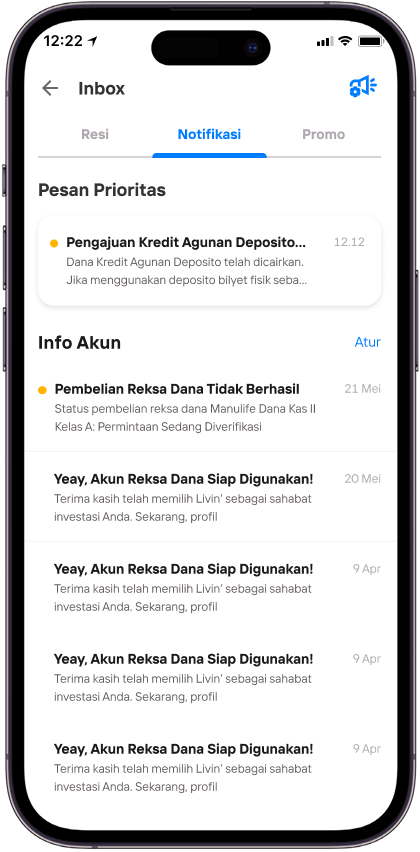
Check the Inbox menu to see the latest status of your loan application progress.

The funds will be disbursed. If you're using a deposit with certificate as collateral, please submit the physical certificate to a branch within 3 business days.

You can view account details on the Loan page under Your Products menu.

Congratulations on reaching your dreams with Kredit Agunan Deposito Mandiri!
Perpanjangan Tenor
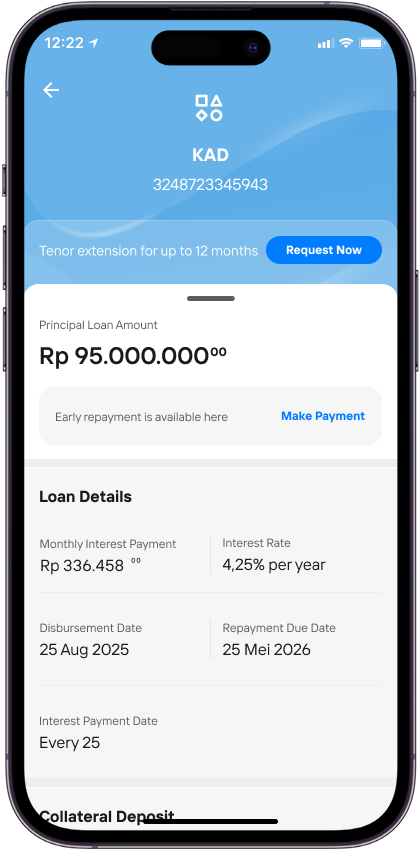
To request a tenor extension, tap the Request Now button on the Deposit-Backed Loan Details page.
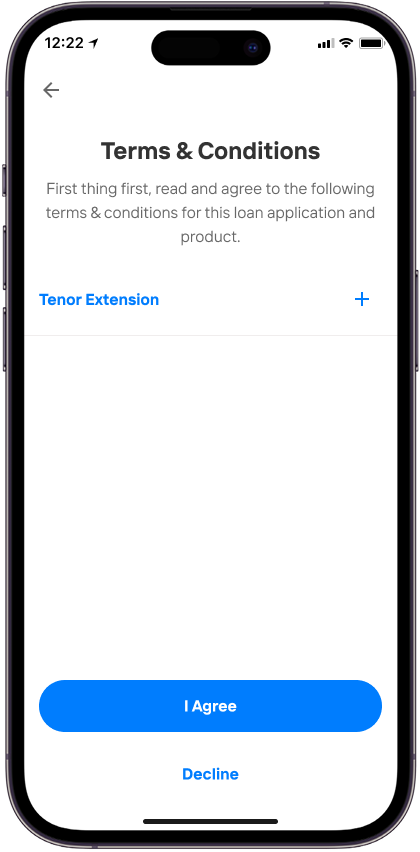
Read and understand the Terms and Conditions, then tap I Agree.
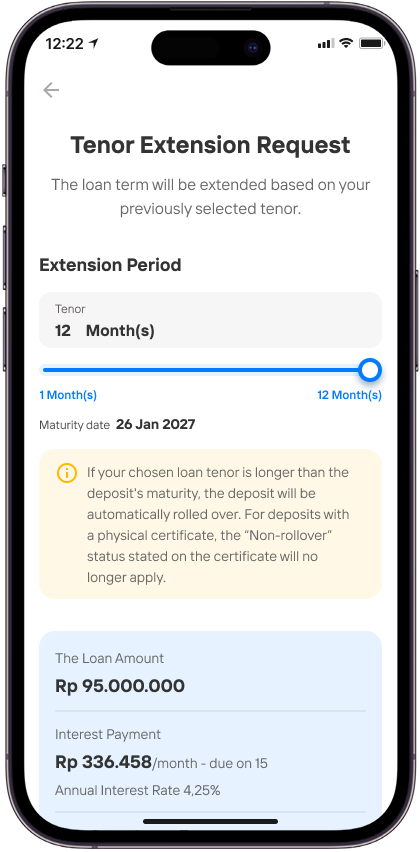
Set the extension period according to your needs.
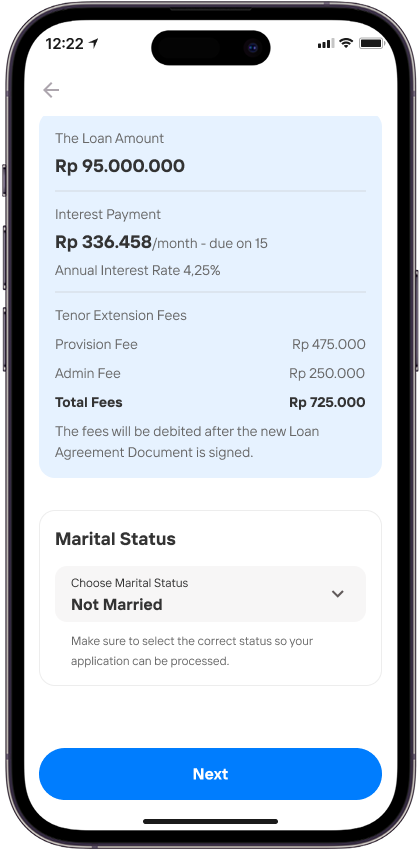
Select your marital status and make sure all tenor extension details are correct, then tap Next.
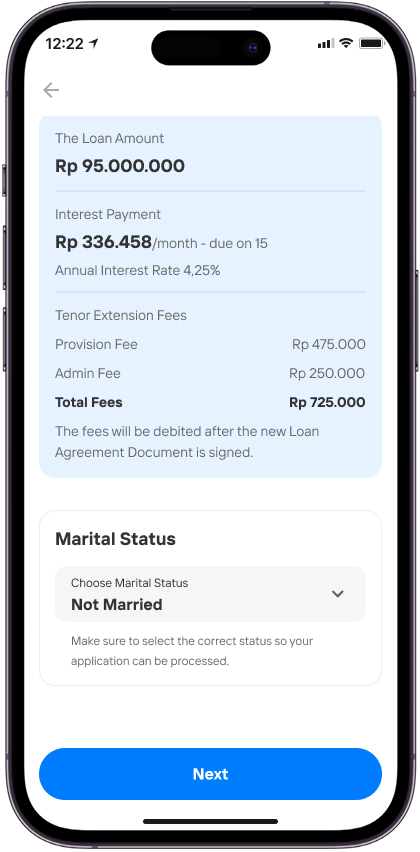
Confirm your marital status and make sure all tenor extension details are up to date, then tap Next.
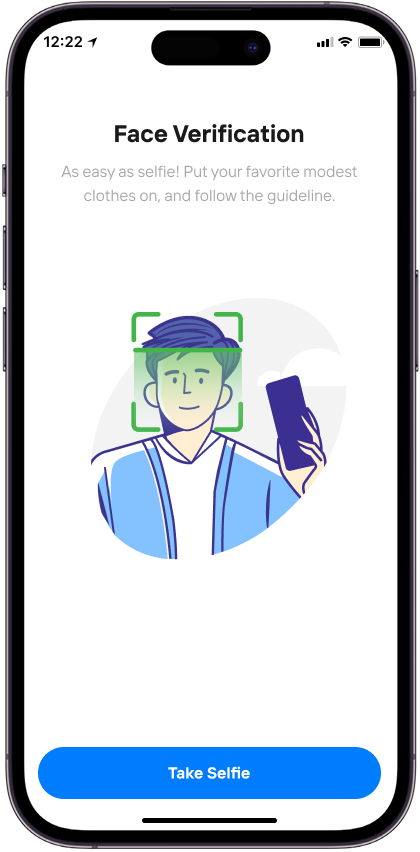
Proceed to Face Verification by following the on-screen instructions.
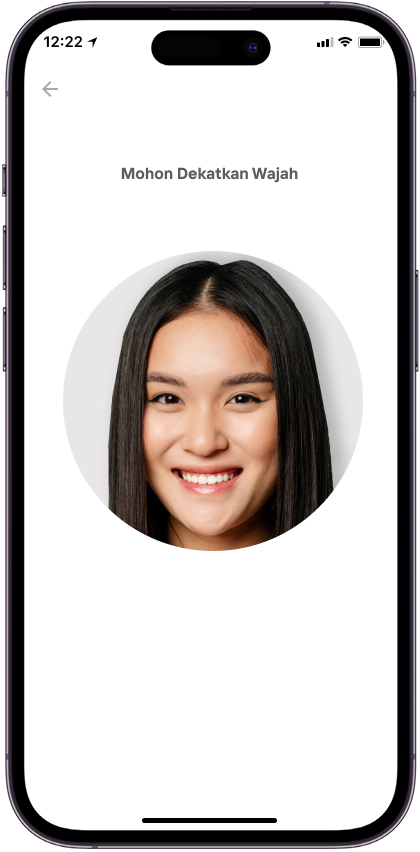
Hold your face steady until the verification is successful.
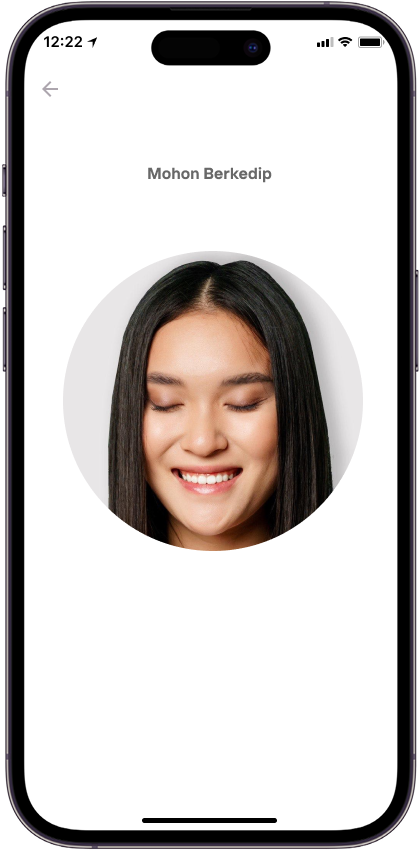
Follow the on-screen instructions for face verification.
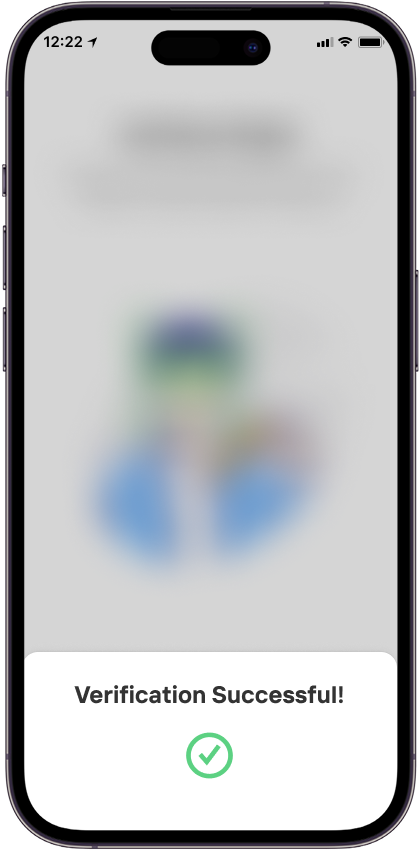
Face verification is successful. If you are married, you will proceed to the spouse approval and face verification stage.
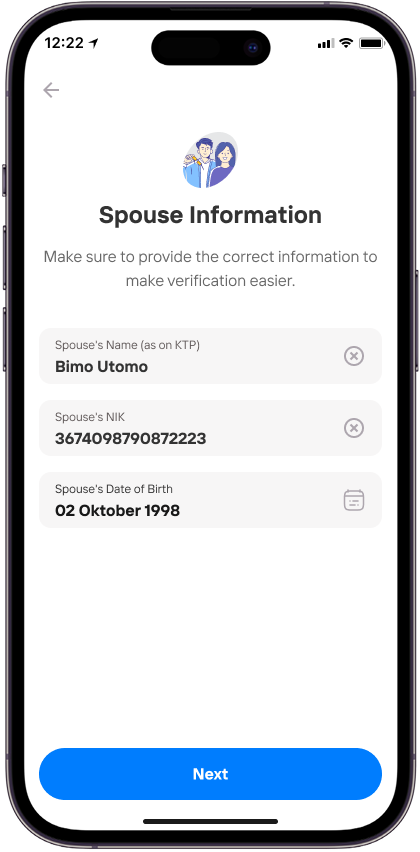
Enter your spouse’s information. Please make sure the data entered is accurate.
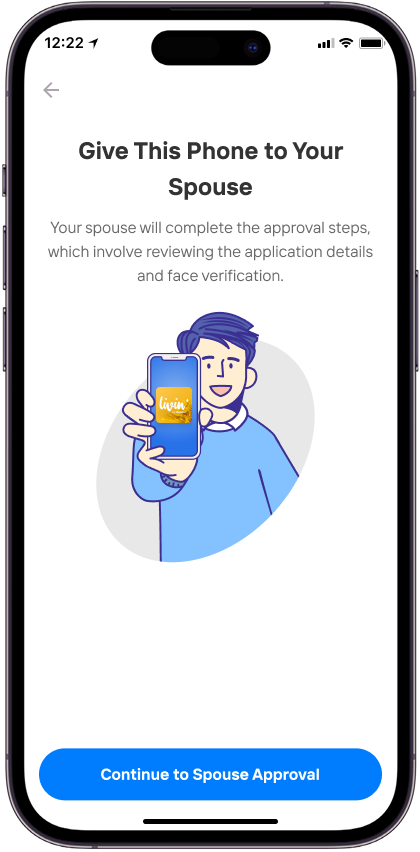
Proceed to the spouse approval and face verification stage.
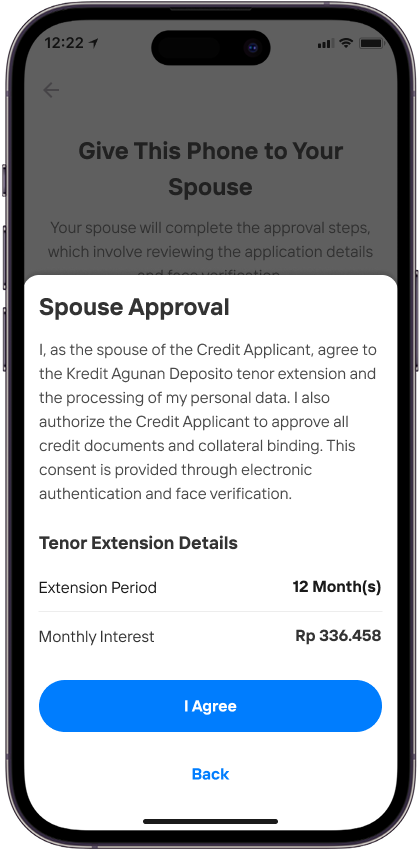
Please ask your spouse to read and understand the consent details before agreeing.
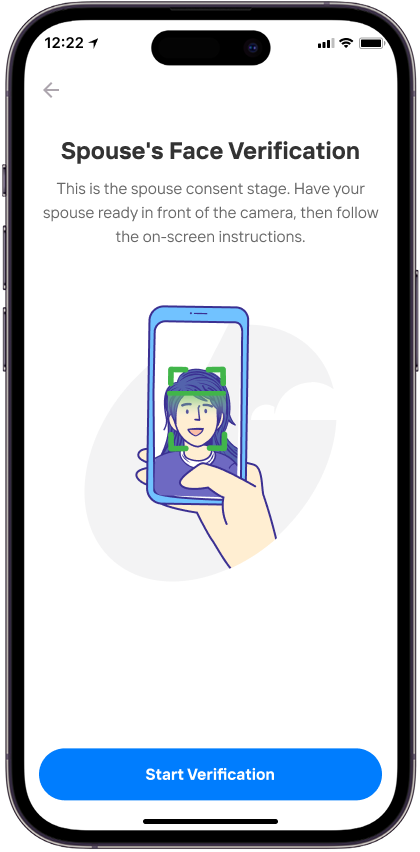
Make sure your spouse is ready in front of the camera for face verification.
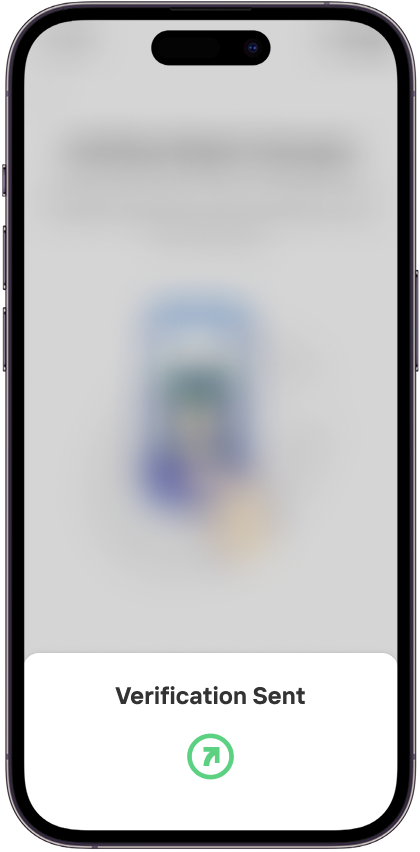
Spouse approval and face verification are successful.
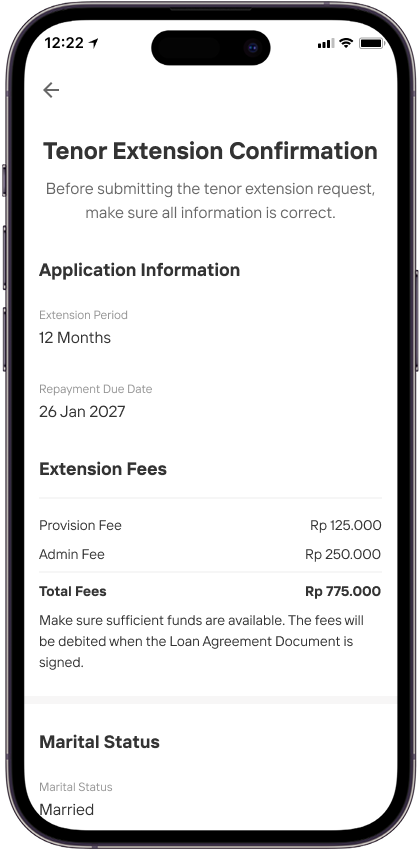
Review the details before proceeding. Make sure everything is correct according to your needs.
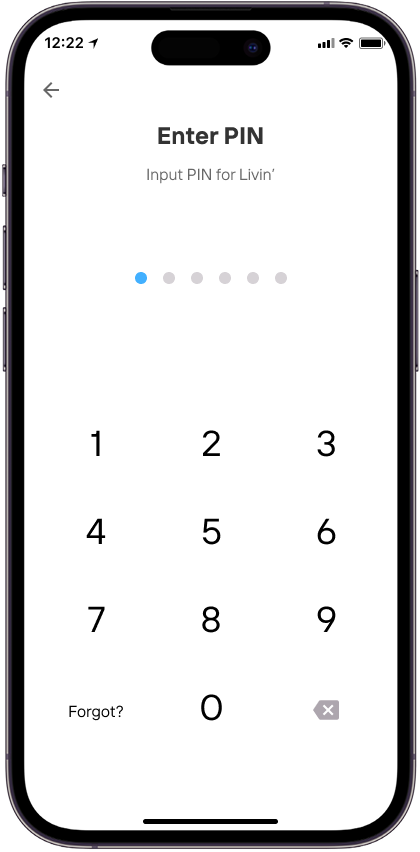
Enter Livin’ PIN.
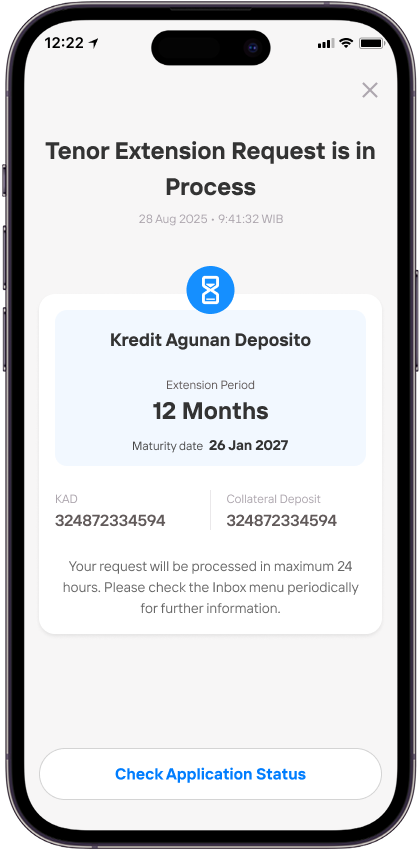
Your tenor extension request is being processed. Please check the status periodically.
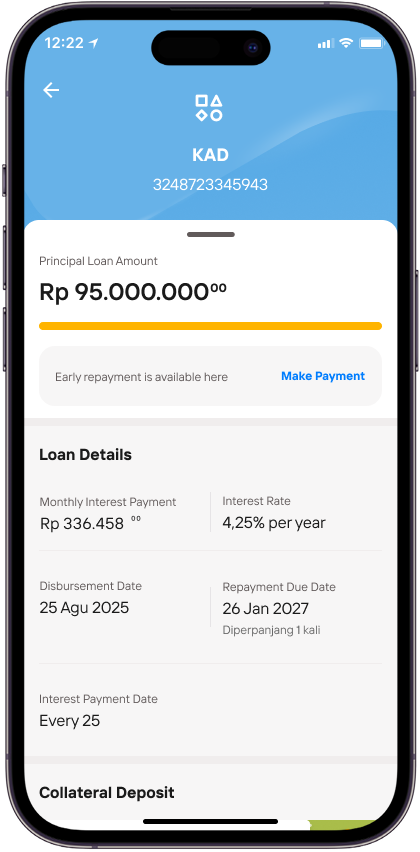
You can view the tenor extension details in the Your Products menu, then select Kredit Agunan Deposito.
Pelunasan Dipercepat Sumber Dana Tabungan
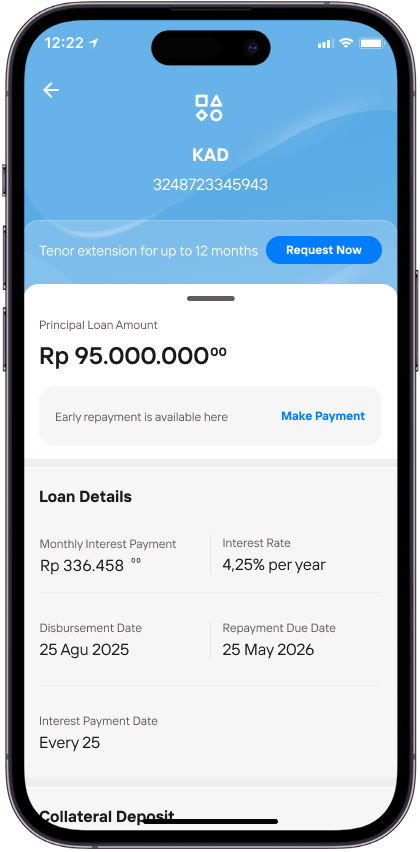
To proceed with early repayment, tap the Make Payment button on the Kredit Agunan Deposito page.
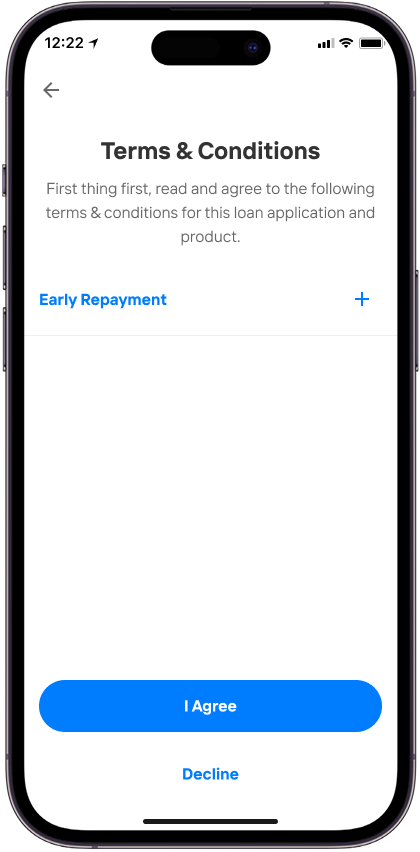
Read and understand the Terms and Conditions, then tap I Agree.
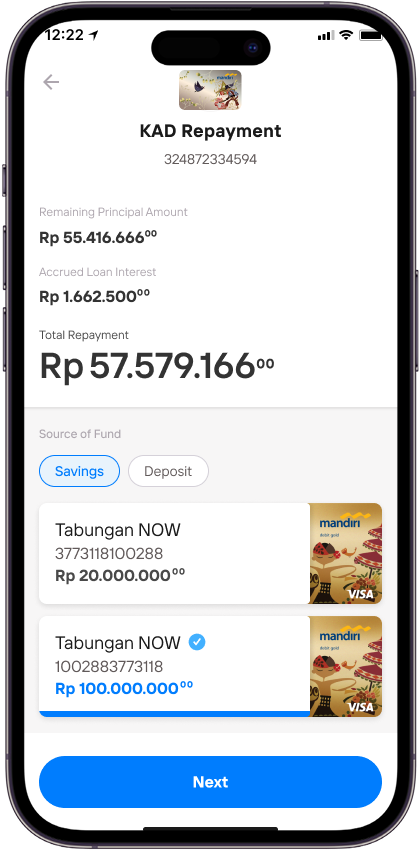
Review the total repayment amount, then select Savings as the source of fund.
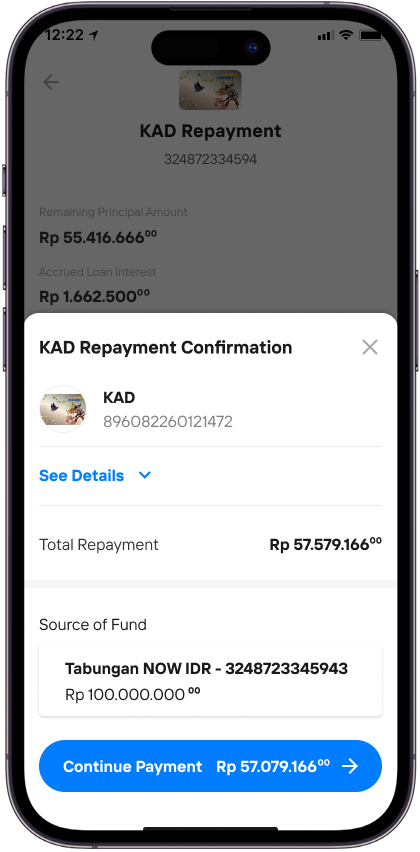
Review and confirm the repayment details.
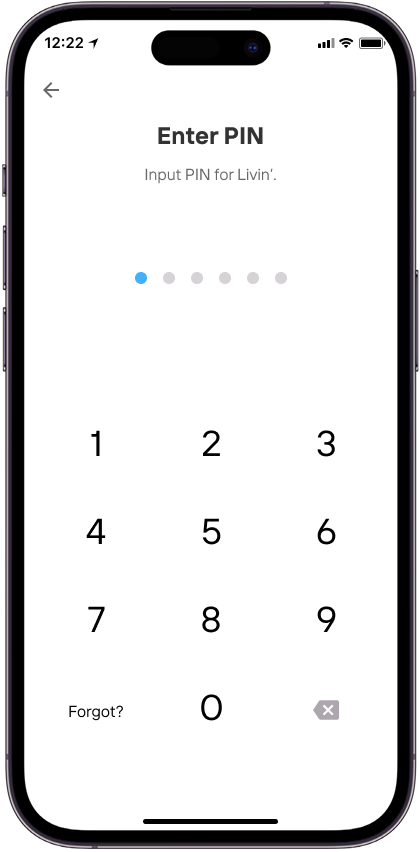
Enter Livin’ PIN.
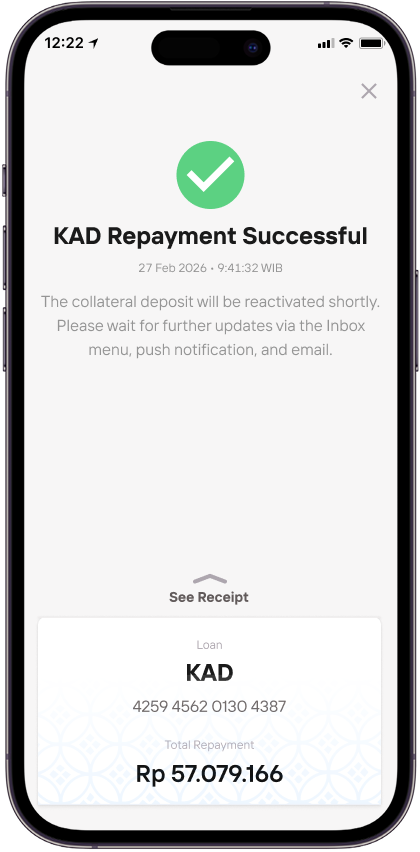
Your Kredit Agunan Deposito has been successfully repaid.
Pelunasan Dipercepat Sumber Dana Deposito
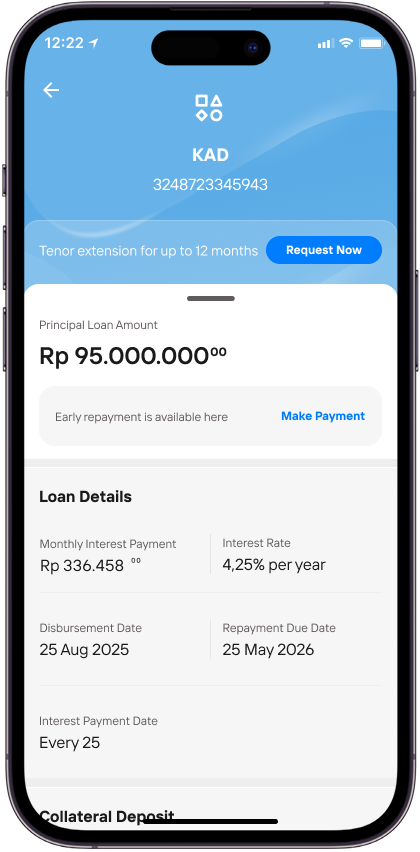
To proceed with early repayment, tap the Make Payment button on the Kredit Agunan Deposito page.
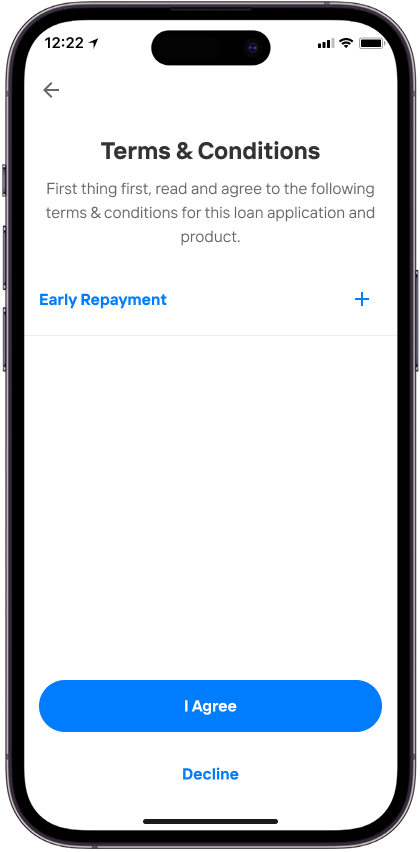
Read and understand the Terms and Conditions, then tap I Agree.
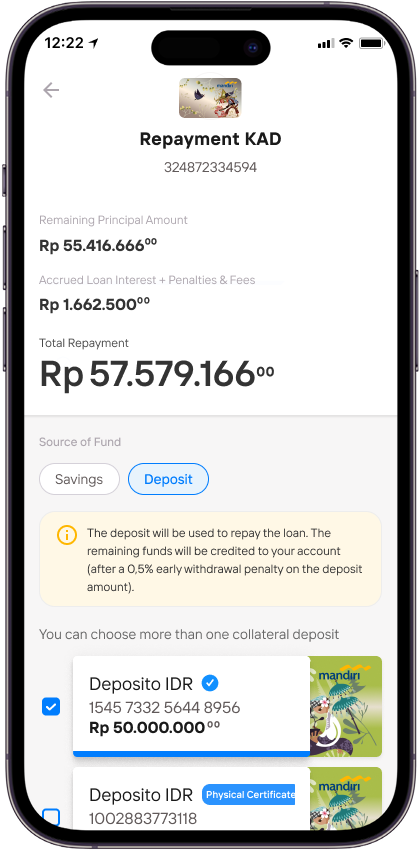
Review the total repayment amount, then select Savings as the source of fund.
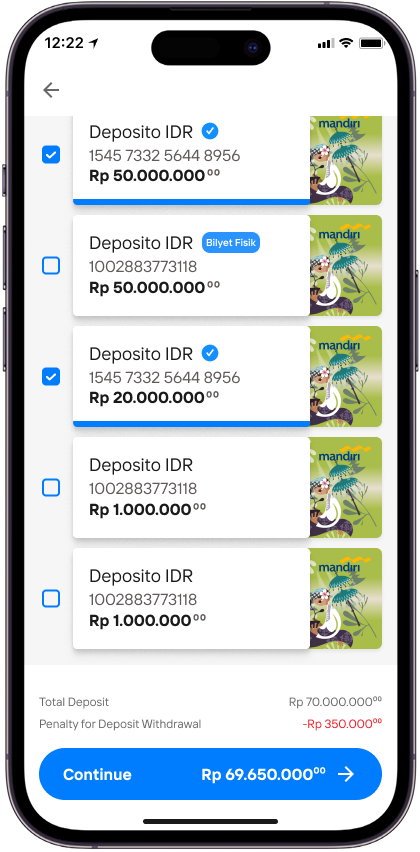
You can select one or more time deposit accounts as funding source for the repayment.
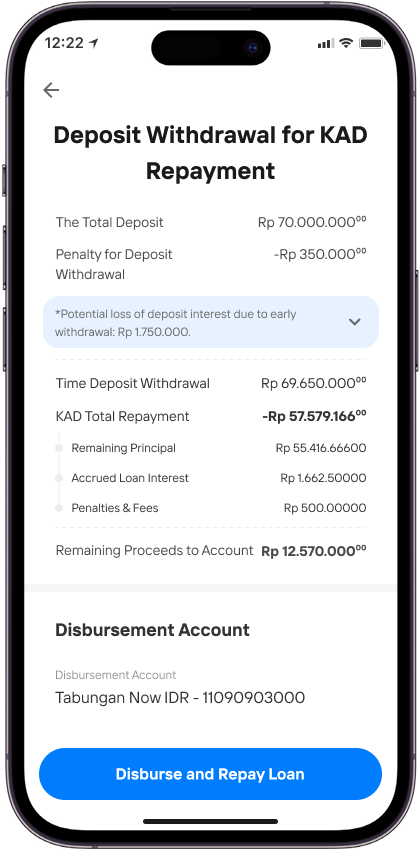
Review and confirm the repayment details.
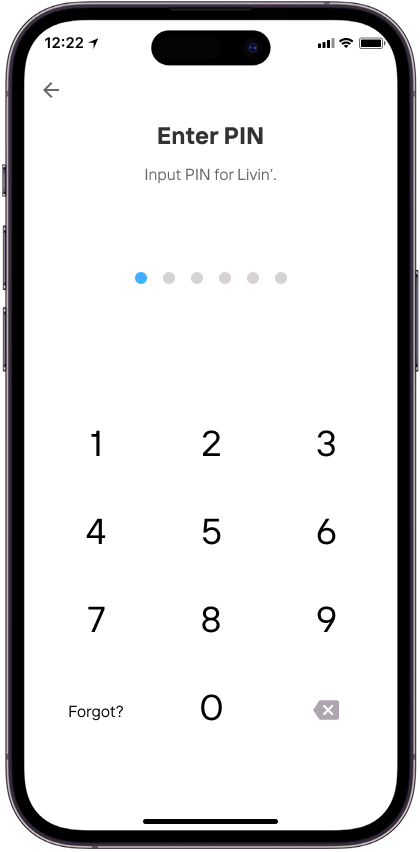
Enter Livin’ PIN.
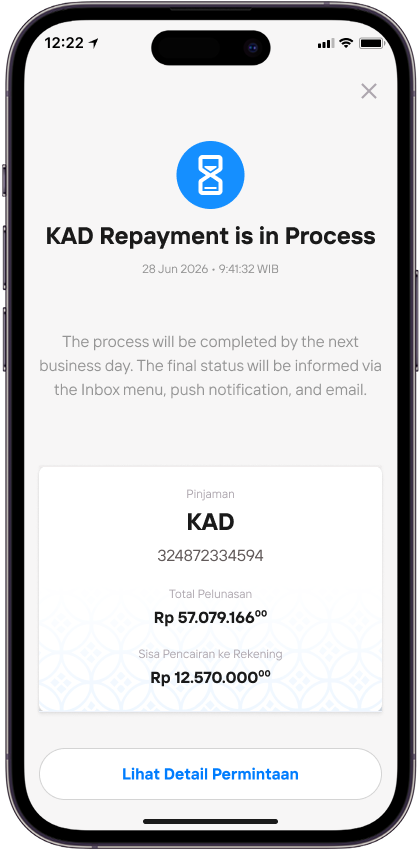
Your request for Kredit Agunan Deposito repayment will be processed.
BIAYA RISK KAD
1. To avoid failure when extending a Kredit Agunan Deposito, before proceeding with the extension via Livin' by Mandiri, please ensure that:
- The Kredit Agunan Deposito status is still active and has not passed the due date
- There are no outstanding instalments, interest, penalties, or other obligations
- The deposit used as collateral remains active
- The customer agrees to the terms and conditions of the extension as displayed in Livin'
- The selected debit account has sufficient balance to cover any obligations arising from the extension of the Kredit Agunan Deposito
- Only Kredit Agunan Deposito with a bullet repayment method (principal paid at maturity) are eligible for extension
2. Will I be charged for extending a Kredit Agunan Deposito (KAD)?
Customers will be charged an administrative fee of IDR 250,000 per application for the extension of a Kredit Agunan Deposito (KAD), and a provision fee of 0.1% per annum of the credit limit.
3. To avoid failure when making an early repayment of a Kredit Agunan Deposito (KAD), before proceeding via Livin' by Mandiri, please ensure that:
- The Kredit Agunan Deposito is still active
- There are no outstanding instalments, interest, penalties, or other obligations
- The selected debit account has sufficient balance to cover the repayment amount
- The customer agrees to the early repayment amount as displayed in Livin'
- The early repayment is carried out in accordance with the applicable terms and conditions
4. Will I be charged for early repayment of a Kredit Agunan Deposito (KAD)?
For early repayment of a Kredit Agunan Deposito (KAD) using a savings account as the source of funds, no fee will be charged (free of charge). For early repayment using a deposit as the source of funds, an early withdrawal penalty on the deposit will apply.
R23 KAD FAQ
Frequently Asked Questions
What is a Deposit Collateral Loan?
A Deposit Collateral Loan is a loan where you use your fixed deposit as a guarantee. Your deposit still earns interest, and at the same time, you can borrow money based on the amount of your deposit.
What are the requirements to apply for a Deposit Collateral Loan?
To apply, you must:
- Be an Indonesian citizen (individual)
- Have no non-performing loan (NPL) history in the last 12 months (based on SLIK checks)
- Not be listed on the Debtor Blacklist (DHN) in the last 12 months
- Have no legal problems or not be involved in any legal issues
- Make the deposit through the Livin' app or at a Mandiri branch.
- Use a standard (non-special rate) time deposit.
- A time deposit that is already used as collateral for a KA-Deposito loan cannot be used again for another KA-Deposito loan.
What are the benefits of a Deposit Collateral Loan?
- You can apply anytime and anywhere using the Livin' app
- You get a loan without having to withdraw your deposit — your deposit still earns interest
- You can borrow up to IDR 10 billion
- Faster application process with a simple verification.
What is the maximum loan amount I can receive?
You can borrow up to 100% of your time deposit value.
What fees do I have to pay for the Kredit Agunan Deposito?
- The loan interest rate is 0.5% on the top of the deposit interest rate
- Late payment fines start at 2% on the top of the current interest rate, based on the overdue amount
- An administration fee of IDR 250,000 per loan application
- A provision fee of 0.1% per year based on the loan amount
- Interest rates and fees can change based on bank policies
How much credit can I get for a Kredit Agunan Deposito on Livin' by Mandiri?
You can borrow min. IDR 1 million and max. IDR 10 billion.
How do I pay my Kredit Agunan Deposito?
There are 2 ways to pay:
- Monthly payments: Pay your principal and interest every month on the 15th. The loan can last up to 36 months.
- Pay principal at the end: Pay interest every month on the 15th, and pay the full principal and remaining interest when the loan ends. This option lasts up to 12 months.
Can a deposit made at a bank branch be used as collateral for this loan via Livin'?
Yes, it is possible. If the deposit is issued in the form of a deposit certificate, you can submit the physical deposit certificate to the branch within three (3) working days after the application has been approved.
Where do I have to submit my physical deposit certificate to be used as collateral?
You may submit the physical deposit certificate at any of the Bank Mandiri branches listed at the following link click here.
Can I hand over a physical deposit certificate to a branch outside the selected branch list?
No, you can submit the physical deposit certificate only at branches that are included in the list.
Can I collateral physical certificate deposits and Livin' deposits in one application for Kredit Agunan Deposito?
You can collateral physical certificate deposits and Livin' deposits in one loan application for Kredit Agunan Deposito, but you still must submit their physical certificate to the branch. Upon submission of physical certificate at the branches, you will receive a copy of the handover minutes (BAST) as proof of the submission of physical bills at the branch.
Can I collateral a physical NON ARO deposit?
NON ARO physical certificate deposits can be used as collateral for Kredit Agunan Deposito with the following conditions:
- If the tenor of the physical certificate deposit is shorter or equal to the tenor of the application submitted: (i) NON ARO physical certificate deposits will be converted to ARO deposits by system (ii) You must fill in the General Application Form stating NON ARO physical certificate deposits are converted into ARO deposits at the branch.
- If the tenor of the physical certificate deposit is longer than the tenor of the application submitted: NON ARO physical certificate deposits will remain NON ARO deposits
If I bring a physical certificate deposit that is different from the one collateralized in the Livin' KAD even though the nominal is the same, can it still be processed at the branch?
No, you must submit a physical certificate that is in accordance with the credit application.
Is there a maximum time for the submission of the deposit bill?
Yes, you must submit a physical certificate that is in accordance with the credit application no more than 3 working days. If it is not submitted within the specified time limit, Bank has the right to disburse the deposit in the event of default on its Kredit Agunan Deposito.
If my Kredit Agunan Deposito has been paid off and my collateral is in the form of physical certificate, where should I take the physical certificate back?
You can visit the same branch when you submit the physical certificate.
What are the requirements for taking a physical certificate deposit?
You can bring the handover minutes (BAST document) and show a notification at Livin' by Mandiri that your loan has been paid off.
How can I know the steps to apply for a Kredit Agunan Deposito?
There are three stages in the application process, as follows:
- Application is being checked: This is the initial verification stage of your loan application, which generally takes approximately 15 minutes.
- Application approved: The stage at which the loan application has been approved by the Bank and the customer can proceed with the approval process for the loan approval notification, the general terms and conditions of the loan agreement, and the pledge deed online via the Livin’ by Mandiri app. Once the Loan Agreement has been signed, the loan will be processed further by the Bank.
- Funds Disbursed: At this stage, the Bank processes the disbursement of the loan to your savings account. The disbursement may be completed within approximately 30 (thirty) minutes after the approval and signing processes are completed, subject to data completeness, system availability, and applicable terms and conditions. In certain circumstances, the disbursement process may require a longer processing time.
You can monitor the status of your application through the Inbox in the Livin' by Mandiri application or via periodic email notifications.
I'm having an issue — my loan application status hasn't changed in over 3 working days. What should I do?
If there has been no update to your application status for more than three days, please contact Livin' Call by Mandiri (toll-free), Mandiri Call 14000 or your nearest Mandiri branch
What if I don't have enough money to pay?
- If you don't pay, your loan will be considered overdue.
- If you don't pay the penalty within 1 day, your deposit will be automatically used to pay off the loan.
What risks do I have if I don't pay the loan?
- Your deposit will be used to pay the loan.
- You will be charged a daily penalty for late payments.
- Your credit record will show that you missed payments, which is recorded in the Financial Information Service System (SLIK).
What if I believe I didn't apply for or withdraw the loan?
If you believe you did not make the transaction, you can report it by calling Mandiri Call at 14000.
What if the installment I paid doesn't match the correct amount?
Please report the issue through: Livin' Call by Mandiri (toll-free), Mandiri Call 14000 or Your nearest Mandiri branch
Can I pay off my Kredit Agunan Deposito early before the due date?
Currently, early repayment of a Kredit Agunan Deposito is not allowed before the loan maturity date.
If I have already applied for a Kredit Agunan Deposito through Livin' by Mandiri, can I cancel the application?
Once submitted, a Kredit Agunan Deposito application cannot be cancelled.
Can I apply for a 'Top-Up' on my existing Kredit Agunan Deposito?
- You cannot apply for a top-up on an existing Kredit Agunan Deposito that has already been processed and disbursed to your account.
- If you need additional funds, you may apply for a new Kredit Agunan Deposito after the previous loan has been successfully disbursed.
What is the Kredit Agunan Deposito (KAD) Extension feature?
This is a feature in Livin' that allows customers to independently request an extension of the tenor or loan period for a Kredit Agunan Deposito (KAD) through Livin' by Mandiri, without needing to visit a branch.
What is the Kredit Agunan Deposito (KAD) Early Repayment feature?
This is a feature in Livin' that allows customers to repay their Kredit Agunan Deposito (KAD) earlier, before the due date. Customers can complete the repayment independently through Livin' by Mandiri without needing to visit a branch.
Can I extend a Kredit Agunan Deposito (KAD) created at a branch through Livin'?
No, customers cannot extend a KAD that was created at a branch via Livin'. Only KADs created through the Livin' app are eligible for extension in Livin'.
Can I make early repayment for a Kredit Agunan Deposito (KAD) created at a branch through Livin'?
No, customers cannot make early repayment for a KAD created at a branch via Livin'. Only KADs created through the Livin' app are eligible for early repayment in Livin'.
Where can I check the status of my KAD extension in Livin'?
Customers can check the status by:
- Going to the Inbox menu
- Clicking the notification
- Selecting the notification containing the KAD renewal application milestone
Where can I check the status of my KAD early repayment in Livin'?
Customers can check the status by:
- Going to the Inbox menu
- Clicking the notification
- Selecting the latest notification related to early repayment
Why did my KAD extension process fail in Livin'?
A KAD extension may fail due to the following reasons:
- The KAD was created at a branch: ensure only KADs created in the Livin' app are extended via Livin'
- Insufficient balance in the debit account: ensure sufficient funds are available for the extension payment
- Borrower data does not match Dukcapil records: please update your data with Dukcapil
- Spouse information provided does not match the data recorded in Dukcapil: please ensure that the spouse's details are entered in accordance with the Dukcapil records.
- The customer has submitted a credit extension request but has not signed the credit agreement by H+1 of the request date: as the extension request has expired, please submit a new application for the credit extension.
- The customer has not processed the credit extension by H-2 before the due date: please ensure that the extension is completed no later than H-2 prior to the credit due date.
Why did my KAD early repayment process fail in Livin'?
An early repayment may fail due to the following reasons:
- The KAD was created at a branch: ensure only KADs created in the Livin' app are repaid via Livin'
- Insufficient balance in the debit account: ensure sufficient funds are available for repayment using CASA/GIRO
- Early repayment requests cannot be made between 22:00 WIB and 04:00 WIB
What should I do if my KAD extension fails?
Customers experiencing issues may contact Livin' Call by Mandiri (toll-free) to report the issue.
What should I do if my KAD early repayment fails?
Customers experiencing issues may reapply for early repayment or contact Livin' Call by Mandiri (toll-free) to report the issue.